What Fold Cue would never cut, and what it isn't trying to be
Fold Cue was planned in a hurry, for a phone that isn't out yet. The most useful part of the plan wasn't the feature list. It was deciding in advance what would never be traded away when time ran short, and what the app wasn't going to try to be.
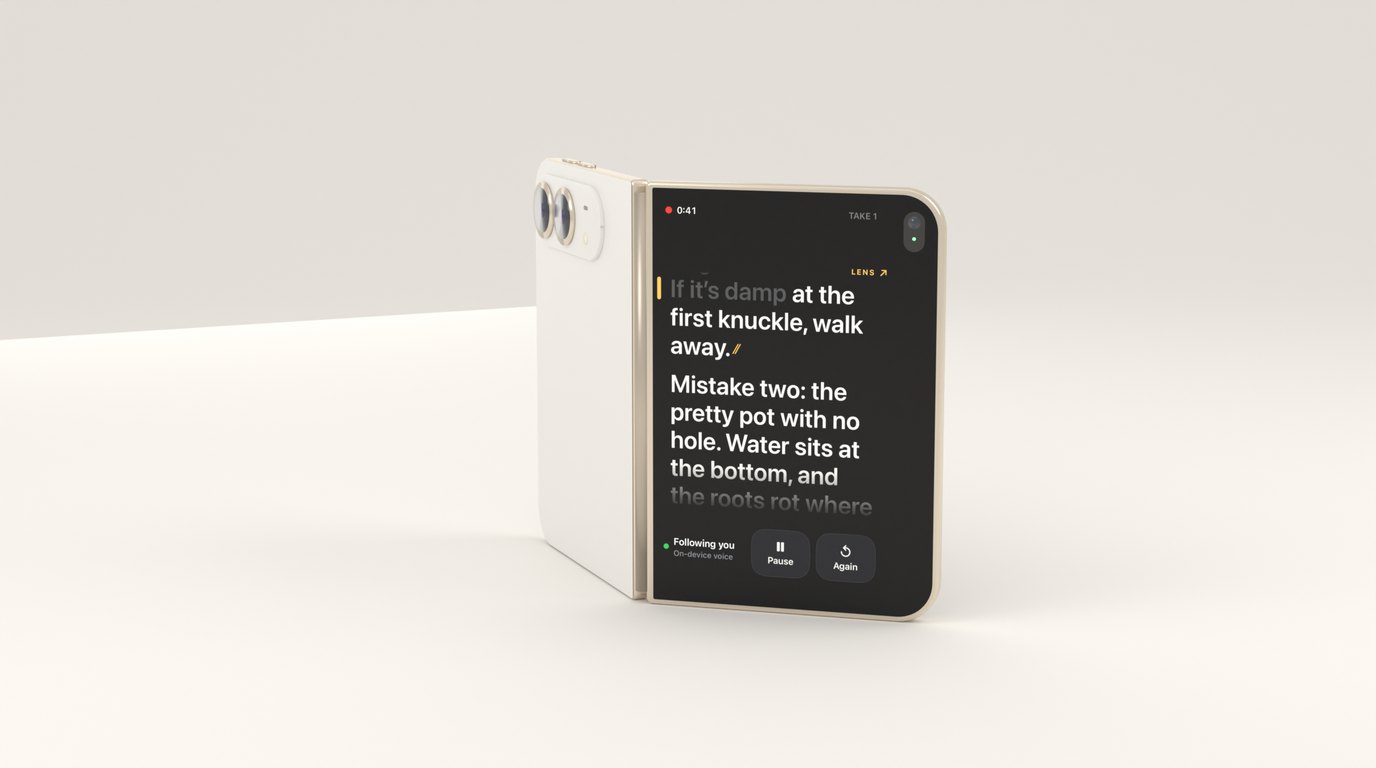
Fold Cue went from an idea to a working build very quickly, for a phone that goes on sale on 23 October. Plans written in a hurry tend to be feature lists. This one worked better than most of mine, and looking back, the reason is that the most important sections weren’t about features at all.
Research before code
Before any app code there was a clickable design prototype, a pile of notes from reading reviews of teleprompter apps, and a small spike to find out whether on-device speech could keep up with a reader at all.
The reviews were the most useful of those. People didn’t ask for more features. They asked for the features they had to stop failing quietly: text that stalls with no explanation, scrolling that drifts over a long session, a take lost to a phone call, captions that need fixing word by word, and a subscription for something they use now and then. That list became the product.
The spike came next, because if speech couldn’t follow a messy reading on the device, there was no app. It could, well enough to build on, and its logs became the engine’s first tests. I wrote about that part in Following a voice through a script, on the device.
The engine first, in its own package
The first real code was a small Swift package for the engine, with no UIKit and no AVFoundation. The follower, the command detector, the captions and the scoring are the part that makes Fold Cue good or bad, and they’re also the part that’s easiest to test away from a phone.
Doing it in that order meant the hardest logic had tests before there was an app to put it in, and every later change to the app sat on something that had already been checked.
What would never be cut
Every plan like this has a list of what to drop when you’re behind. The more useful list is the opposite one: what doesn’t get dropped, however late it is. For Fold Cue it’s short.
Voice-follow quality. It’s the reason to choose this app over a free one. A teleprompter that follows badly is worse than one that scrolls at a fixed pace, because at least the fixed one is predictable. If time ran short, features would go before the follower got less careful.
Takes that survive. A take is someone’s effort, and often their nerve. Crash-safe recording, recovery on the next launch and saving cleanly on a phone call aren’t polish. Losing a take is the one failure a user never forgives.
The fallback for the outer screen. The outer-screen prompter is the headline feature on iPhone Duo, and it’s the one the system is allowed to withdraw. The inner screen always carries the script, so a take never depends on it. I wrote about designing around that in Designing Fold Cue around an outer screen I can’t test yet.
The mic check. Before each take, the countdown waits until it can actually hear you. It’s a small feature and a boring one, and it exists because a take recorded with a muted microphone looks fine until you play it back.
Writing these down early made later decisions easy. Whenever something had to give, the question was only whether it touched something on that list.
Free is the whole app
The line between free and Pro was decided before the paywall existed, and it’s a simple one. Free is everything you need to record a script: voice follow, steady scroll, recording, spoken commands, rehearsing, the full iPhone Duo setup, and export to Photos with no watermark and no time limit. It isn’t a trial.
Pro is the studio tools on top: captions from your script, spoken commands trimmed out, take scoring to pick the best one, higher-resolution recording, script sync, and Final Cut Pro projects. It’s one purchase that’s yours to keep. There’s no subscription and no ads.
The rule that matters most is written into the project’s own notes: never move a free feature behind the paywall later. Plenty of apps start generous and tighten, and the reviews show how people feel about it.
What it isn’t trying to be
The plan also had a list of non-goals for the first version, and I’ve found that list as valuable as the goals. For now, Fold Cue doesn’t write your script for you. It doesn’t fake eye contact, generate an avatar, float over other apps, stream live or replace your background. None of those are bad ideas, and some might suit it one day. For a first version they’d have been a different app, and every one of them would have taken time from the things above.
Saying no in writing, before anyone asks, is much easier than saying no to a feature that’s half built.
Designing for a device you can’t hold
The last part of the plan was the humblest: a list of what can’t be known without a real iPhone Duo. Whether the system shows the outer screen reliably while the phone is standing. The angle it stands steadily at. How the script reads from a little way back, at a slight angle. How well its microphones hear you from across a room.
Most of them have a place in the app where the answer plugs in, and a sensible default until then. The stand guide says its range is a starting point, and the reading line and the text size can move once I’ve seen them from across a room. The microphones are the exception: if speech struggles at a distance, that will mean new code, not a new setting. The fallback doesn’t care whether the outer screen appears. The first day with a Duo is already written down as a test plan, so it can be spent measuring rather than wondering what to measure.
There’s a version of this app that waited for the hardware before designing anything. It would have been more certain, and it would have missed the launch. Planning around what I didn’t know turned out to be most of the plan.