A tattoo edit is not a new idea, so Negink got a Refine button
Negink turns a tattoo idea into a design. But often you already have a design and only want one thing changed. My prompt treated that kind of request as a new idea. Here's how the backend now tells an edit from an idea, and how Refine came out of it.

Negink is my tattoo design app. You describe an idea, pick a style, and it draws a tattoo design for you. You can also upload a reference picture, like a sketch or a photo, and you can preview a design on a body before you book anything.
Before 2.2, there was a case I hadn’t really designed for. Sometimes you already have a design you like, and you only want one thing changed. The only place to say that was the idea box next to the reference image, so the text was an instruction, not an idea. In that case you don’t want a new tattoo inspired by your picture. You want the same tattoo with one thing changed.
The app had no real way to do that. So Negink 2.2 has one, and the old flow got a quiet fix too.
The prompt was working against them
When you upload a reference, the backend builds a prompt for the image model around your text. Until 2.2, that prompt always treated your text as a concept. It asked the model to reinterpret the reference as a tattoo “incorporating the concept of” whatever you typed.
That works well for “a wolf howling at the moon”. It works badly for “keep the original but make the lines thinner”. Reinterpreting is the opposite of what that person asked for. The model would take the request loosely, or try to draw the request itself as if it were the subject.
The people typing these weren’t doing anything wrong. They found the one text box in the app and used it for what they needed. That told me two things. The reference flow had to handle instructions better, and a feature was missing.
Telling an edit from an idea
The first fix was on the server, so it helped every version of the app, including the ones already on people’s phones.
The backend now checks whether the text next to a reference reads like an instruction. It’s a small, boring check. If the text has more than three words and contains a word like make, keep, preserve, remove, add, replace, without, thinner or bigger, it counts as a request. Then the prompt changes. It tells the model to use the attached image as the starting point, follow the user’s request, and keep everything the request doesn’t ask to change.
Short texts always stay ideas. “Rose” is an idea. Even “make it pop” stays an idea, because with three words or fewer the old framing is fine, and I’d rather not guess.
The tests are mostly a list of sentences on both sides of the line. “Use the attached image as a base and add roses” has to come out as an edit. “Remove the text from the banner” too. “Dragon wrapped around a sword with cherry blossoms” has to stay an idea, even though it’s long. If a word is ever added to the list, these tests show right away whether it broke an idea that used to work.
A word list is crude, I know. What I like about it is what happens when it’s wrong. A missed instruction gets the same prompt everyone got before 2.2, so the worst case is the old behavior, not a new kind of bug.
Refine: one change, everything else stays
The bigger part is Refine. Every design in Negink 2.2 has a Refine Design button. You tap it, describe one change, and get a new version. The sheet says it plainly: “Describe one change. Everything else stays the same.” Under the text field there are a few suggestions you can tap, like Thinner lines, Add flowers, Remove the text, Simpler and Bolder outlines.
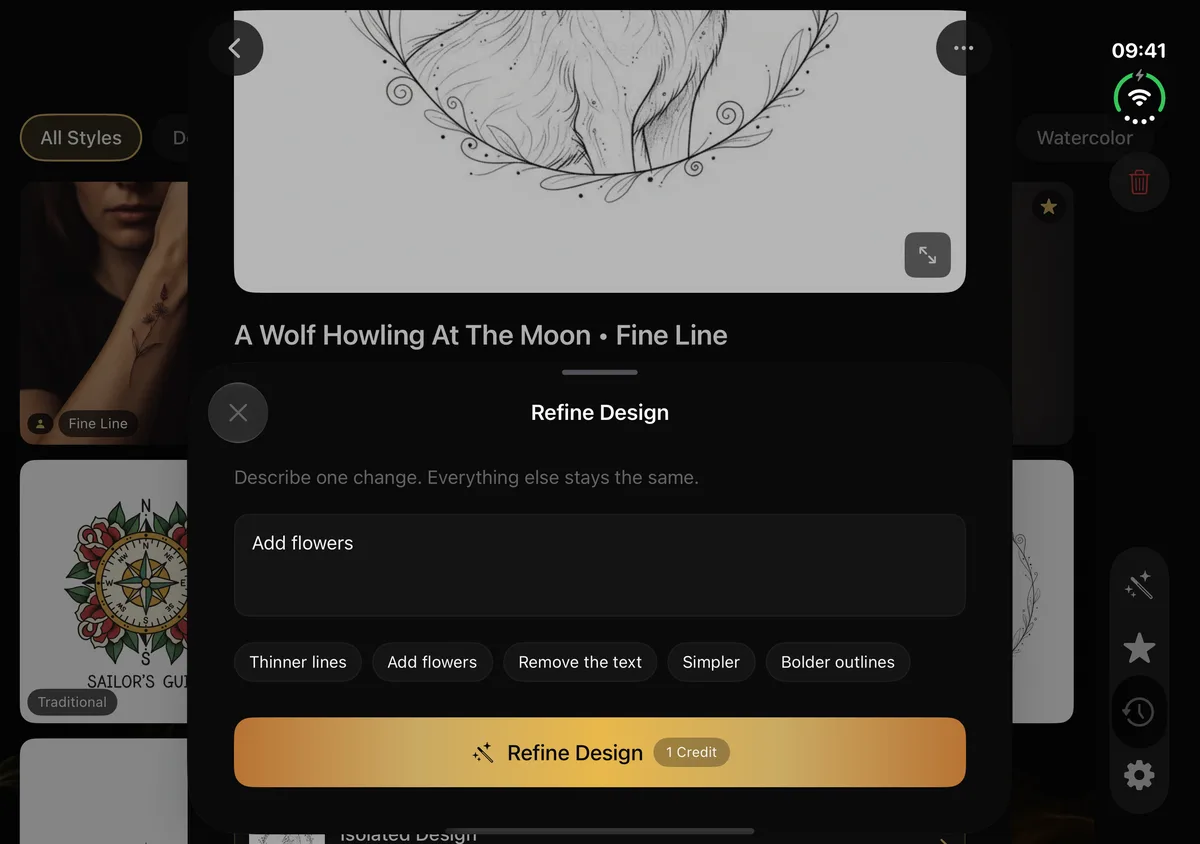
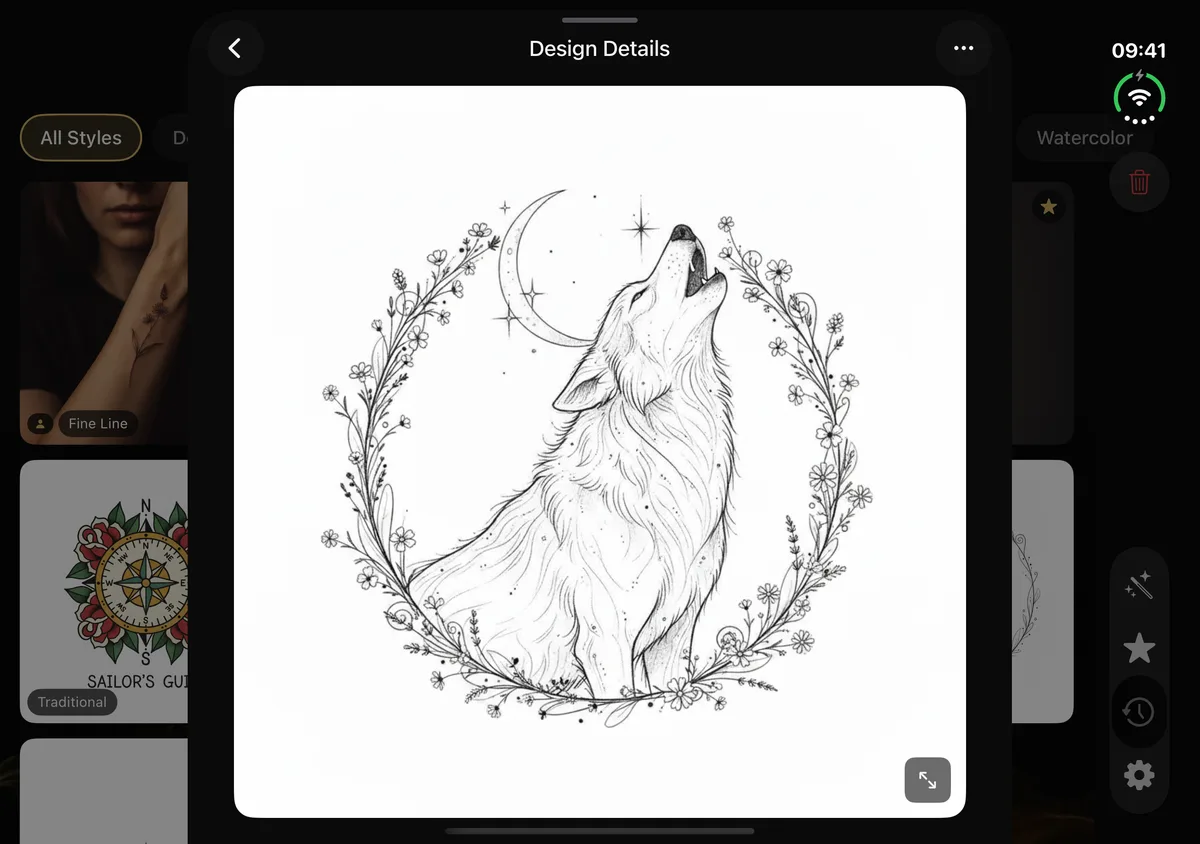
The prompt for this is different from the reference prompt on purpose. A reference asks for a new design inspired by a picture. Refine asks for the same design with one change. It tells the model to apply your change and keep the composition, the subject, the linework, the proportions and the colors. If the design has a style, like Fine Line, it says to keep that style. And it ends by saying the result must still work as a real tattoo, because a pretty picture that can’t be inked isn’t much use here.
Refine also works on body previews, the pictures of a design on skin. Those needed their own rules. There, the prompt says to edit only the tattoo and keep the person, the pose, the clothing, the lighting, the background, the camera angle and the framing exactly as they are. When you ask for thinner lines on a forearm preview, the thing you want changed is the ink, not the arm.
The original design is never replaced. The refined one is saved as a new design, linked to the one it came from, and labeled with what you asked for, like “Refined: Add flowers”. If a change doesn’t come out the way you hoped, the version you liked is still there.
Pay only when it worked
A refine costs one credit, the same as a new design. The server takes the credit only after the edited image exists. If the request is empty or too long, or the image model’s content safety check blocks it, nothing is charged. There’s a test for each of those, and one that checks a successful refine is charged exactly once.
Waiting turned out to matter here too. Image edits can take a while, and the app used to give up on a request after 30 seconds. The problem was that the server could still finish the image and take the credit after the app had stopped listening. So in 2.2, every image request, including Refine, waits up to two minutes before the app gives up.
This matters more with credits than with a subscription. In Negink you buy a credit pack when you need one, and nothing renews. When people pay per result, charging for a result they never saw is the worst kind of bug, even if it’s only one credit.
What else changed in 2.2
Negink 2.2 is also made for iPhone Duo and iPad, with a design and its details side by side on the bigger screens. Save to Photos now tells you if it worked, and how to allow access if it didn’t. Onboarding starts with two styles already picked, which you can change.
On the server side, the image model is now a setting instead of a line in the code. The image model Negink was built on is scheduled to be retired next year, and when that happens I want switching to be a config change, not an app update.
Watch what people type
Refine came from a simple gap. The app was made for new ideas, but a lot of the time people just want to fix one detail of a design they already like. Now there’s a button for exactly that.
If your tattoo idea is almost right
Negink is on the App Store for iPhone and iPad. Your first two designs are free and get made during onboarding. After that you buy credits in packs, each design or refine costs one credit, and credits never expire. New users can start with an intro pack of 10 designs for $1.99.
If you have a design that’s close but not quite it, Negink is on the App Store. Describe the one thing you’d change, and keep the rest.