Which page wins? How ComicFlow keeps your place with a comic server
Since 3.7, ComicFlow keeps your page in sync with Komga, Kavita, OPDS servers and KOReader. Sending a page number is the easy part. Deciding which page is right when the phone and the server disagree took more thought, and the clock turned out to be the part I could trust least.

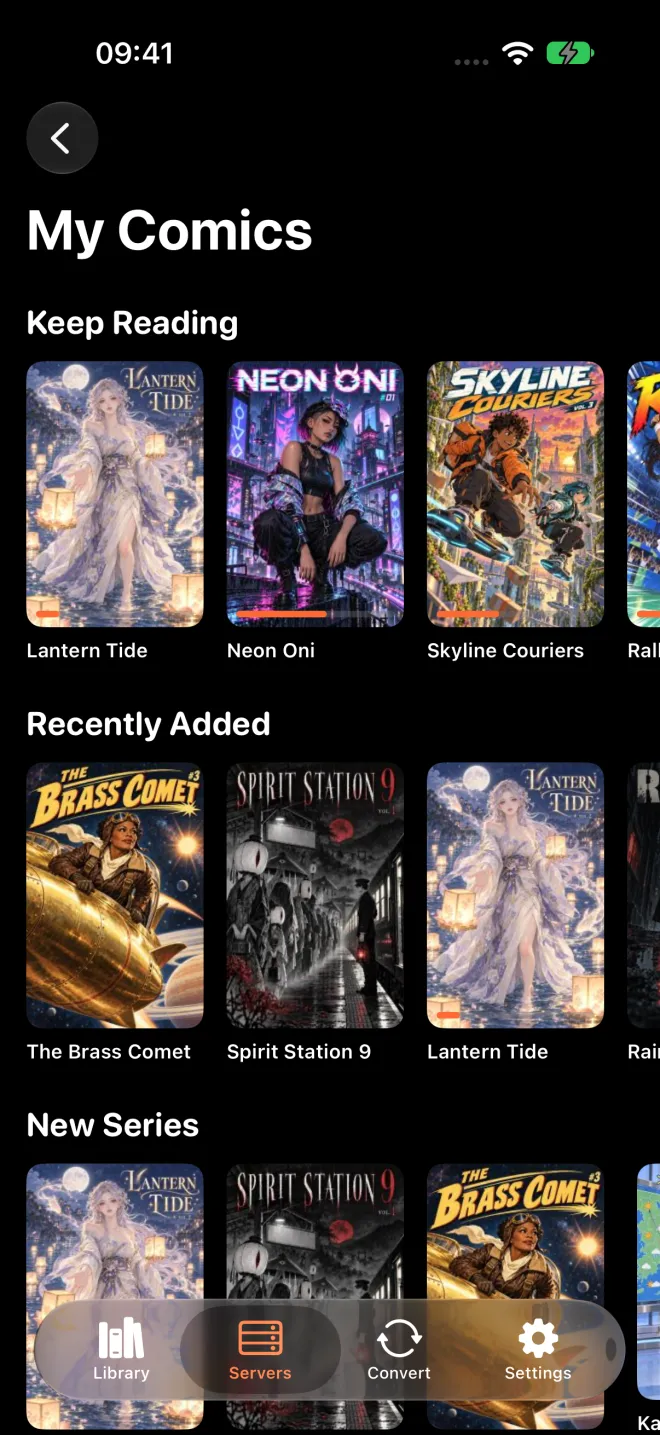
Since 3.7, ComicFlow can read from your own comic server. If your collection lives on Komga, Kavita or another OPDS server, you can stream a book or download it for offline, and your page goes back to the server as you read. Open the same book later on your iPad, in the server’s web reader or in another app connected to that server, and you should land where you stopped.
That sounds like one feature. In the code it’s a handful of small rules, and most of them are about one question: what do you do when the phone and the server don’t agree? Here they are, including the one I had to change before release.
When the page gets sent
The first obvious choice is to send the page every time you turn it. That’s a lot of requests when you flick through a chapter, and most of those pages are only on screen for a second.
The second obvious choice is to send it once, when you close the book. Some reader apps do that, and there’s an open issue on Kavita’s GitHub about what it causes. Since 0.8.9, Kavita builds reading sessions out of progress updates. If an app only reports when the reader closes, the server hears from you once and thinks you read one page.
So ComicFlow does this:
- When a book opens, it asks the server for its page first.
- When you turn a page, it waits until that page has stayed on screen for 5 seconds, then sends it.
- When you close the reader or leave the app, it sends right away.
- If something can’t be sent, because you’re offline or the server is off, it stays marked as unsent. The next time the app comes back to the front, everything unsent goes out, oldest first.
The last point is the one I care about most. Nothing is dropped silently. If you read three volumes offline on a train, the server hears about all three when you’re back on Wi-Fi.
Which side wins
Now the harder part. You open a book on the phone, ComicFlow asks the server, and the server says page 40. The phone says page 12. Which one is right?
My first rule was the one ComicFlow’s iCloud sync already used: the latest write wins. Each side has a time for its page, and the newer one is kept. It’s simple, and it’s easy to test.
One exception was there from the start. If the phone has a page it hasn’t managed to send yet, the phone doesn’t ask the server at all. It sends its page first. That page was read after the last time the two sides talked, so throwing it away would lose real reading.
The clock was the weak part
Comparing times sounds solid until you think about where the times come from. Your phone has a clock, the server has a clock, and they’re never exactly the same. Komga also keeps its times to the second, so a page you turned a moment after another one can look like it happened at the same time.
On 16 October, a few days before 3.7 went to review, I changed the rule. Now ComicFlow remembers the last page both sides agreed on. When a book opens and nothing changed on the phone since then, the question isn’t “whose clock is later?” anymore. It’s just “did the server’s page move?”. If the server says 40 and the last agreed page was 12, you read on another device, and the server wins, whatever the timestamps say. If it still says 12, nothing happens.
The clock is only a fallback now, for a book the two sides have never agreed on before.
An empty answer is not page one
Another rule came from someone else’s bug. The note next to it in my code points to a report from another reader app, where people lost their place while Komga was scanning the library. A server in the middle of a scan can answer with no progress at all for a book.
So if the server answers with nothing, no page and no date, ComicFlow never reads that as “go back to page one” when you’re already further in. An answer without a date can only fill in a book you haven’t started.
Marking a book as unread had its own small trap. On Komga, unread means the progress is deleted. If ComicFlow sent page 0 instead, the book would stay in progress on page one, and it would keep showing up under Keep Reading. So for Komga and Kavita, Mark as Unread uses the server’s own unread action.
KOReader, for the e-reader people
Some people read on a Kobo with KOReader at home and on the phone when they’re out. ComicFlow can sync with KOReader too, for downloaded books. Komga, Kavita and Stump can act as the KOReader sync server, or you can enter the address of a separate one.
KOReader doesn’t know a book by its title or by the server’s ID. It knows it by a fingerprint of the file. It reads small pieces of the file at fixed places and makes a hash out of them. So ComicFlow has to build exactly the same fingerprint from its own copy, and there’s a test that checks it matches KOReader’s. This is also why only downloaded books sync this way, and why both devices need the same file. If you have two different copies of the same volume, KOReader sees two different books.
There’s one more small thing. KOReader counts comic pages from 1, and ComicFlow counts from 0 inside the app. Miss that, and you’d land one page off every single time. If you want the setup steps, there’s a KOReader sync guide on applestan.com.
Tests with long names
Every one of these rules has a test, and the names read almost like the rules: testServerChangeSinceLastSyncWinsWhateverTheClocksSay, testUndatedEmptyServerAnswerNeverResetsLocalProgress, testPartialMD5MatchesKOReader. There are also live tests that send and fetch a page against real Komga and Kavita servers, including through their KOReader sync.
Sync bugs are the ones you only notice days later, when a book opens on the wrong page and you don’t know why. I’d rather the tests notice first.
If your comics live on a server
Reading from a server, sync included, is part of ComicFlow Pro. Pro is a one-time $6.99 unlock on top of the $2.99 app, with no subscription, and you can test the connection to your server before you pay. If you read on an iPhone and an iPad, or on a Kobo with KOReader, get ComicFlow on the App Store and see if it lands on the right page. And if your comics are just files, the optional iCloud sync keeps your page between iPhone and iPad without Pro.