
Fold Cue
Teleprompter That Follows Your Voice
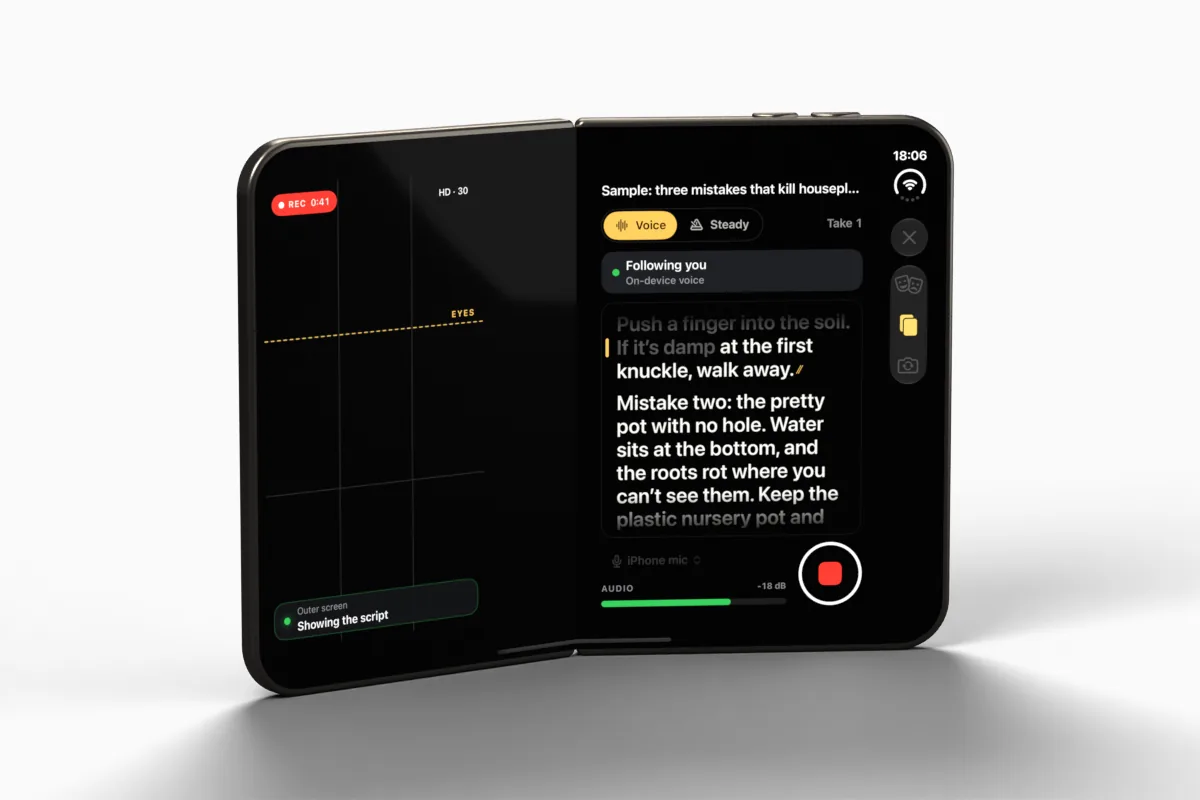
Fold Cue is a teleprompter that records you. The script scrolls as you speak, recognised on the device, and waits when you stop. On iPhone Duo the script faces you on the outer screen beside the 48MP main camera, and the inner screen is a director's view.
Also on applestan.com/foldcue
On iPhone Duo: what it does there
On iPhone Duo
The script faces you. So does the good camera.
This is the app I most wanted iPhone Duo for. Stand it up like a book with the backs towards you, and the outer screen sits right beside the 48MP main camera. Your eyes stay by the lens while the best camera on the phone films you, and whoever is holding it gets a director's view on the inside.
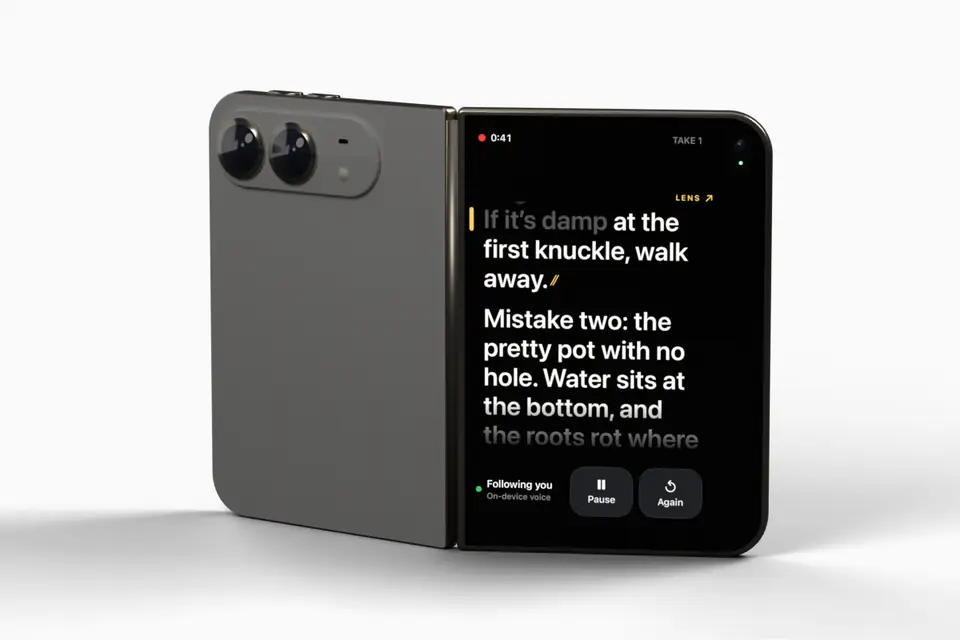
Rendered from a 3D model built to Apple's published dimensions, not a photo. The screens on it are real Fold Cue captures from the iPhone Duo simulator. Fold Cue is built with Apple's iPhone Duo developer tools and tested in its simulator; testing on the real hardware starts once I have one.
A cue that points at the lens
The outer screen keeps the line you're reading close to the camera, with a LENS mark pointing at it. The line you've just read disappears, so there is nowhere to look but up.
A director's view on the inside
Whoever is filming gets the framing, the sound level, the takes and a copy of the script across the inner screen.
Filming yourself on the inner camera
Pick the inner front camera and the inner screen becomes one big page of script, with the reading line just under the lens.
A stand guide for the hinge
Fold Cue reads the hinge and suggests a range of angles to stand it at. That range is a starting point until I've measured it on a real iPhone Duo. Recording never depends on the outer screen: if it isn't available, the inner screen carries the script.
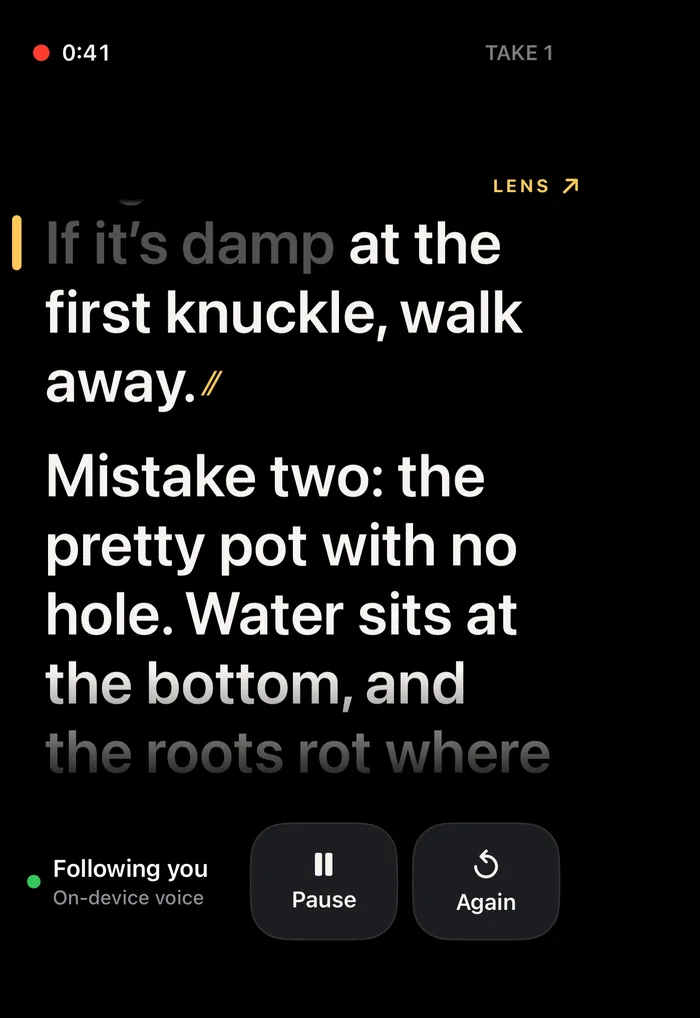
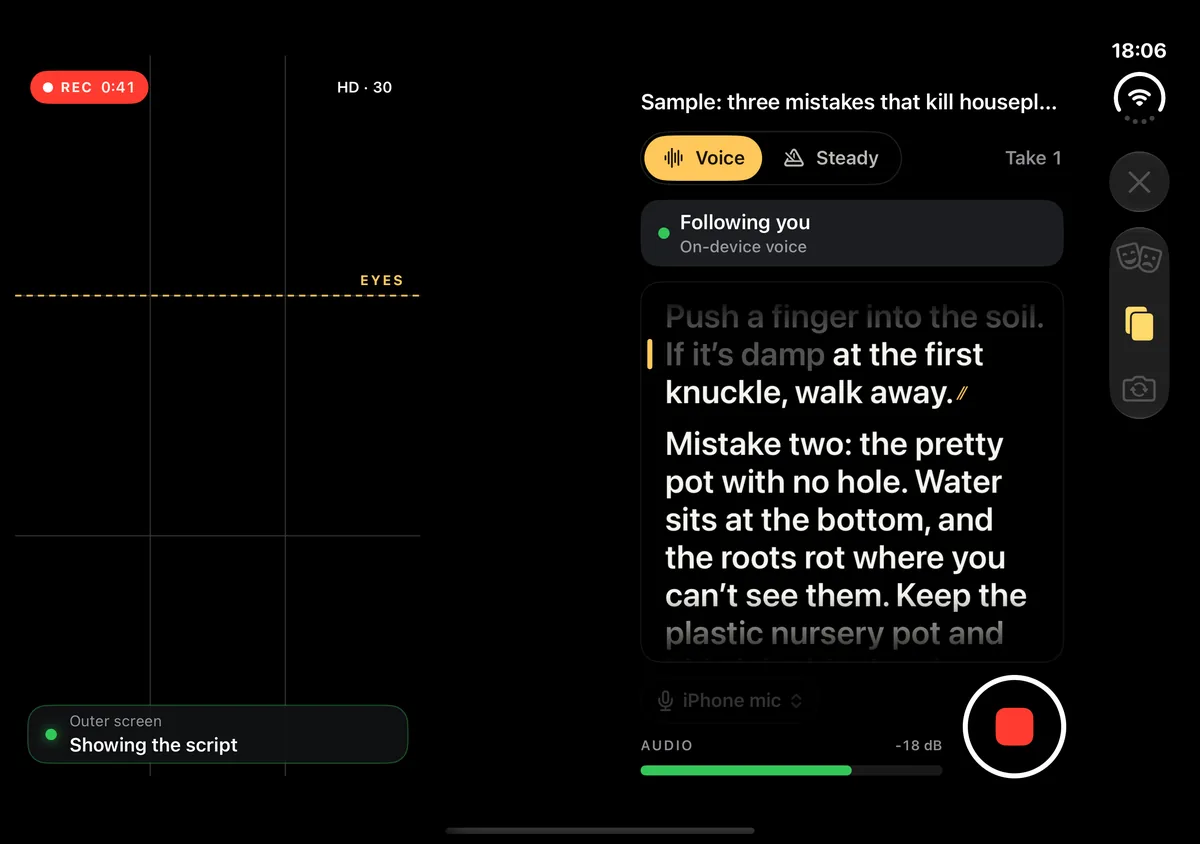
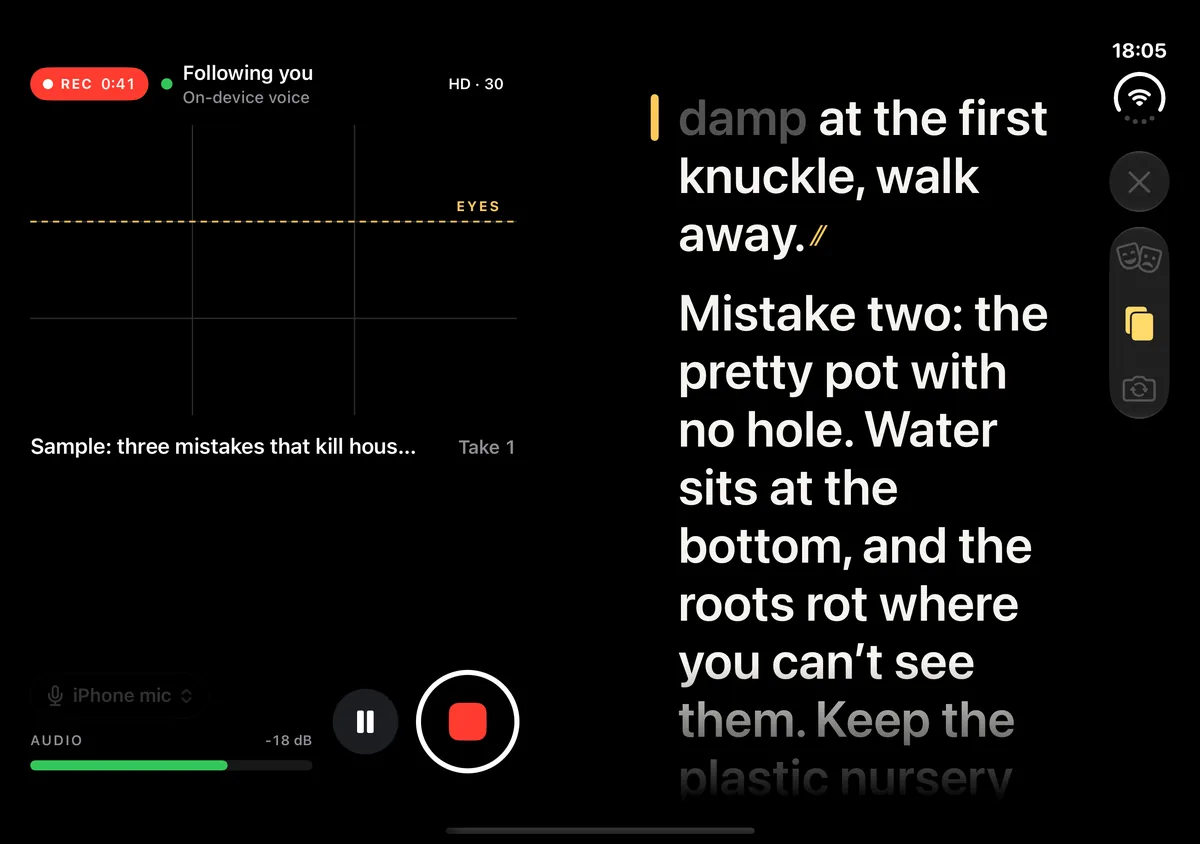
Real screens from Fold Cue in the iPhone Duo simulator. The simulator has no camera, so the person in the camera area is an AI-generated stand-in, not a real person. Photos from the hardware follow once I have one.
On every other iPhone
Real screens from Fold Cue 1.0 in the iPhone simulator, with an AI-generated stand-in where the camera picture would be. Without a Duo, it is a front-camera prompter with the script just under the camera.


What it does
Free
- Voice follow: the script scrolls as you speak and waits when you stop, with speech recognised on the device
- A status that always says whether it is listening, following or has lost its place
- Steady scroll, or take over by hand: tap a word, drag the script, or use a Bluetooth keyboard or page-turner
- A mic check that waits until it can hear you, and a microphone picker that includes AirPods and USB-C mics
- Spoken commands between lines: "cut" saves the take, "again" starts over, "keep" stars it and "hold on" holds the script
- Rehearse: a run-through that records nothing and stays amber instead of red
- Interruptions keep the take: a phone call or a crash saves everything up to that moment
- Export to Photos with no watermark and no time limit
- The full iPhone Duo setup, free
Pro, one purchase
- Captions from your script, timed to your voice, burned in or as SRT and WebVTT files
- Spoken commands trimmed out of the finished video
- Take scoring: how much of the script each take covered, so you can pick the best
- 4K recording
- iCloud sync of your scripts. Takes stay on the phone that filmed them
- Final Cut Pro projects with your cuts, a marker at every paragraph and the captions
Good to know
The outer screen needs iPhone Duo
The outer-screen prompter and the director's view need iPhone Duo on iOS 27.1. On every other iPhone, Fold Cue is a front-camera prompter with the script just under the camera.
Voice follow depends on the language
It needs Apple's on-device speech model for your script's language. Where there isn't one, the script uses steady scroll and tells you why. Spoken commands work in English and German.
What stays on the phone
Speech is recognised on the device, and no audio, transcript or script leaves your phone. Anonymous usage counts are on by default, you can switch them off in Settings, and they never include script text, titles or file names.
Notes on building it
- Filming yourself on iPhone Duo: what Fold Cue 1.1 changed once I could hold one Fold Cue 1.0 was designed in a simulator, around two people: one reading, one filming. On a real iPhone Duo the more useful default is one person filming themselves with the good camera. Here is what that took in 1.1: a preview on the outer screen, a button you have to hold, a camera that survives a fold, and a crash I had to design out.
- App Store screenshots for a camera app, from a simulator with no camera Fold Cue records you while you read, so every screen worth showing has a camera picture in it. The iPhone Duo simulator has no camera, and the phone isn't on sale yet. Here is how the screenshots got made, and what I decided not to show.
- Designing Fold Cue around an outer screen I can't test yet Fold Cue's best feature on iPhone Duo is the script on the outer screen, beside the camera. The system decides when that screen is mine, and I won't hold a Duo until it goes on sale. So the app is designed to be fine without it.
- Following a voice through a script, on the device Fold Cue's script scrolls as you speak and waits when you stop. The hard part isn't hearing the words. It's deciding where in the script the speaker is right now, and never guessing out loud.
- Takes that survive a phone call, and captions spelled the way you wrote them Fold Cue records with an asset writer rather than the simple movie output, feeds the same microphone audio to the recording and to speech recognition, and keeps everything on one clock. That one decision is what makes crash-safe takes, trimmed commands and script-perfect captions possible.
- The teleprompter text that cost more than the camera Fold Cue froze for seconds every time I rotated my phone. Two of the causes were visible in the code without any tools. The biggest one only showed up in a trace: the scrolling script was being redrawn on the main thread, over and over.
- What Fold Cue would never cut, and what it isn't trying to be Fold Cue was planned in a hurry, for a phone that isn't out yet. The most useful part of the plan wasn't the feature list. It was deciding in advance what would never be traded away when time ran short, and what the app wasn't going to try to be.
Get Fold Cue
Free to download, with one optional Pro purchase that is yours for life: $14.99 (€14.99). No subscription. No ads, no ad tracking.
Download on the App Store