The teleprompter text that cost more than the camera
Fold Cue froze for seconds every time I rotated my phone. Two of the causes were visible in the code without any tools. The biggest one only showed up in a trace: the scrolling script was being redrawn on the main thread, over and over.
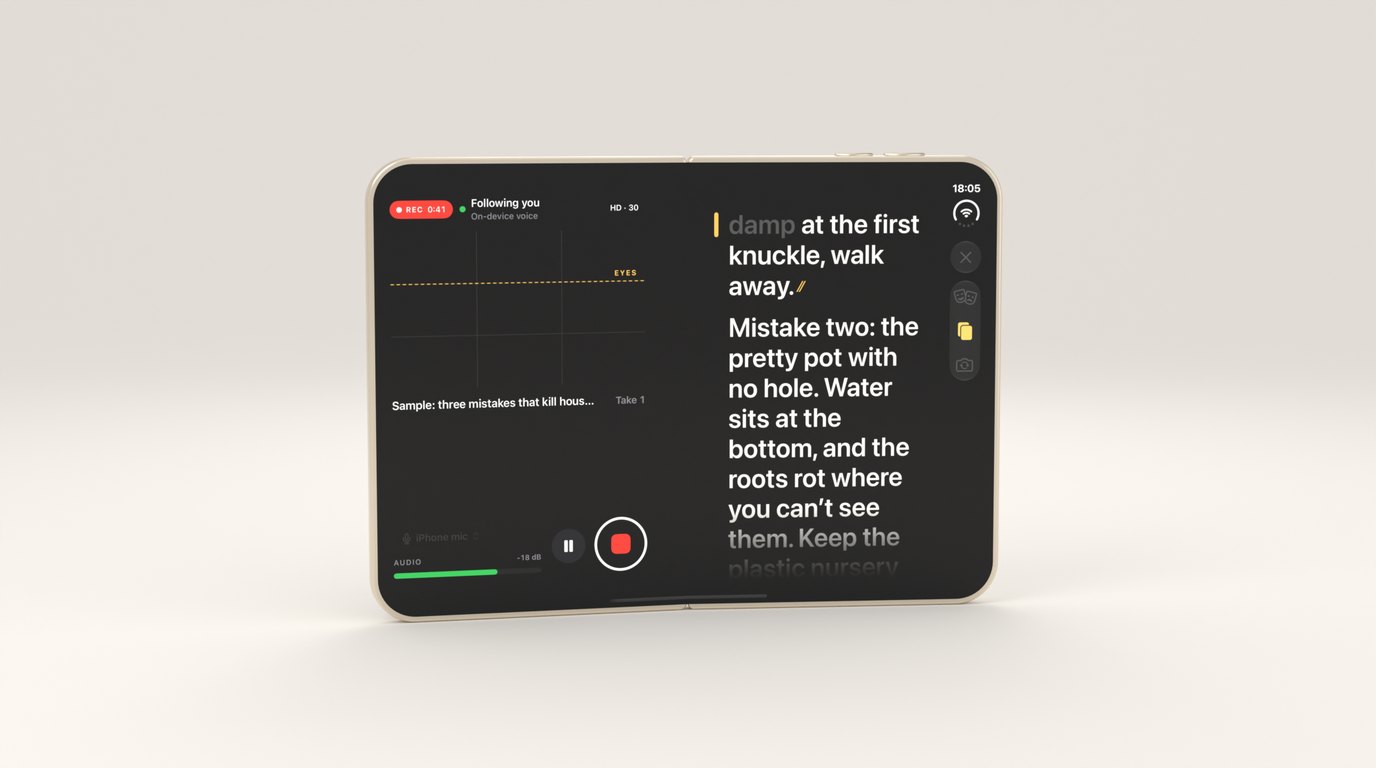
The first time I recorded a real take with Fold Cue on my own phone, it worked. Voice follow kept up, “cut” saved the take, and the video was fine. Then I turned the phone sideways and the screen froze for long enough that I thought it had crashed.
A teleprompter is a strange app to make fast. The expensive parts, the camera, the encoder and speech recognition, all run in the system on their own hardware. The app mostly draws text. It should cost almost nothing, and when it doesn’t, the text is where to look. It took me a while to believe that.
Two bugs you could find by reading
Before running any tools I read the capture code, and two problems were sitting there.
The first was a layout rule. Fold Cue uses the regular-width size class to mean “this is iPhone Duo’s inner screen”, where it shows the director’s view and records on the rear camera. But a large iPhone in landscape is regular width too. So every rotation on my phone switched to the Duo layout and the rear camera, and switching cameras reconfigures the capture session, which is slow. The fix was to require regular width and regular height, which among iPhones only the Duo’s inner screen has. Rotation stopped touching the camera at all.
The second was the timecode. The recording clock ticked many times a second, and each tick read the recording time from the capture queue with queue.sync. Most of the time that returns instantly. While the session is reconfiguring, the capture queue is busy for a long time, and queue.sync makes the main thread wait for it. That was the frozen screen.
Now the capture side publishes a small snapshot behind a lock, and the interface reads that instead. The main thread never waits for the capture queue, whatever it’s doing:
/// What the UI reads while recording. A lock, never `queue.sync`: the main
/// thread must never wait for the capture queue, which can be busy for
/// a long time while the session reconfigures.
private let shared = Mutex(Snapshot())

func snapshot() -> Snapshot { shared.withLock { $0 } }
The timecode also updates once a second now. Nobody reads a clock faster than that.
A trace of the wrong moment
Then I profiled on the device, with xctrace recording the Time Profiler for every process and filtering the results by the app’s process afterwards. Attaching to the app by name turned out to be unreliable, and recording everything was simpler.
My first trace was useless. It caught the app sitting idle, and many of the function names didn’t resolve. It’s worth saying, because it’s easy to look at a quiet trace and conclude there’s no problem. A trace only tells you about the moment it recorded. The useful one was taken while actually doing the thing that hurt: reading a script aloud while recording, and rotating the phone once in the middle.
That trace showed two things I hadn’t expected at all.
The text was being drawn on the main thread
The prompter was SwiftUI Text, large, and animated as it scrolled. SwiftUI was re-rasterising those glyphs on the CPU, on the main thread, continuously, for as long as the text moved. For an app whose main job is showing text, the text was the most expensive thing it did.
I rewrote the prompter’s text in UIKit. There’s one UILabel per visible line. Each label is drawn once and only redrawn when its own words change colour, when a word goes from unsaid to said. Scrolling doesn’t redraw anything: it moves one container layer, which the GPU does for free.
/// A line needs redrawing only if one of these changes.
private struct LineKey: Equatable {
    var saidTokens: Int
    var dimmed: Bool
    var size: CGFloat
    var layoutID: Int
}
A small detail from the same file: the text colours are opaque on purpose. Text drawn in a colour with transparency needs an extra transparency layer for every run when it’s rasterised. The dimmed greys are real greys, not white at low opacity.
After the rewrite, text drawing on the main thread went from the biggest thing in the trace to nothing I could find.
The compositor was re-blurring the camera
The other surprise wasn’t in my process at all. The system compositor was working hard, and the reason was the frosted panels I’d put over the live camera preview. A blur material over video has to be recomputed for every frame of the video. They looked nice and cost a lot, continuously, for as long as the camera ran.
They’re solid translucent fills now. On a camera screen nobody misses the frost.
The fade that came back as dark bands
The script fades out towards the top and bottom edges, so lines arrive and leave softly. During the rewrite I did that with SwiftUI gradient overlays on top of the text. Over the live camera they showed up as dark bands, a stripe of gradient sitting on the video rather than fading the text into it.
The fix was to do the fade where the text is: a CAGradientLayer set as the mask of the UIKit view that holds the lines. A layer mask is composited on the GPU, the labels underneath are never redrawn because of it, and it cost nothing I could measure in the next trace.
Everything else, off the main thread
Around those, the rest was moving work to where it belonged:
- Voice follow, commands and scoring run in a background actor. The main thread gets a finished position, not the alignment work that produced it.
- One camera preview layer for the whole session. It’s moved between layouts rather than recreated, because a new preview layer means a new connection to the camera.
- File writes and disk-space checks happen in detached tasks.
- Values that change many times a second, like the audio level, are read only by the small views that show them, so a changing meter never re-evaluates a whole screen.
- The text size never changes mid-take. Fold Cue estimates how far away you’re standing and sizes the text to match, but only between takes, so a reflow can never make you lose your place, and the face detection runs on its own queue without touching the video.
The result, on my phone, is that recording now costs the main thread almost nothing. The worst moment, a rotation, is a small fraction of what it was, and there were no hangs in any trace since.
The engine got faster too
The same pass found slow spots in the engine. Scoring a long take compares every heard word against every script word, and on a long script it was painfully slow. Now the aligner works in windows, and word comparison works on bytes and throws away pairs that can’t possibly match before doing any real work:
// The best possible ratio is limited by the shorter word.
// Skip pairs that can't reach the floor before doing any DP.
if 2.0 * Double(min(n, m)) / Double(n + m) < floor { return 0 }
Long-take scoring went from something you’d wait for to something you don’t notice. Both have performance tests now, so they can’t quietly slip back.
The lesson I keep relearning is that the code you think is expensive is rarely the code that is. I’d have bet on speech recognition or the video encoder. It was a paragraph of text, and a few frosted panels.