Hiding a fleet on iPhone Duo, before I could hold one
Peekaboard is a naval duel for two people and one phone. On iPhone Duo you fold your half up towards you to peek at your fleet. I built it in less than a week, for a phone that isn't on sale until 23 October.
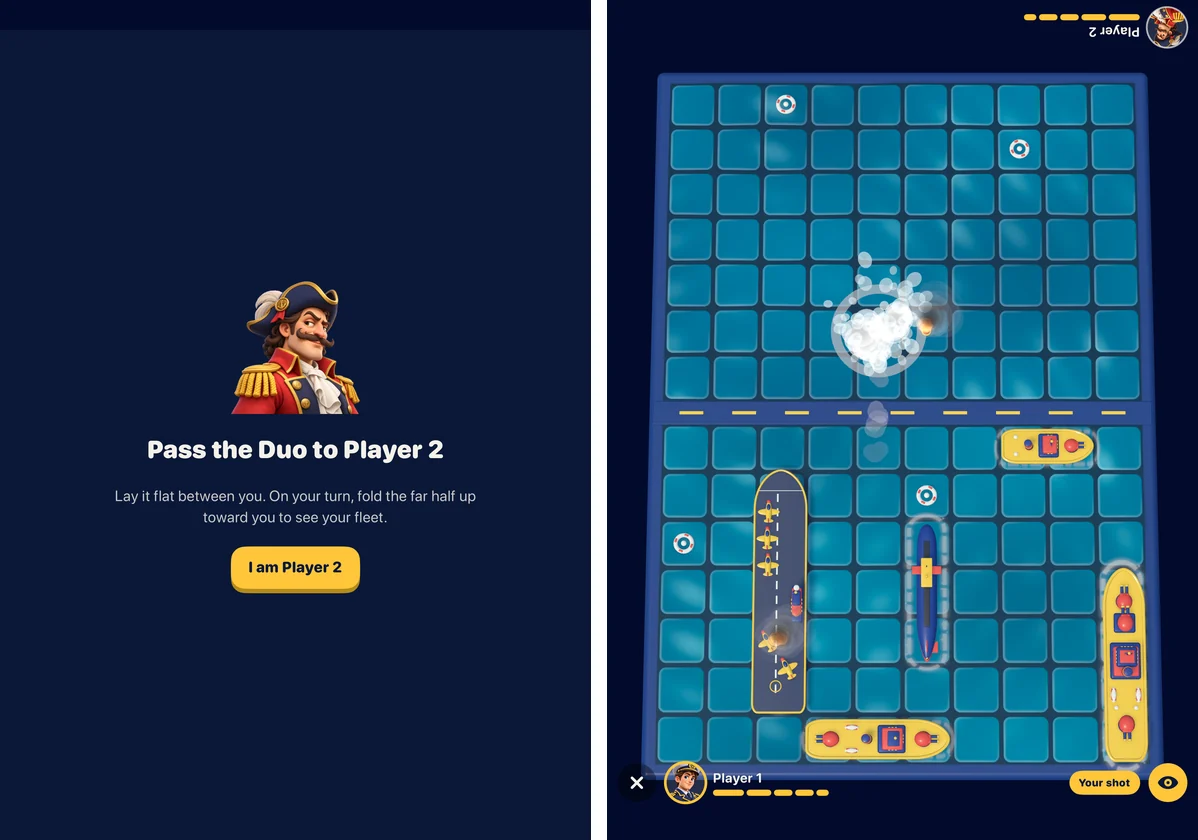
The first note about this game said: lay the Duo flat between two people, and lift your half to see your hand. It sounds right until you picture the hinge. Lift the far half of a flat phone and its screen turns to face the person sitting opposite. The one player who shouldn’t see it gets the best view.
So the gesture is the other way round. On your turn you fold the phone up towards yourself, like picking up a book that was lying open on the table. That fixed the physics, and it uncovered the real problem, which the rest of the game is built around.
The hinge doesn’t know who moved it
iPhone Duo tells an app how far it’s open, and whether it’s flat, folded or somewhere in between. It doesn’t say which half moved. Fold it up from either side and the app sees the same thing. The hinge can tell the game that someone is peeking, but not who.
The answer is old-fashioned: a hand-over screen between turns. The board covers itself, the screen asks the next player to take the phone, and only after they confirm does a fold reveal anything. Resuming a saved two-player match always starts on that screen too, because after a break the app has no idea who’s holding the phone.
The rules for when a fleet is visible live in a small state machine with no interface in it, so they can be tested without a device. Its doc comment is the whole idea, slightly simplified:
/// The fold-to-peek gate as a pure state machine. It starts hidden.
/// It reveals only when all of these conditions are true:
/// - the scene is active and the game phase allows a peek,
/// - an active seat exists and that seat confirmed the hand-over,
/// - the hinge is partly open and the angle is in the reveal window,
///   or the manual "hold to peek" input is down.
Once the fleet shows, the window widens a little, so it doesn’t flicker on and off while a hand wobbles at the edge. It also ends well before the phone is nearly shut. A third-party report says the system can move an app to the outer screen as the Duo closes, and a peek should never depend on where that happens.
Every other iPhone gets the same game with a different input: you touch and hold an eye button to peek. It goes through the same gate and the same hand-over.
Choosing a look with images I wouldn’t ship
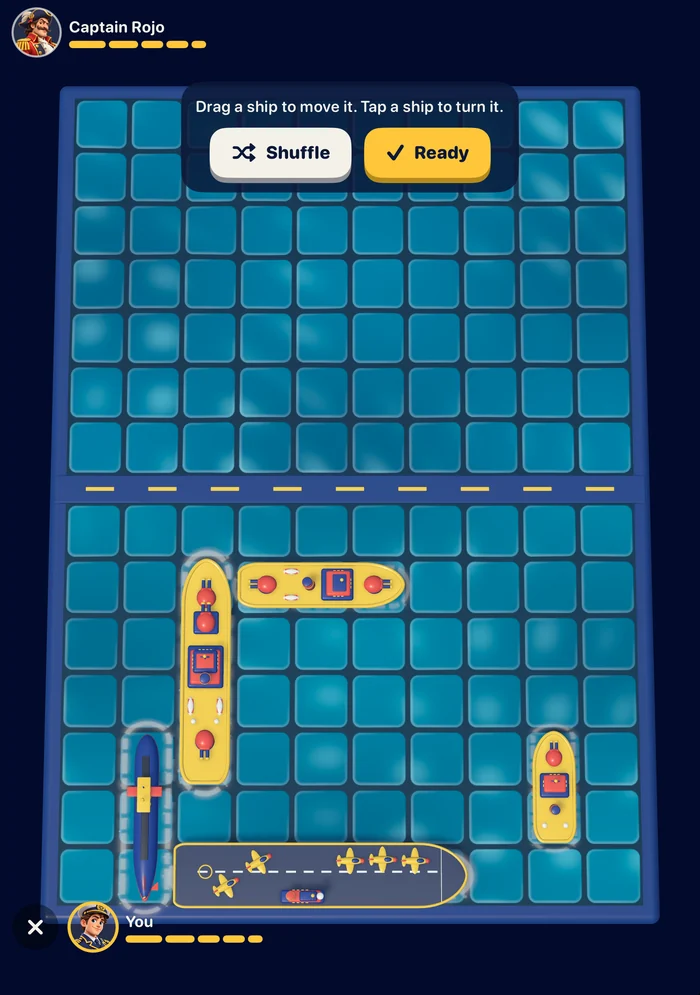
Before any 3D, another working session made style tests with OpenAI’s image model: a dark fleet at night, ships folded from paper, a moody admiral’s table, and bright plastic toys. I picked the toys. They read at a glance on a small screen, the explosions can be cheerful rather than grim, and they make it a game for a table, not a war.
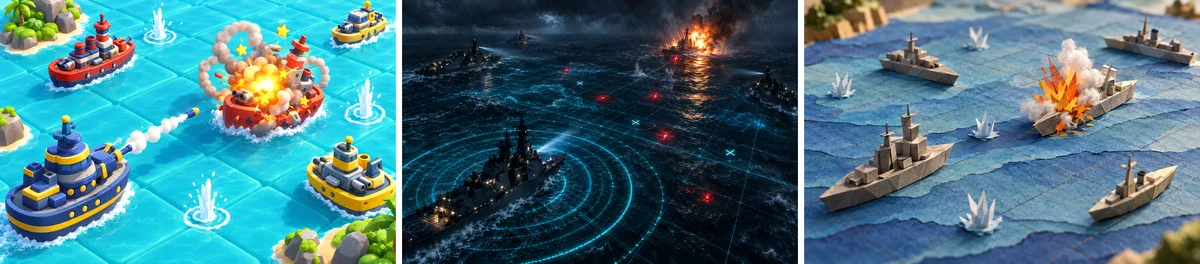
The admiral’s table isn’t shown here, for a reason. The image model kept drawing things I couldn’t use. Ask it for a naval game board and it adds a peg board with red markers, which is the look of a famous boxed game. Ask for game pieces and you get the discs of another one. Every image got checked for that, and the prompts grew a list of shapes to leave out. The whole run of images cost less than a coffee.
A toy fleet built from code
I tried an image-to-3D service with one ship, made from AI views of its bow, side and stern. The model was much closer to the concept art than my own first attempt, which surprised me. I still didn’t use it.
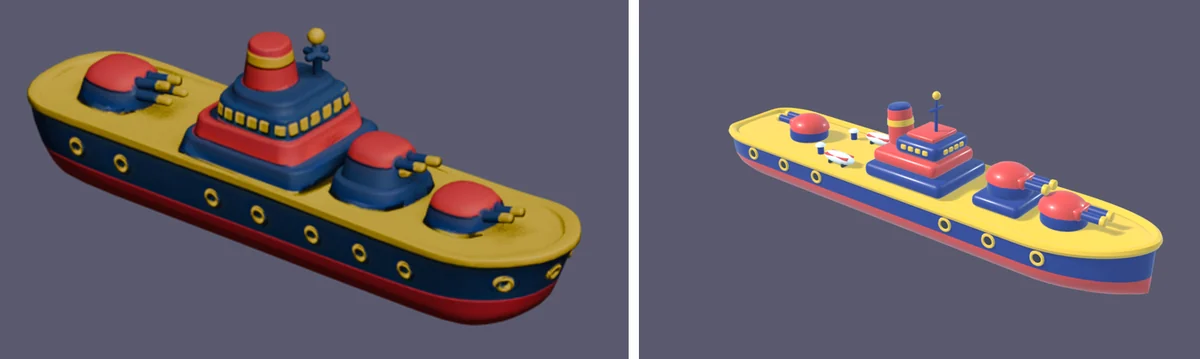
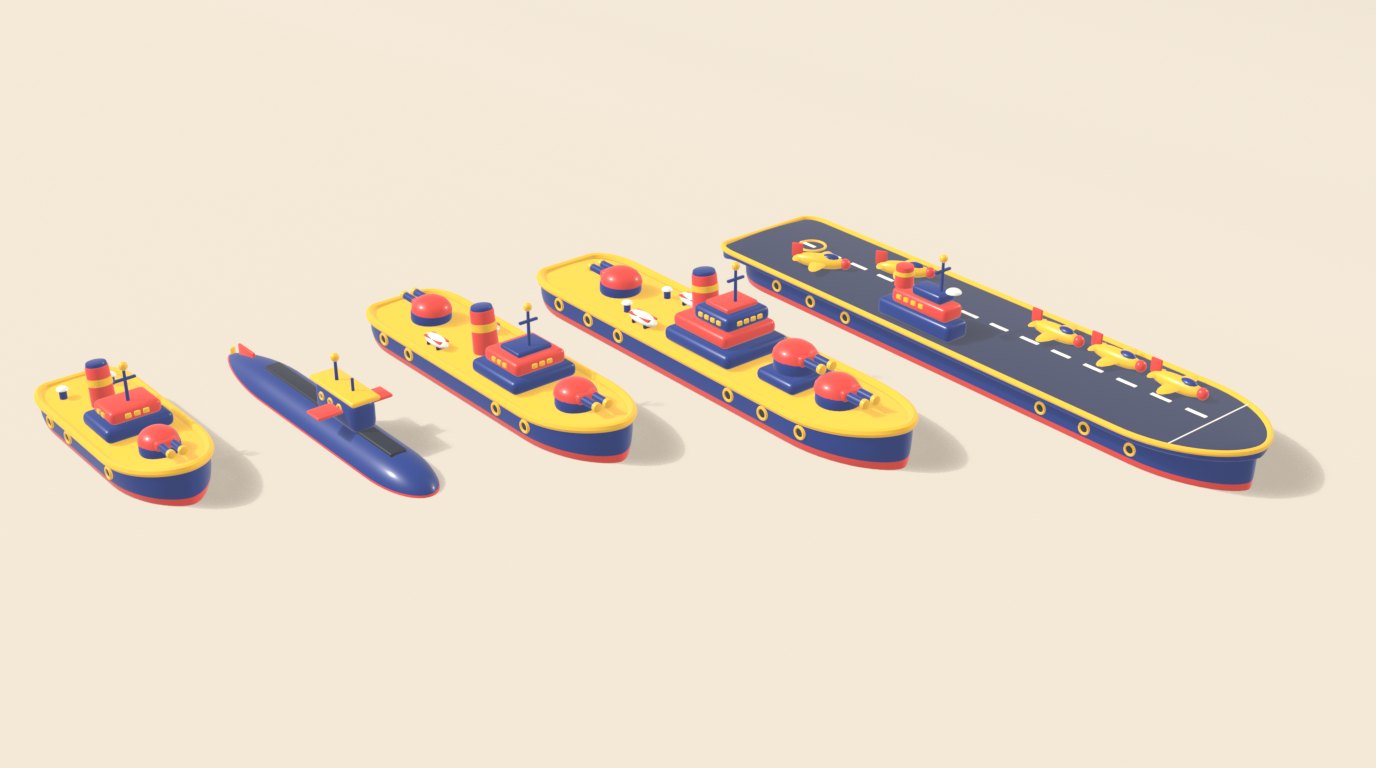
The fleet in the game is modelled in Blender by Python scripts. Every hull, turret, funnel and porthole is built in code, and one script rebuilds and exports the whole fleet. Any ship can change with a small edit, none of them need textures, and there’s no question about who owns them. The licence for models made with the service’s trial credits wasn’t clear, and I didn’t want that question under the main pieces of a game.
It took several rounds of render, look and fix: a deck that came out crossed, colours that looked washed out until the renderer stopped trying to be cinematic, and gun barrels that came out too thin.
Ships that vanished when you dragged them
The board is RealityKit. The water is a custom shader, the ships are USDZ files exported from Blender, the shells are small models, and the splashes, fire and smoke are particles with textures drawn in code.
The first serious bug came with fleet placement. Dragging a ship started a new move animation on every step of the drag, and the animations piled up. A fast drag made the ship’s scale run away, and it vanished. Printing the transform showed the problem at a glance: the scale was absurd.
The fix became a rule for anything that moves: SwiftUI never animates the board. A ship gets a small component that says where it should be, and one system moves every ship a little towards its target each frame. A new drag position replaces the target instead of adding another animation. Slightly simplified:
/// Glides the entity to a place on the board and to an orientation.
/// Replacing the component retargets the glide, so fast drags never stack animations.
struct GlideComponent: Component {
    var x: Float
    var z: Float
    var rotation: simd_quatf
    var speed: Float
}

// In the system, every frame:
let k = 1 - exp(-dt * g.speed)
e.position.x += (g.x - e.position.x) * k
e.position.z += (g.z - e.position.z) * k
e.orientation = simd_slerp(e.orientation, g.rotation, k)
Hiding had its own lesson. Hidden ships sink below the water, and the first version only lowered them. The tallest masts still poked out of the surface and showed the other player exactly where the fleet was. Now a hidden ship is switched off completely once it’s under.
Sound without a single recording
There are no sound files from a library in Peekaboard. Every splash, whistle, explosion and bar of music is synthesised by a script, rendered to audio and bundled with the app. There’s nothing to license, and changing a sound is a code edit. I judged each one by ear, because that’s the only test that counts for sound.
The audio session is ambient, so the silent switch mutes the game and it mixes with whatever else is playing. The simulator also taught me to stop the app after every test. Once, long after a test run, I heard the sea and the battle music coming out of my Mac, from a game nobody was playing.
Testing a game you can’t tap
The simulator can’t be tapped from the command line, and a two-player game is mostly taps. So debug builds take launch arguments that drive the same code paths a player would: start a solo or two-player match, let the computer play, set the hinge to an angle, fire a set of shots, move the camera somewhere cinematic for a screenshot. Most of the bugs I found in the simulator came from those runs.
The phone found the rest. The drag bug and the masts above the water only showed up on my iPhone Air, so after each feature a release build went onto the phone.
Heat, not speed
The game ran smoothly on the iPhone Air from the start. What it didn’t do was stay cool. After a few minutes of play the phone warmed up, iOS slowed the game down, and it stopped feeling smooth.
The first fixes were the usual ones: build the particle effects once and reuse them, pause the ones that aren’t showing, and start sounds away from the main thread. Those removed the hitches. The heat needed more, and RealityView doesn’t let an app choose its frame rate or its resolution. So the board now draws itself, in a small render loop that runs at full rate while something moves, slows down while a player is thinking, and renders below full resolution for MetalFX to scale back up.
The other lesson was about the test, not the code. My first heat tests ran with the phone on its charger, and the charging made more heat than the game did. On battery, played at a human pace, it stayed cool. I played a couple of rounds after the change and it neither slowed down nor got noticeably warm.
An icon that promises more games
The icon is a red toy ship with porthole eyes, peeking over a navy folding wall. The wall is the table and the fold, and it stays. The ship is the first game. The plan is that later games add a friend peeking beside it.

Some drafts were retired because they promised things the app doesn’t have. A pawn suggests a game that isn’t there. I also rebuilt the chosen one in Blender to get clean layers, and the AI version was simply better. So the final icon is that image split into a ship layer and a wall layer, in Icon Composer.
What hasn’t run on a real Duo
Peekaboard came out on the App Store on 13 October. Everything about the fold in this post has run in Apple’s iPhone Duo simulator, with the hinge angle set by a debug argument, and nowhere else. My iPhone Air runs iOS 27.0.1, and the hinge API needs iOS 27.1, so on my own phone I peek with the eye button like on any other iPhone.
That makes the reveal window a starting point. The real angles, how the phone feels when two people share it across a table, and whether it stays cool on the Duo all need the hardware, which goes on sale on 23 October. A second game for the same table is planned.
The hardest problem in a game about hiding things wasn’t the hiding. It was knowing who was looking.