Setting up the iPhone Duo simulator, and the things that tripped me up
The iPhone Duo simulator ships in the Xcode 27.1 beta. Getting it running took one surprise from xip, a renamed Simulator app, a permission error on my external drive, a noisy first boot, and screenshots that came out black.
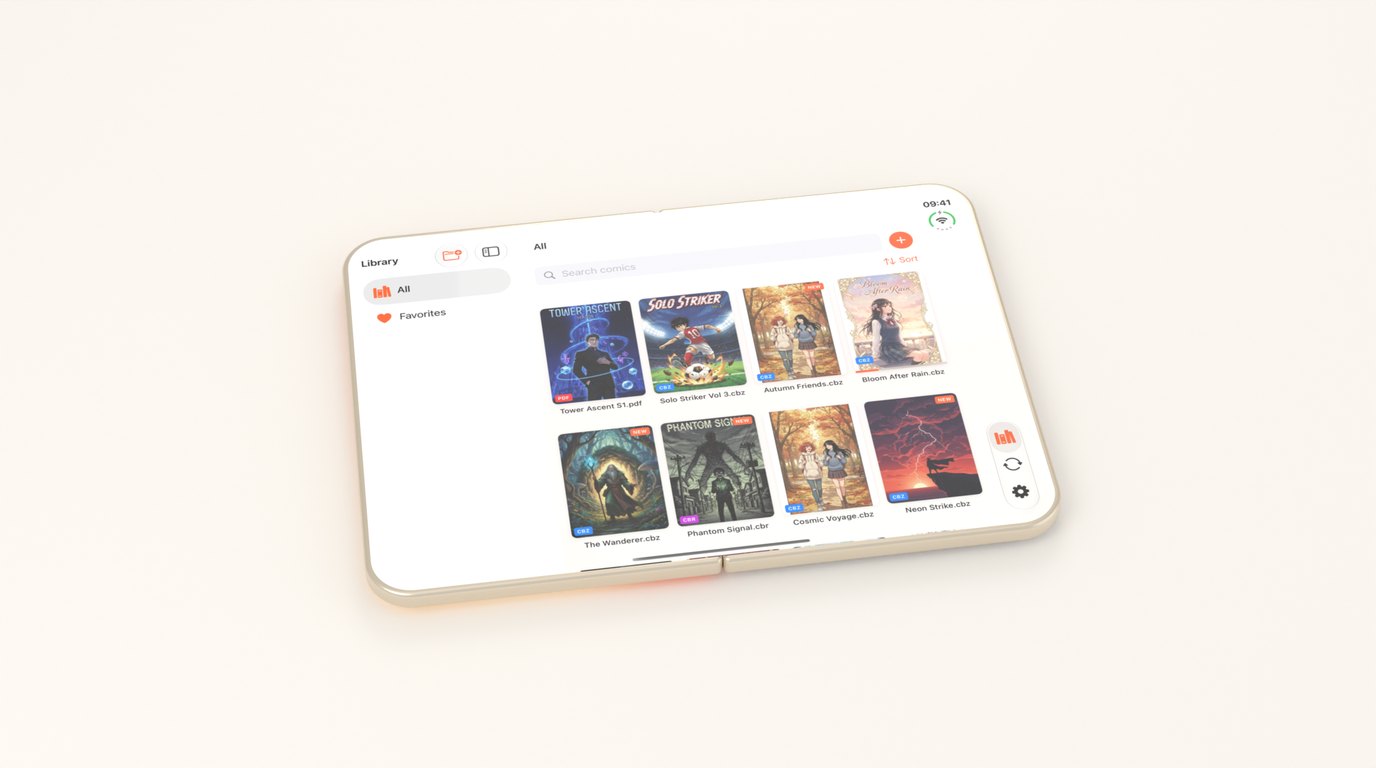
The iPhone Duo simulator arrived in the Xcode 27.1 beta, and setting it up should have been a short afternoon. It was, eventually, but most of the time went on things that weren’t mentioned anywhere I looked. These are those things, in the order they happened.
xip replaced my Xcode
I downloaded the beta as a .xip and expanded it next to my existing Xcode. I assumed it would appear as Xcode-beta.app, because the file was called Xcode_27.1_beta.xip.
It didn’t. With an Xcode.app already in Applications, xip installed the beta as Xcode.app and quietly renamed my release Xcode to Xcode 1.app. For a few minutes my default toolchain was the beta, and the Mac App Store copy of Xcode was no longer where the App Store expected it.
The fix is just renaming them back: the beta to Xcode-beta.app, the release copy to Xcode.app. After that I keep the release Xcode as the default and opt into the beta per command:
DEVELOPER_DIR=/Applications/Xcode-beta.app/Contents/Developer xcodebuild -versionThat way nothing I ship by accident gets built with a beta SDK.
The Simulator app is gone
In Xcode 27, the app you open to see simulators is Device Hub. It lives at Contents/Applications/DeviceHub.app inside the Xcode bundle, and the old Simulator.app path doesn’t exist at all, in the release Xcode as well as the beta.
If you have a script or an alias that opens Simulator.app by path, it’s already broken. I found out when my own open -a on that path failed.
Keep simulators on the internal drive
The Duo device type comes with the Xcode beta, but it needs the iOS 27.1 simulator runtime, which is a separate and sizeable download. I keep most of my development files on an external drive, and I’d like simulators to live there too.
On my setup, CoreSimulator gets a permission error writing to the external volume, which comes from macOS privacy controls rather than from Xcode. So the runtime and the simulators stay on the internal drive. Granting CoreSimulator Full Disk Access might get around it, but I haven’t tried. If internal storage is tight, clear space first.
The first boot looks broken
The release notes warn that the first Simulator launch can take several minutes. What they don’t say is that the Duo runtime logs a data migration failure on boot, and that right after booting, simctl spawn failed to run a simple command even though the device reported as booted.
I erased the device and booted it again from clean, and got exactly the same messages. SpringBoard came up, apps launched, screenshots worked. As far as I can tell, in this beta the messages are cosmetic. Later in the same session, simctl spawn worked fine for listing processes, reading logs and writing defaults, so the early failure looks like a device that hadn’t finished starting.
Two displays, one awake
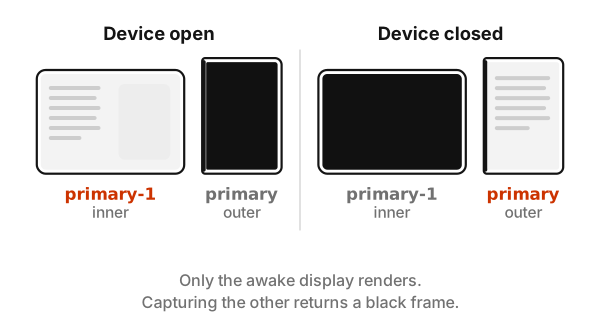
This is the one that cost me the most time. The Duo simulator has two displays, and simctl io screenshots take a --display argument. It accepts a screen number, a name or a UUID, and the numbers aren’t what you’d guess, because a TV-out screen sits between the two real ones. The device names are the safe choice: --display=primary is the outer display and --display=primary-1 is the inner one.
Then I took a batch of screenshots and every one came back as the same black frame. Only the display that’s awake renders. With the device open, the outer display is off. With it closed, the inner one is. I noticed because the files were identical to the byte, and after that I captured both displays every time and kept whichever wasn’t black.
Poses are manual
Device Hub has controls to open, close, rotate and fold the device. I found no simctl command for any of it.
Apple gives you no command-line way to set a pose. Third-party tools can set the fold angle through a private simulator interface, and my own test script uses one, but I wouldn’t build anything important on a private interface. Rotating the Duo still needs a hand in Device Hub, so any screenshot or test that depends on the device’s orientation needs a person.
Where that leaves the simulator
Even with all of this, the simulator is good. It has real display geometry, the system behaviour for bars and sheets and the fold region, and a hinge I can drive. What it can’t do is anything with the camera, since there isn’t one, and it can’t tell me how the hinge feels in a hand.
I’ve kept a running list of these details in my iPhone Duo developer reference, so the next time I set up a machine I can skip the afternoon.
The pattern across all of them was the same: each one failed quietly rather than loudly. An installer that renames instead of asking, logs that look fatal and aren’t, a command that fails only in the first moments after boot, screenshots that succeed and contain nothing. The fixes were all easy once I stopped trusting that “no error” meant “worked”.