On iPhone Duo, the outer screen belongs to apps using the camera
Third-party apps can show interactive content on the iPhone Duo's outer screen while they run on the inner one, but only through a camera capture accessory. That one rule decides which Duo ideas are possible, and it closed off a few I wanted to build.
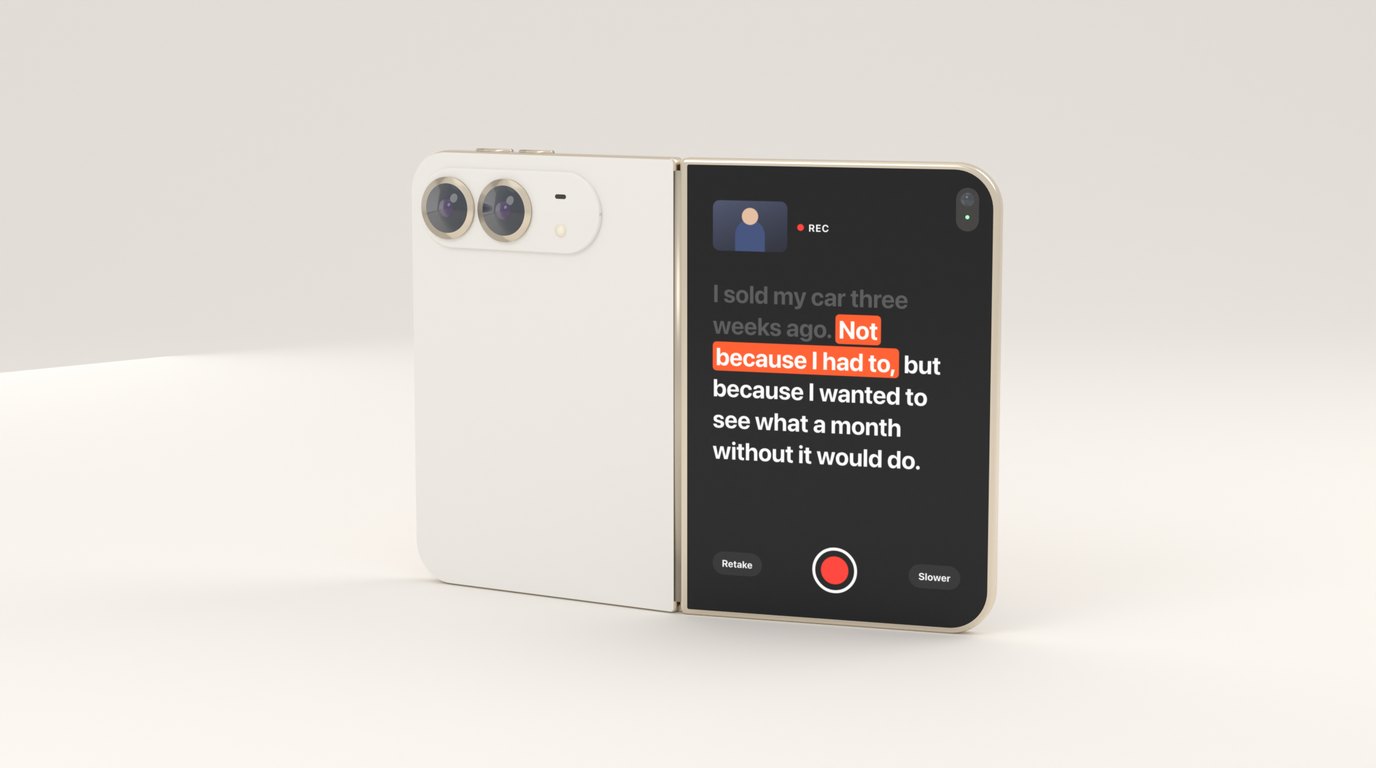
A phone with a screen on each side invites a particular kind of idea. You look at the inner screen, someone across the table looks at the outer one, and each of you sees something different. My list of iPhone Duo ideas was full of them before I read the documentation properly.
Then I read it properly.
The one way in
When an app is open on the inner display, there is today one supported way for it to put anything on the outer display at the same time: a scene accessory registered for camera capture. In SwiftUI it’s a view modifier:
CameraScreen()
    .sceneAccessory {
        CameraCaptureAccessory(isEnabled: $showsScript) {
            ScriptView(script: script)
        }
        .onAvailabilityChange { available in
            accessoryAvailable = available
        }
    }
In UIKit, a view controller registers UISceneAccessory.cameraCapture(sceneConfiguration:) with registerSceneAccessory(_:) and gets a registration back that reports whether the accessory is available and enabled. The system gives the resulting scene a dedicated session role, so the app can tell that scene apart from its main one.
The content can be interactive. Someone in front of the lens can tap it.
The conditions
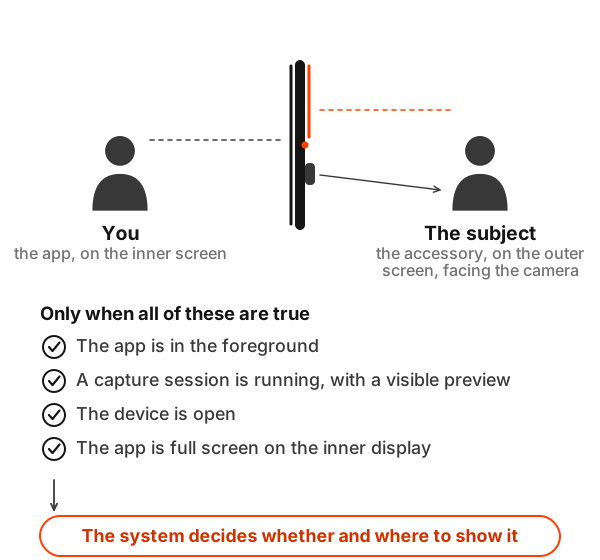
The accessory can only appear when all of these are true: the app is in the foreground, it has an active camera capture session, the device is open, and the app’s interface is full screen on the inner display, with the view that registered the accessory on screen. That full screen condition means Split View is out. Apple’s overview describes the case as the device fully open and capturing with the rear camera.
Even then, the system decides whether and where to show it. Apple’s own framing is that an accessory enhances the app when it’s available and the app must work fully without it. I’m treating it the way I’d treat a feature that might be switched off by the user: build the whole app first, then let the accessory make it better.
Why a camera, specifically
I wondered whether this was a first version that would open up later, so I looked for anything Apple had said beyond the documentation. On the developer forums, an Apple engineer answered it directly. The camera capture accessory is the only way to use both displays at the same time, and camera cases are “the only supported and intended use cases for dual display at present”. A capture session with only an input isn’t supported either, because it doesn’t actually run the camera: you have to show a camera preview on one or both displays. That “at present” leaves the question open, which is the most I can say about the future.
That last part closes the obvious workaround. You can’t start a camera session just to unlock the outer screen for something else. The preview has to be real and on screen, and the camera has to be the point.
What it rules out
Face-to-face translation was the idea I most wanted. Each person reads the other’s words on the screen facing them. It needs the outer screen and has no reason to use a camera, so it can’t be built this way.
The same goes for a customer-facing total on a phone used as a till, a private hand for the second player in a card game, and a presenter’s notes on one side with slides on the other. All of them are natural on a two-screen phone, and none of them are camera apps.
Apple’s own dual-screen features follow the same shape. Duo Preview shows the person being photographed a live preview on the outer screen, Kid Cue plays animations there to catch a child’s attention, and Duo FaceTime lets a second person join from the outer screen. All of them are camera experiences.
What it makes possible
Flip the rule around and it describes a very specific opportunity: apps where the person in front of the camera needs to see or touch something.
A creator filming themselves with the rear camera can read a script from the screen right next to the lens. Someone being interviewed can see the current question. A person doing a workout can see their count and form cues while the camera watches them. A party game can film one player’s reaction while showing them the challenge.
Those are all camera apps first, and the outer screen makes each of them better. That’s the shape Apple is asking for, and it’s narrower than the space of ideas a two-screen phone suggests.
Testing it
The simulator has no camera, so presenting the accessory can’t be tried there, although its layout can be checked in previews and in the simulator. I’ve been building the accessory content as ordinary SwiftUI views that I can preview and test on their own, and keeping the camera side separate. The part where the system decides when to show the accessory will only be answerable on a real device.
I lost a few ideas to this rule and gained a clearer sense of what the outer screen is for. It isn’t a second display. It’s the screen that faces whoever the camera is looking at, and the apps that fit it are the ones where that person matters.