Measuring Light With an iPhone, and Admitting How Wrong It Might Be
iOS won't give third-party apps the ambient light sensor. You can derive lux from the camera's exposure metering instead, but the number is soft. Building Solspot was mostly about what to do with that.
Solspot measures how much light a spot in a home gets, in lux, and tells you which houseplants will live there. The measuring part is four lines of arithmetic wrapped in a great deal of doubt, and the doubt turned out to be the whole design problem.
This is a write-up of what an iPhone can and cannot tell you about light, and what I decided to do about the gap.
iOS will not give you the light sensor
Every iPhone has an ambient light sensor. It sits near the front camera and it is why your screen dims when you walk into a dark room. It is a real photometric sensor and it is exactly the thing you want.
You cannot have it. There is no public API that hands a third-party app a lux value from it. It has been that way for years, and there is a decent argument for it: a background-capable app reading ambient light continuously is a side channel for a lot of things Apple would rather it not be.
So every light meter app on iOS is doing the same thing instead: pointing the camera at the problem and working backwards from how the camera chose to expose.
Working backwards from exposure
A camera metering a scene is already solving this. It picks an ISO, a shutter duration and an aperture that will produce a correctly exposed image, and those three values encode how much light is arriving. Run the relationship in reverse and you get a brightness estimate.
The photographic shorthand is exposure value:
EV = log2((N * N) / t) - log2(S / 100)where N is the f-number, t the exposure duration in seconds, and S the ISO. That gives you a number on a scale photographers have been using for a century. Converting to lux is then a single constant:
lux ≈ C * 2^EVand C is where all the trouble lives. The textbook value sits around 2.5, derived from the incident-light calibration used by handheld meters. Whether it is right for the specific piece of glass and silicon in the phone in your hand is another question entirely.
Everything that makes the number soft
The arithmetic is exact. The inputs are not.
The lens is not a lab instrument. The front camera sits behind a cover glass that has fingerprints on it, and possibly a screen protector, and possibly a case lip. Every one of those attenuates light. None of them are measurable from inside the app.
Apple does not publish per-device calibration. Sensor and lens vary across models and across production runs of the same model. Two phones on the same windowsill will not agree. Which one is right is not a question I can answer from software.
Cameras are tuned for pictures, not photometry. Auto-exposure is trying to produce a pleasing image. It has opinions about highlights, it applies scene-dependent behaviour, and it will happily clip. Above a certain brightness the sensor saturates and the meter simply stops climbing, which means bright conditions read as less bright than they are, not more.
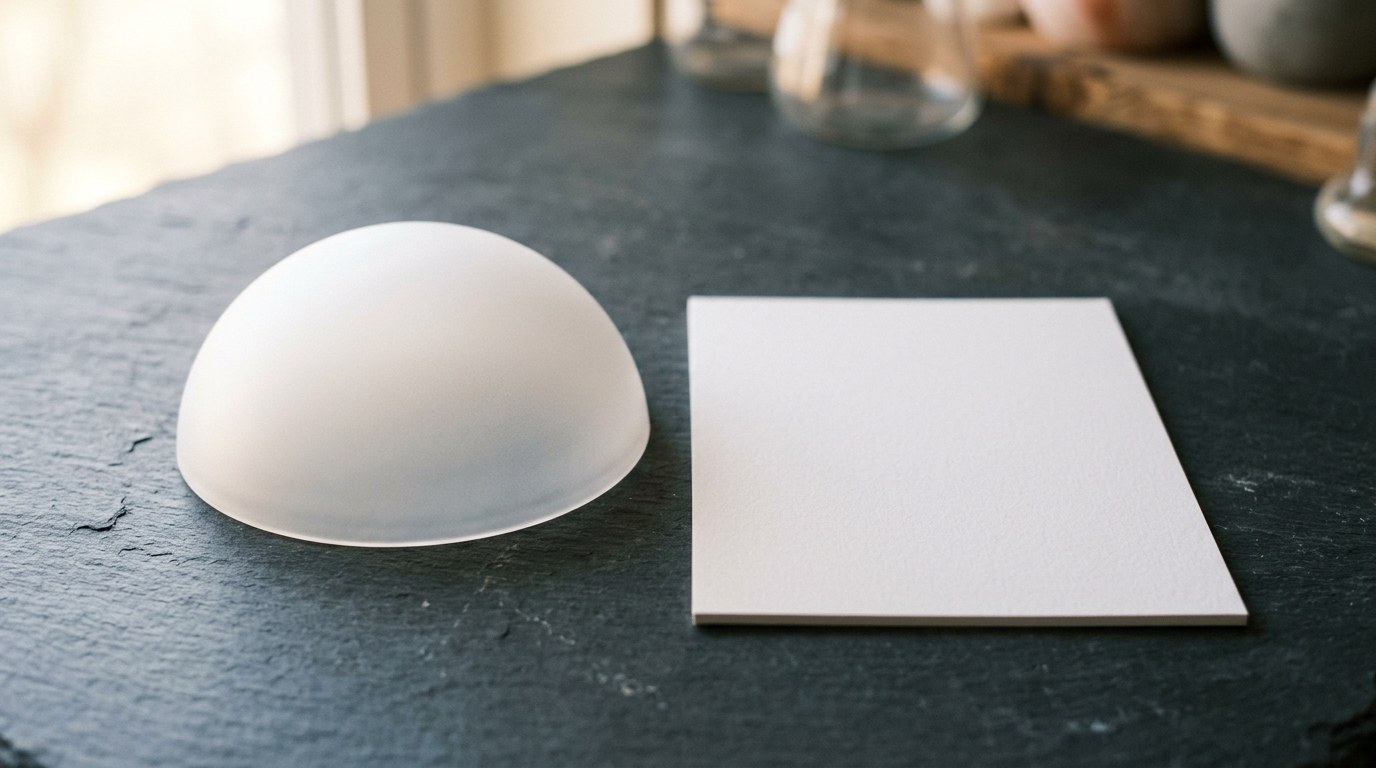
The measurement geometry is wrong by default. A camera measures light arriving from the direction it is pointed, within its field of view. A leaf receives light arriving at a surface from the whole hemisphere above it. Those are different quantities. A proper incident light meter has a white diffuser dome over the sensor to integrate that hemisphere. A phone has flat glass.
That last one is the biggest single source of error, and it is the one that no amount of calibration constant fixes.
What I did about it
The honest response to all of that is not to hide it behind a confident number.
Measure the spot, never the plant. The instruction the app gives is to lay the phone flat, screen facing up, where the pot would stand. Flat and face-up is the closest a phone gets to the geometry an incident meter uses, and it is also the geometry a leaf actually experiences. Pointing the phone at a plant measures light reflected off leaves, which is a different and much less useful quantity. Most of the value in the app is in that one instruction, and it is free.
Gate the reading on the conditions being right. The app checks that the device is actually flat and that the reading has settled before it will commit to a number, and it says so on screen. A reading taken while the phone is tilted or while auto-exposure is still hunting is worse than no reading, because it looks identical to a good one.
Report a range, not a point. Every reading carries the interval the true value could honestly sit in. When the device has not been calibrated, that interval is wide, and the app says the number is a rough estimate and the category is the reliable part. When the sensor is saturating, it says the spot is brighter than it can measure rather than reporting the ceiling as if it were the answer.
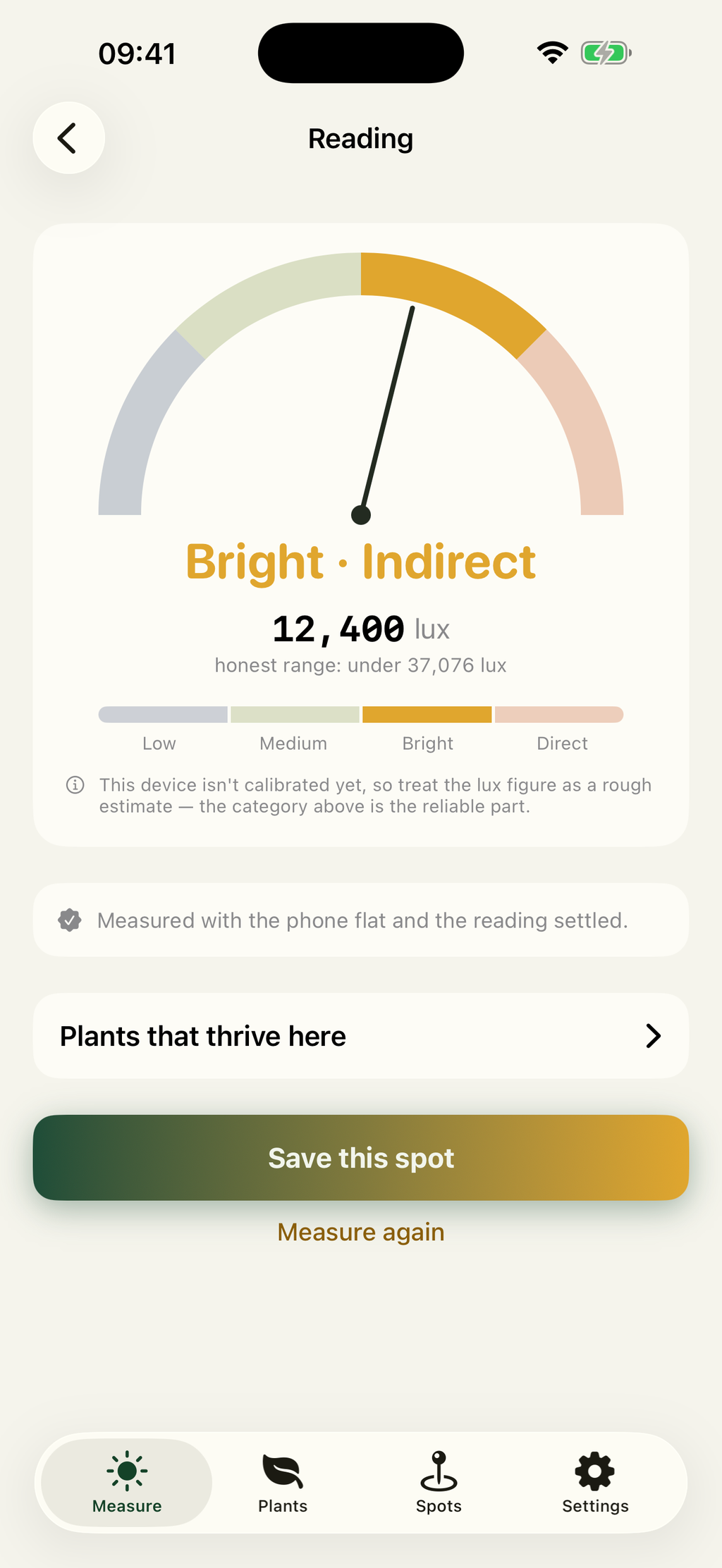
Make the category the product. Readings sort into four bands: low under 2,500 lux, medium from 2,500 to 10,000, bright indirect from 10,000 to 20,000, direct above 20,000. Those bands are wide on purpose. A category survives a calibration error that a three-digit lux figure does not, and the category is the thing that actually answers the user’s question, which is whether a plant will live there.
The insight that makes it work anyway
Here is the part that took me a while to see, and it is the reason the app is worth shipping despite everything above.
Most of the error is systematic, not random. The same phone with the same smudge on the same glass will be wrong in the same direction every time. Which means that comparing two readings from one device cancels almost all of it.
“Is this windowsill brighter than that bookshelf” is answerable to a high degree of confidence by a badly calibrated sensor. “Is this windowsill exactly 12,400 lux” is not. Real users overwhelmingly ask the first question. They are choosing between two spots in one home, or checking whether a shelf is anywhere near what a plant needs.
So the app leans into comparison. You save spots, and you re-measure them later. A windowsill in June and the same windowsill in December are meaningfully different places, and that difference is measurable with an instrument far too crude to tell you either absolute value.
The uncomfortable corollary is that a light meter app which brags about accuracy is either better calibrated than mine or lying, and there is no way for a user to tell which. I decided the only defensible position was to state the uncertainty on the same screen as the number.
What I left out
Version one does not do PPFD or DLI. Those are the units growers use, and deriving them from a lux figure means assuming a spectrum, because lux is weighted to human vision and photosynthesis is not. You can publish a conversion factor for daylight and be roughly right, and be badly wrong under an LED. Adding a unit that implies more rigour than the measurement supports would undo the entire point of the previous section.
It also does not identify plants from photos. That is a different app, several companies do it well, and bolting it on would have meant a worse version of something that already exists.
What I would tell someone building this
Not the calibration constant. You will find it in ten minutes and it will not be your problem.
Your problem is that you are shipping an instrument, and an instrument that overstates its precision is worse than no instrument, because people act on it. Someone buys a fern for a shelf your app called bright, and the fern dies, and the failure is silent and slow and they will blame the fern.
Work out which question your users are really asking. Mine turned out to be “will this plant live here”, not “what is the lux here”. Then build the smallest measurement that answers that question, and be loud about the parts you had to estimate.
Solspot is free to download on the App Store, with an optional one-time Pro upgrade, and works entirely offline.