Folding iPhone Duo into a small laptop for my Mac
Uplid stands iPhone Duo up like a tiny MacBook: my Mac on the top half through the Screen Sharing built into macOS, a Mac keyboard and trackpad on the bottom half. How it talks to the Mac, how the trackpad got its feel, and why the store screenshots use Apple's own product images.
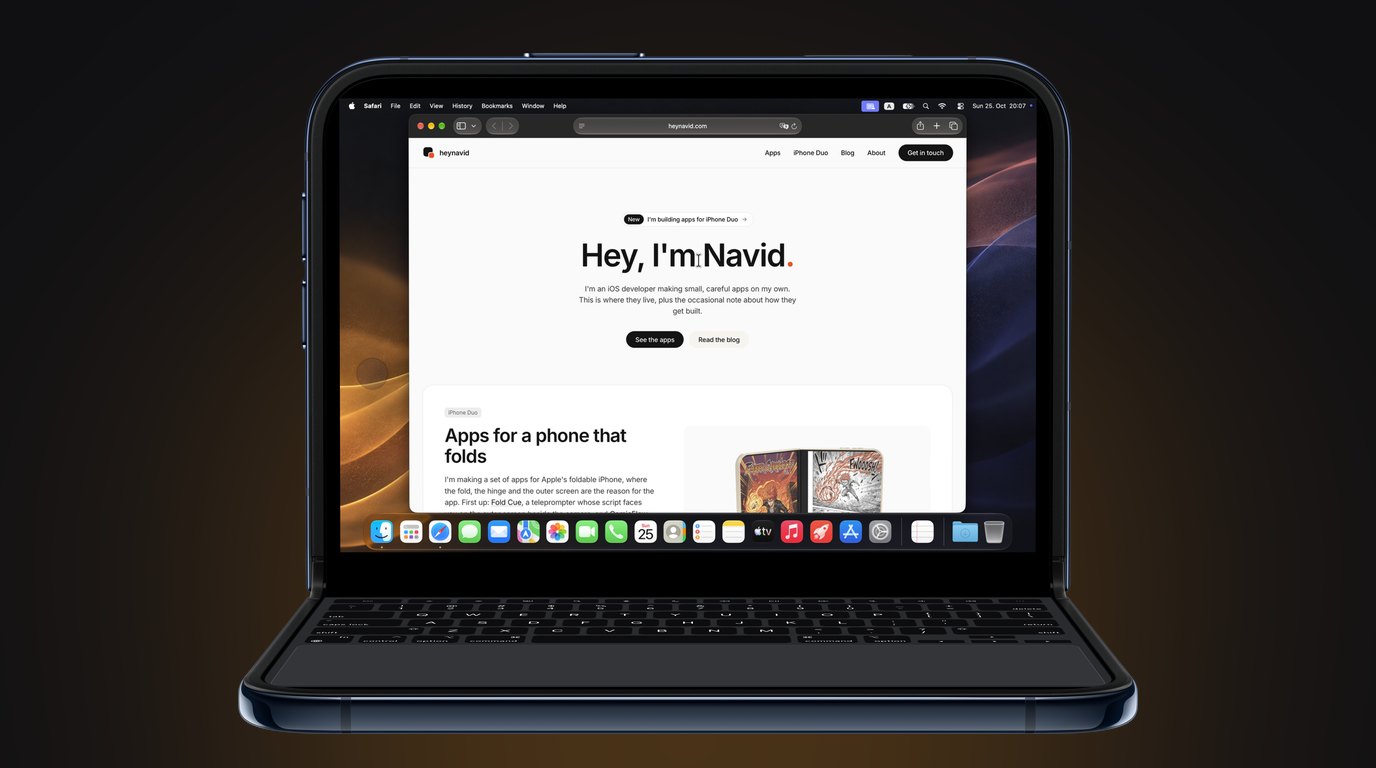
Stand iPhone Duo on a table, half open, with the fold across, and it looks like a very small laptop. The top half is upright like a lid and the bottom half lies flat like a deck. The first time I saw it like that I wanted the top half to be my Mac and the bottom half to be a MacBook keyboard and trackpad.
That is Uplid. It shows the screen of your Mac on the top half and turns the bottom half into a Mac keyboard with a Mac trackpad under it, laid out like a MacBook. There is nothing to install on the Mac, because macOS already has Screen Sharing built in.
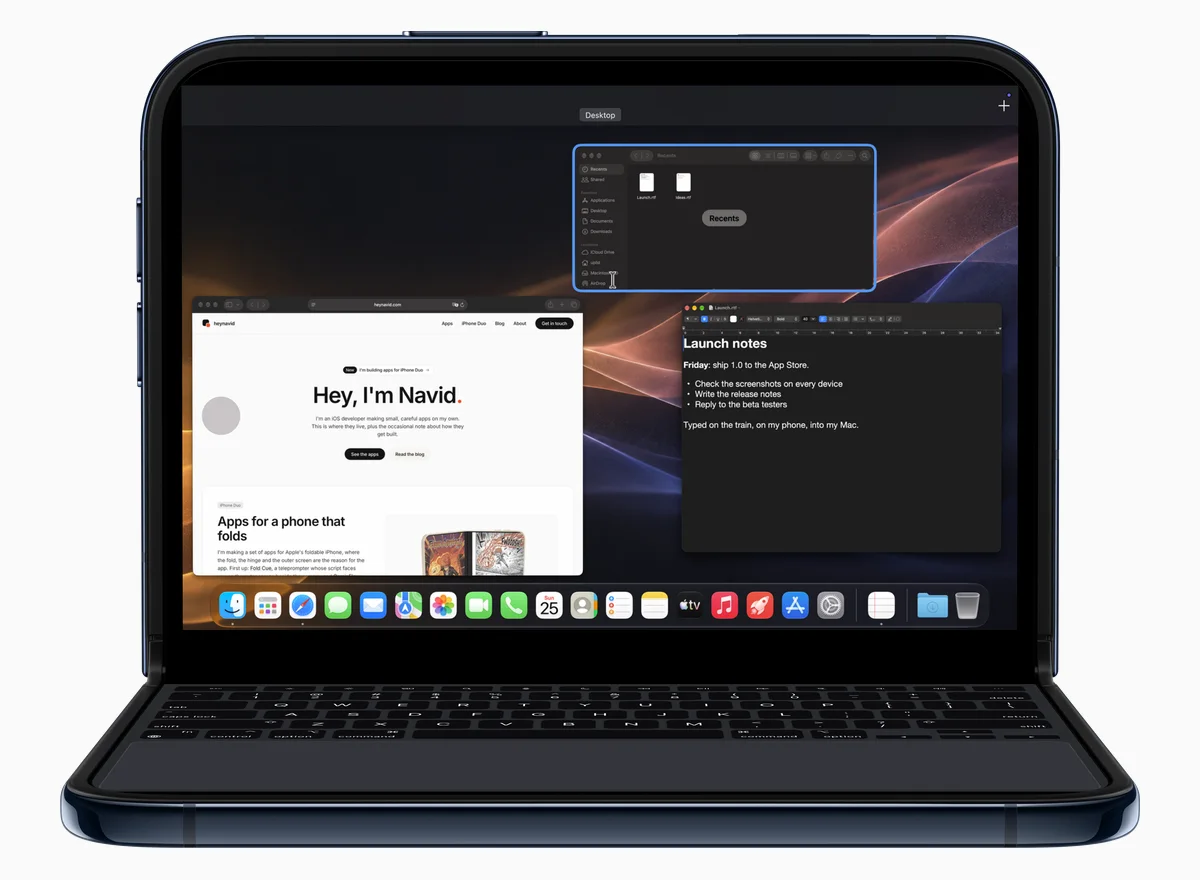
Talking to the Screen Sharing that is already on the Mac
Screen Sharing speaks VNC, the old remote desktop protocol, with Apple’s own parts added: its own protocol version, a login with your Mac account name and password, and an encrypted session. The open source clients that know Apple’s parts are under licences I can’t put inside a closed App Store app, so the client in Uplid is written from scratch in Swift.
Where the public notes disagreed, I didn’t guess against a real Mac. I let Apple’s own Screen Sharing app connect to a small listener on my Mac and read what it sent. Every message in the app has a comment that says where its layout comes from, and a fake Mac in the test suite answers the same way, so a wrong guess fails in a test, not at a real login screen.
After the login, the Mac sends only the parts of the screen that changed, compressed. Uplid unpacks them away from the main thread and draws the picture with Metal, so the trackpad never waits for the network.
A trackpad that moves like a Mac one
The pointer uses the acceleration of a Mac trackpad, and it moves the moment your finger does. Two fingers scroll with momentum, three fingers up open Mission Control, and three fingers left or right change Spaces. Tap to click, click with two fingers, or tap and then touch again to drag.
My first version pressed the mouse button when a finger rested still on the trackpad for a moment. On the real Duo that was wrong. A Mac trackpad doesn’t do it, and resting a thumb on the deck is the most natural thing in the world, so it went.
The Duo showed me two more bugs that the simulator never could. The pointer stopped after a second or two, because a filter for resting palms took a normal finger for a palm. And with Half resolution on, every click landed up and to the left of the pointer: the Mac sends a picture at half size, but it reads pointer positions in full-size pixels.
A Mac screen is a lot of pixels for a phone, so a pinch on the trackpad zooms the picture in where the pointer is, and a pinch out goes back. The Mac doesn’t know about it. It’s only the phone looking closer.
A keyboard with Command keys
Command, Option, Control and fn sit where they are on a MacBook. Hold one with a finger and type with another, or tap it once and it holds for the next key. The keys show what they type while Shift or Option is down.
Copy and paste took a second try. Command-V on the Duo first sends the phone’s clipboard to the Mac, then the keystroke. At first the Mac pasted the text from before. It stores a new clipboard a moment after it arrives, so now Uplid waits a quarter of a second before the V.
Testing against a second Mac
I didn’t want tests to touch the Mac I work on, so my other MacBook Pro got a test account. UI tests in the simulator connect Uplid to it, type into TextEdit, save the file and read it back, copy text in both directions, and check that the pointer in the app is where macOS says the pointer is.
Then the real Duo, by hand: laptop pose, book pose, flat and folded shut, a paste from Safari on the phone into a document on the Mac, and a test purchase.
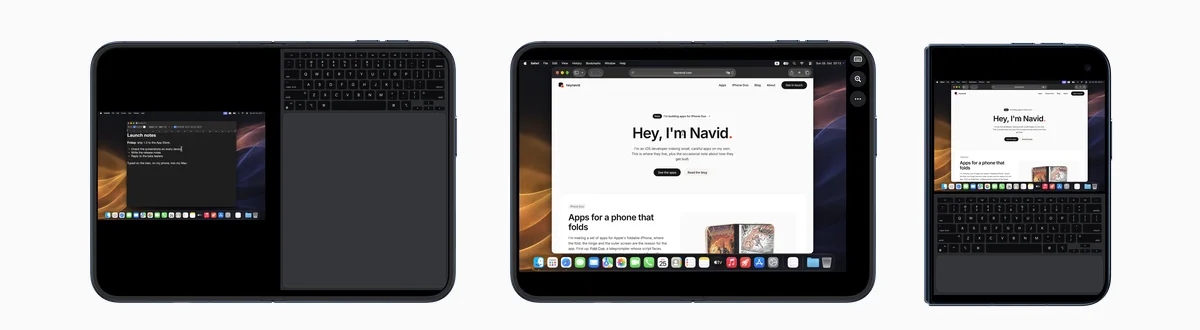
Screenshots without a 3D model
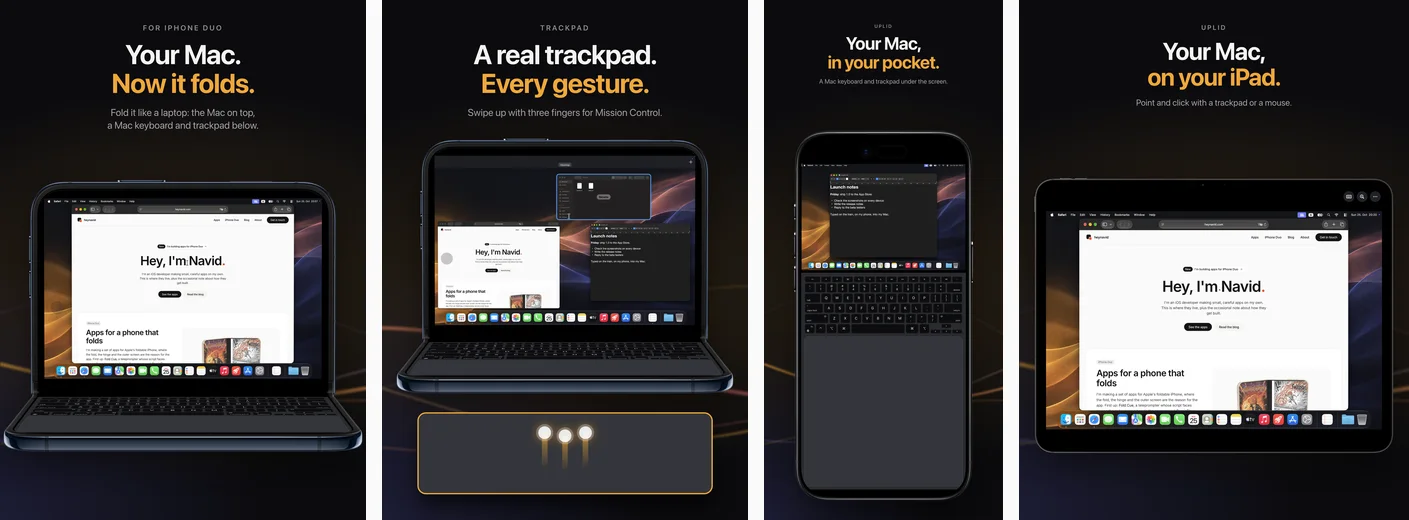
For the first App Store screenshot I built the Duo in Blender, with a real capture on its screens. It looked good. Then I read Apple’s marketing guidelines again: no 3D renders or simulations of Apple products, and product images used as they are, not tilted and not covered.
Apple publishes official product images for this, and the iPhone Duo set includes the laptop pose. It comes only as a Photoshop file, and its screen is bent over the fold by a Photoshop filter. So a short script puts the top half of a capture on the lid and the bottom half on the deck, inside Apple’s own outline, and leaves Apple’s picture of the phone as it is.
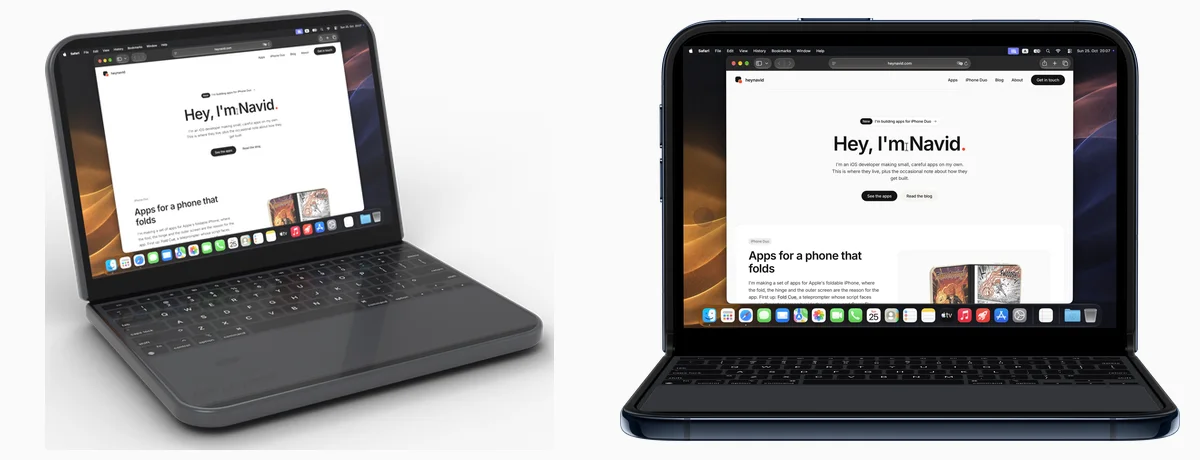
Everything on the Mac in the screenshots is mine: this site, a short note in TextEdit, and an AI-generated wallpaper in the colours of the app icon.
Where it is now
Uplid 1.0 has been in App Review since 25 October 2026. It runs on iPhone and iPad with iOS 27, and laptop pose needs iPhone Duo. On other iPhones and on iPad, the screen is the trackpad and the keyboard slides up when you need it.
It’s free to download with every feature, in sessions of 15 minutes with a real Mac, and the built-in demo Mac has no limit. Uplid Pro is one purchase of $5.99 for unlimited sessions, with Family Sharing. There’s no subscription, no account and no data collected.
Two things I haven’t tested yet: an iPad with a real trackpad, and the German keyboard layout against a German Mac. More on the Uplid page.