
Uplid
Your Mac, folded like a laptop
Uplid connects to the Screen Sharing that is built into macOS, so there is nothing to install on the Mac. On iPhone Duo you stand it up like a small laptop: your Mac on the top half, a Mac keyboard and a Mac trackpad on the bottom half. On other iPhones and on iPad the screen is the trackpad and the keyboard slides up when you need it. You log in with your Mac account, the password stays in the Keychain of your device, and Uplid asks the Mac to encrypt the whole session.
Coming soon In App Review since 25 October 2026
Also on applestan.com/uplid
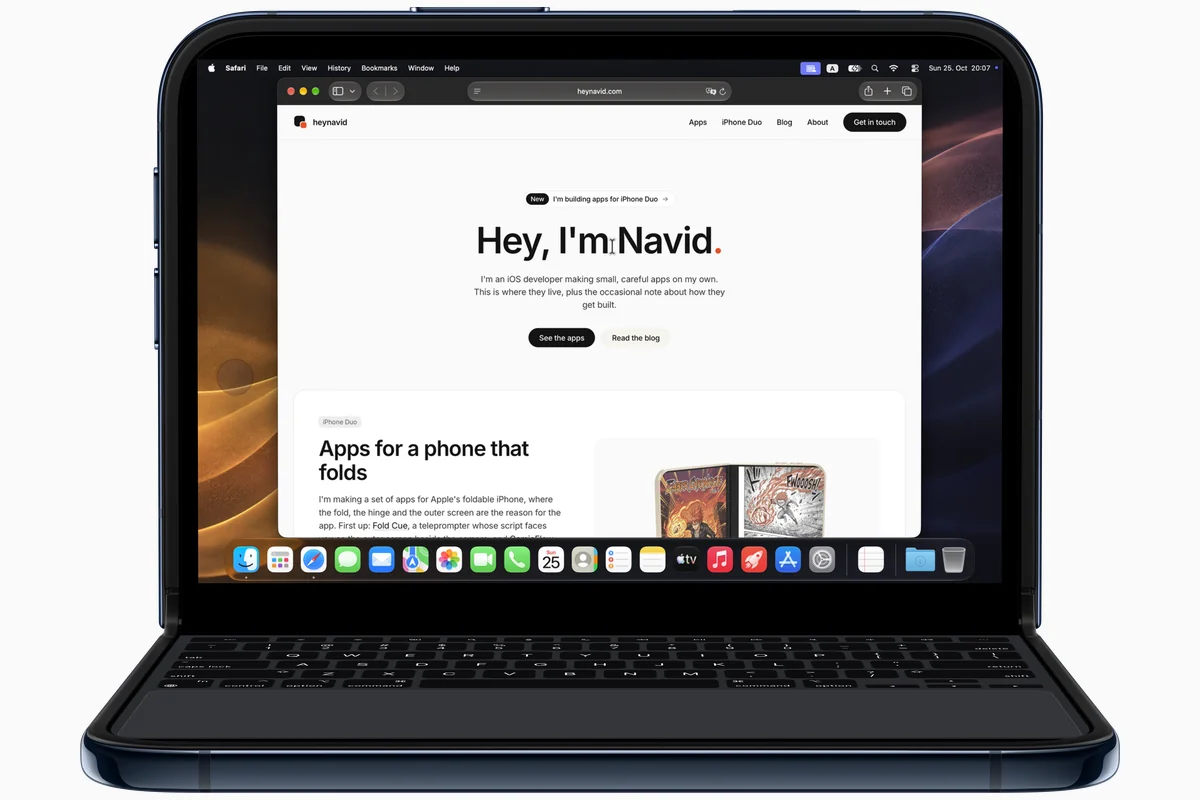
On iPhone Duo
Fold it like a small laptop
This is the app that made me want the Duo in laptop pose. Stand it on a table with the fold across, and the top half is your Mac while the bottom half is a Mac keyboard with a Mac trackpad under it, laid out like a MacBook.
The keyboard never covers the Mac
The layout follows the fold: the Mac picture stays above it and the keys and trackpad stay below it.
A trackpad that moves like a Mac one
The pointer uses the acceleration of a Mac trackpad and moves the moment your finger does. Three fingers up open Mission Control, and a pinch zooms in where the pointer is.
Book, flat or folded
Turn it like a book and the Mac is on one page, the keyboard on the other. Open it flat and the whole inner screen is the Mac. Folded shut, the outer screen shows the Mac above a smaller keyboard and trackpad.
Tested on the hardware
I use it on my own iPhone Duo with my own Macs, in all four poses.
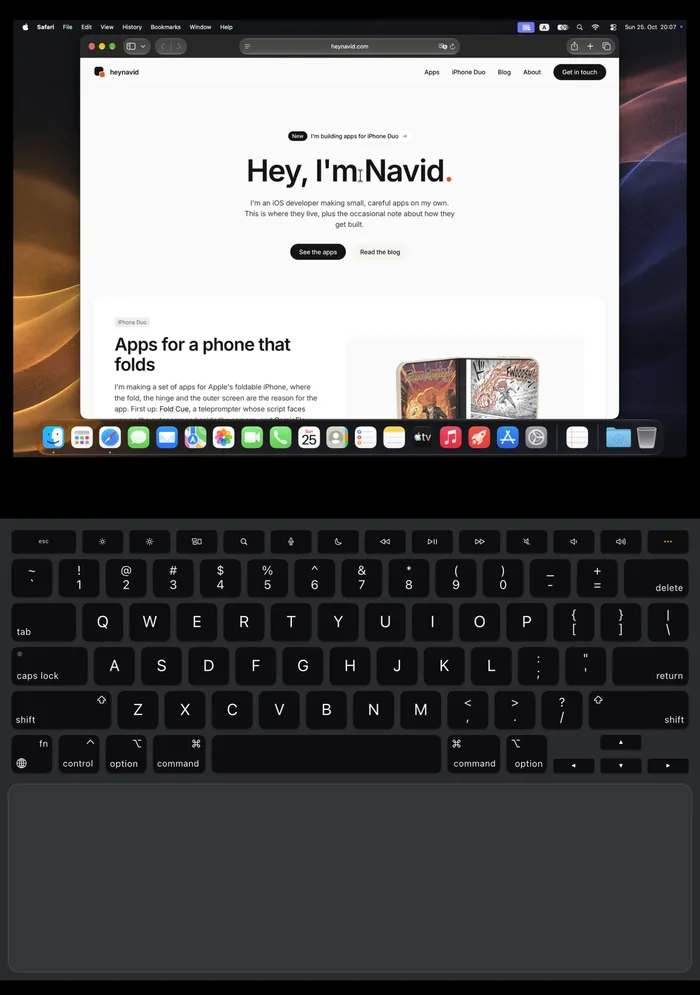
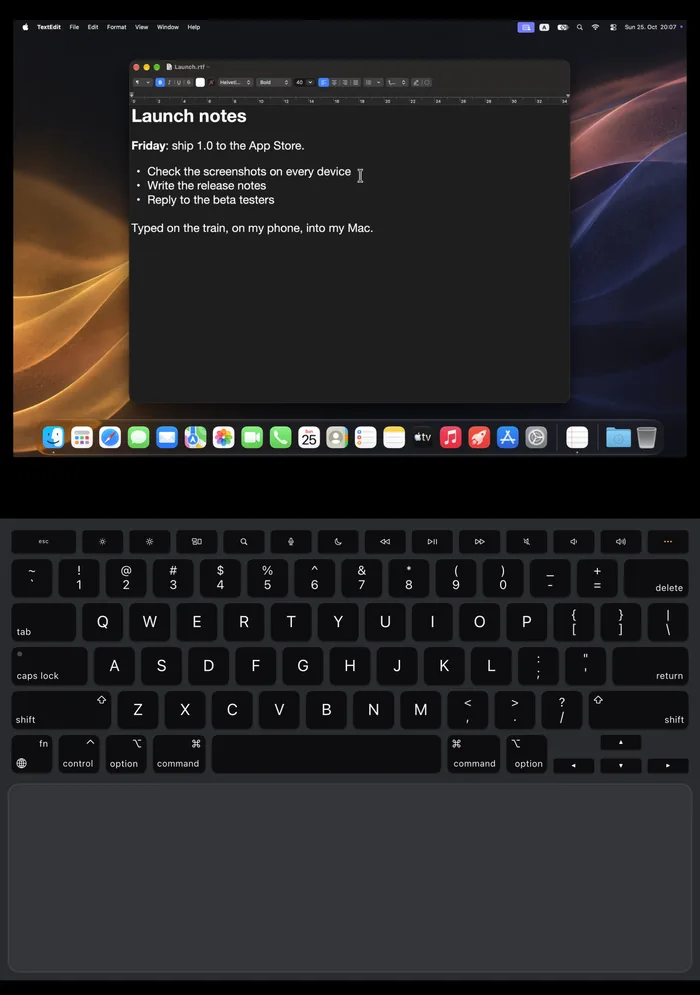
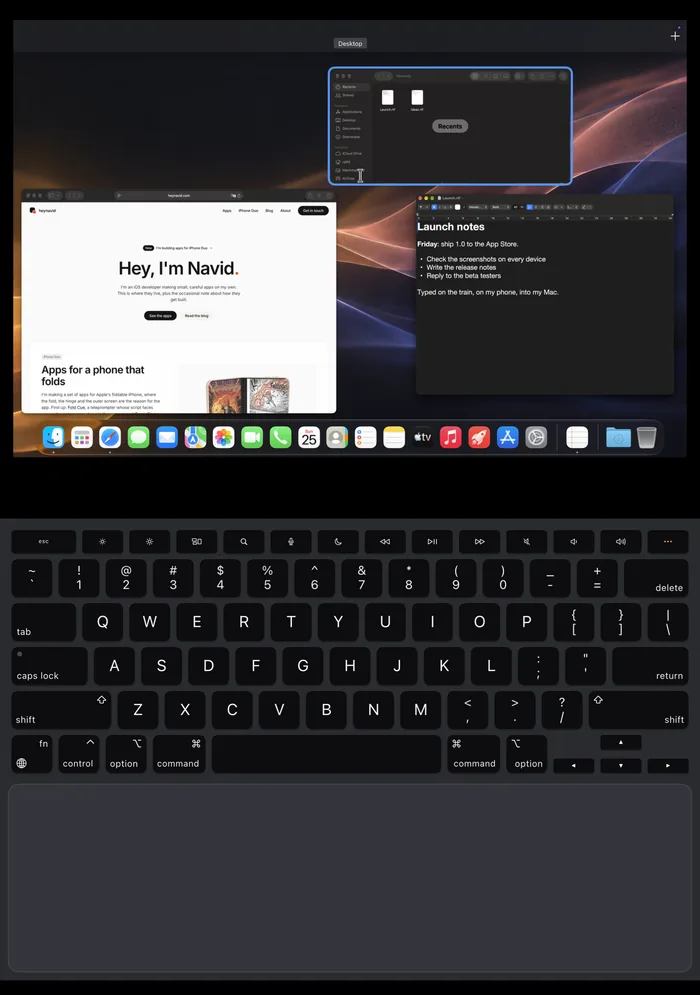
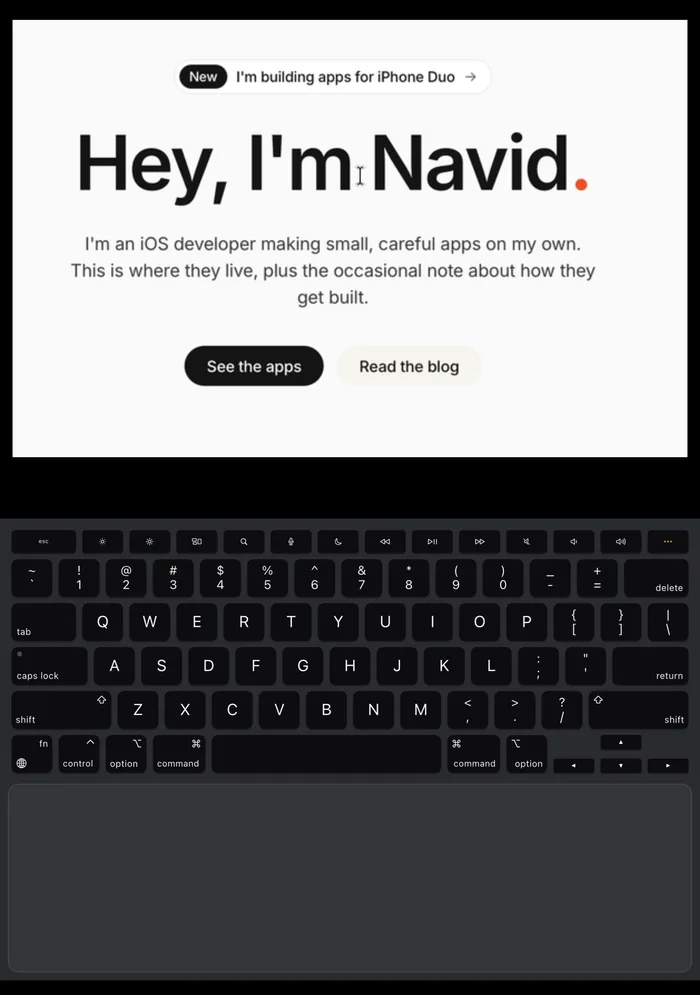
Real screens from Uplid on my own iPhone Duo, connected to a test account on a MacBook Pro. The wallpaper on the Mac is AI-generated.
On every other iPhone
Real screens from Uplid in the iPhone simulator, connected to the same Mac. On iPad, a trackpad or a mouse points straight at the Mac.


What it does
Free
- Connects to the Screen Sharing built into macOS, with nothing to install on the Mac
- On iPhone Duo in laptop pose, the Mac on the top half and a Mac keyboard and trackpad on the bottom half
- A trackpad with the acceleration of a Mac trackpad: tap to click, two-finger click, tap and drag, optional three-finger drag
- Two-finger scrolling with momentum, three-finger swipes for Mission Control and Spaces
- Pinch on the trackpad to zoom into the picture where the pointer is
- A Mac keyboard with Command, Option, Control and fn; tap a modifier once for the next key
- One clipboard: copy on the phone and paste on the Mac, or the other way round
- Finds Macs on your network; away from home it reaches them through your own VPN
- Logs in with your Mac account; the password stays in the Keychain of your device, unlocked with Touch ID or Face ID
- A built-in demo Mac to learn the keyboard and trackpad without a Mac
Pro, one purchase
- Unlimited session time with a real Mac, one purchase of $5.99, with Family Sharing
Good to know
Your Mac needs Screen Sharing on
In System Settings, open General, then Sharing, and turn on Screen Sharing for your user. If Remote Management is on, turn it off first, because the Mac allows only one of the two.
Same network, or your own VPN
Uplid finds Macs on the same Wi-Fi. Away from home it needs a VPN such as Tailscale on both devices. Uplid has no server of its own.
What stays private
No account, no analytics, no ads. Uplid talks only to the Mac you pick, and your Mac password stays in the Keychain of your device.
Notes on building it
Uplid is coming
In App Review since 25 October 2026. Free to download, with every feature in sessions of 15 minutes with a real Mac; the demo Mac has no limit. Uplid Pro is one purchase of $5.99 for unlimited sessions, with Family Sharing. No subscription. No ads, no ad tracking.
Tell me when it's out