
ComicFlow
CBR, CBZ & PDF comic reader
ComicFlow opens the comics and manga you already have: CBR, CBZ, RAR, ZIP and PDF, from Files, a watched folder or your computer over Wi-Fi. It reads them and converts them to PDF or CBZ. With Pro it also reads straight from your own Komga, Kavita or OPDS server and sends comics to a Kobo, Boox or reMarkable. No account and no subscription.
Also on applestan.com/comicflow
On iPhone Duo: what it does there
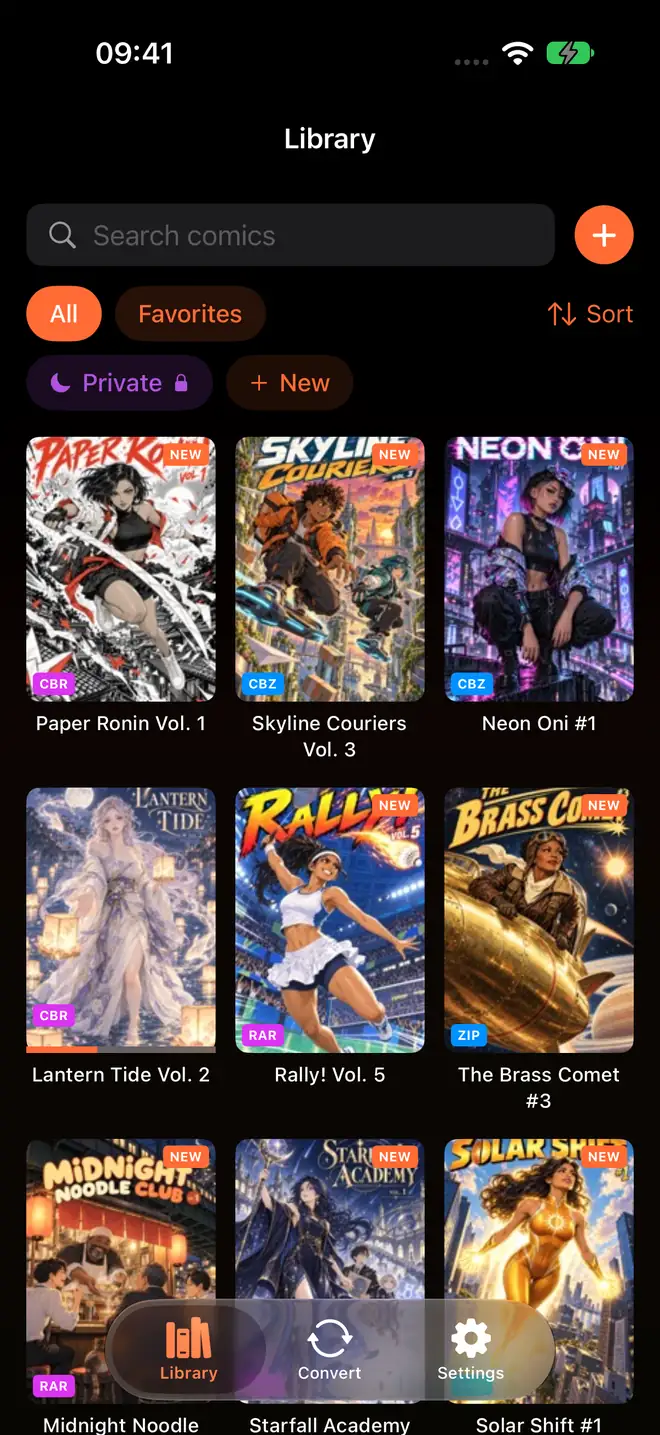


The App Store screenshots
Ten frames, one comic, mostly
For 3.6 I threw out the old App Store screenshots and made the set as one comic instead. The panels run across the joins between frames, so the row in the store reads left to right like a strip, and Kaede walks you through the app as it goes.
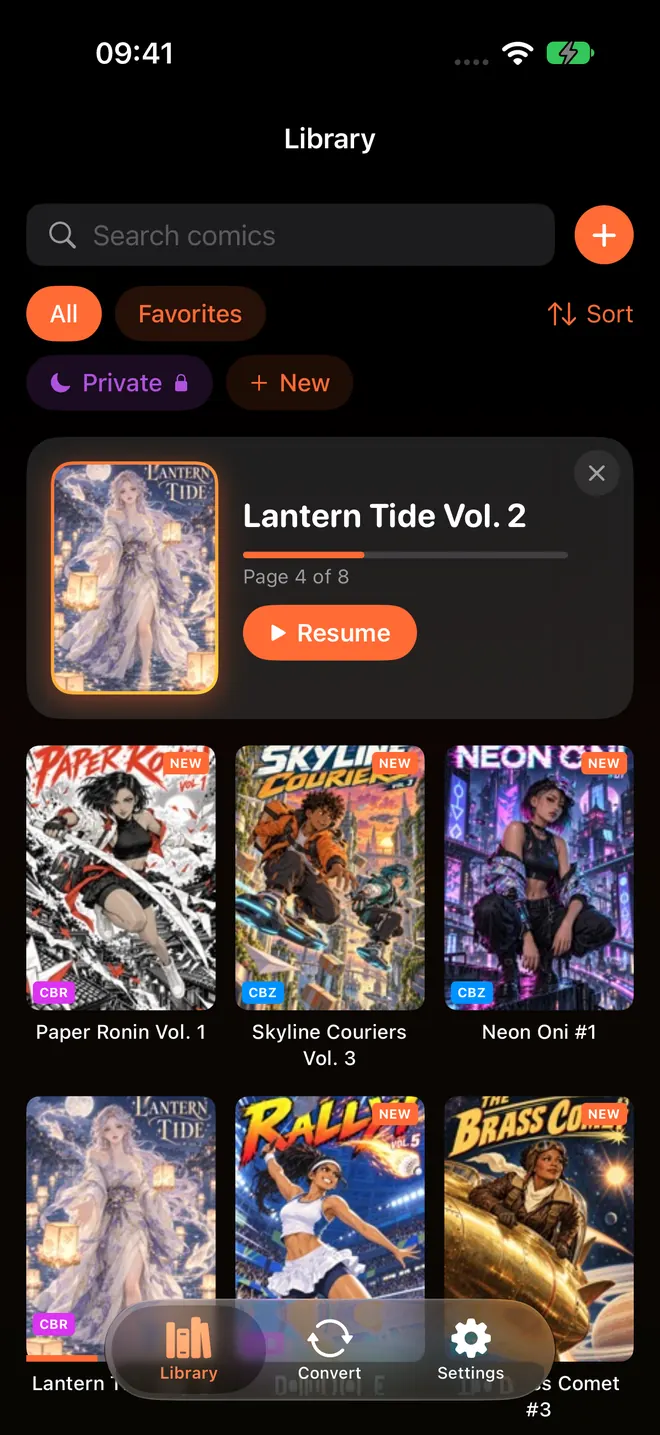
Kaede is the heroine of Paper Ronin, a manga that doesn't exist. Her katana has a blade of folded white paper. She, the covers and every page in that library are AI art made to my brief for these screenshots, so nothing in them is somebody else's comic, and none of it ships in the app. Your library starts with your own files.
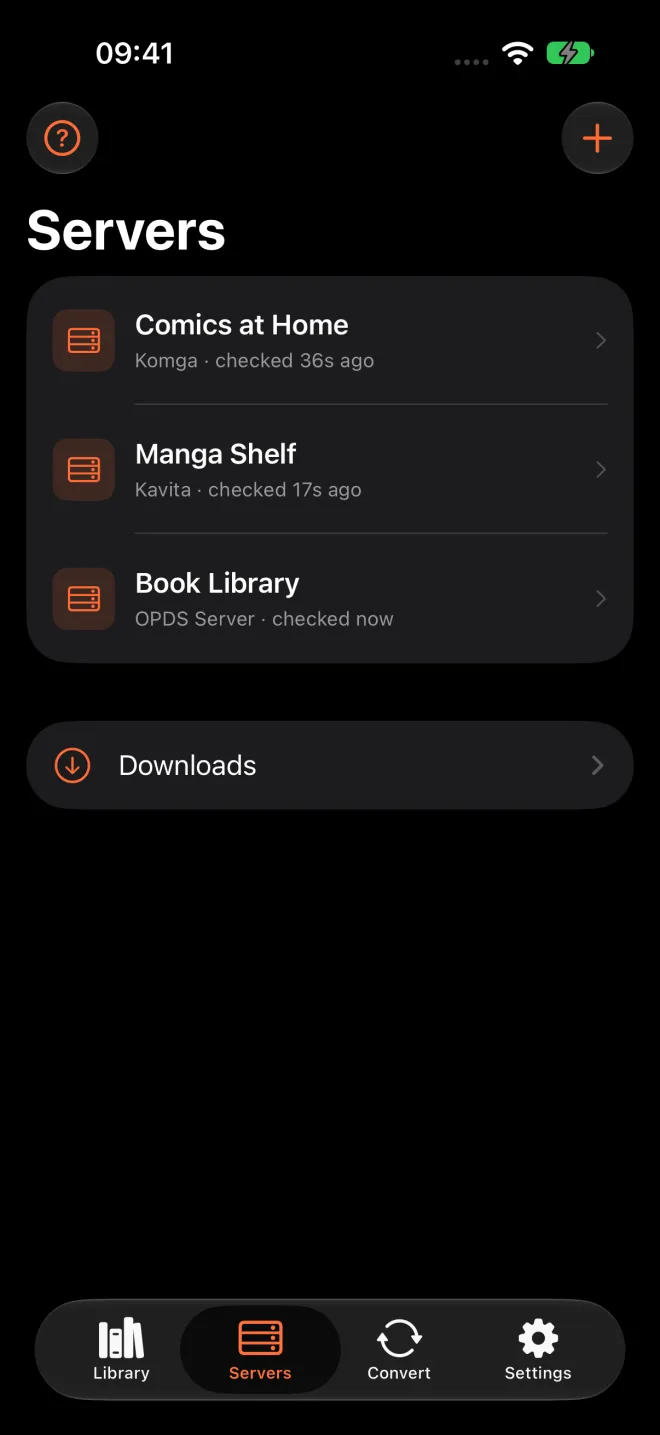
3.7 bent the strip a little. The first frame is now a vermilion title card that promises you pay once, and the fourth shows the new Servers tab on its own, without Kaede. The other eight still run across the joins.
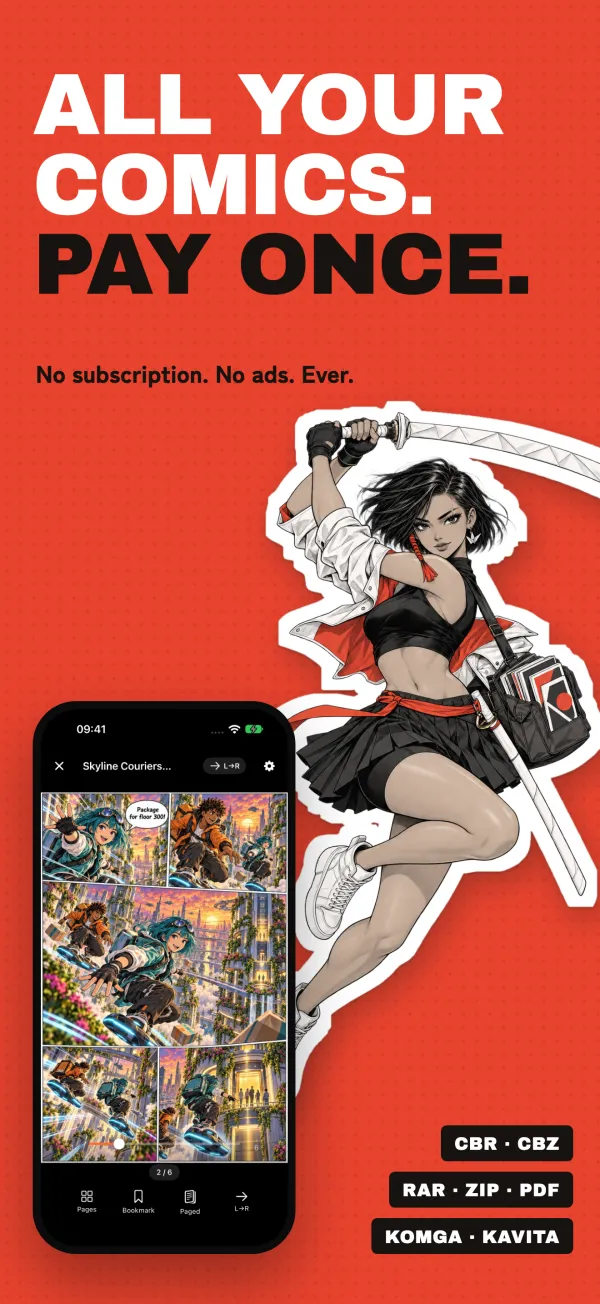
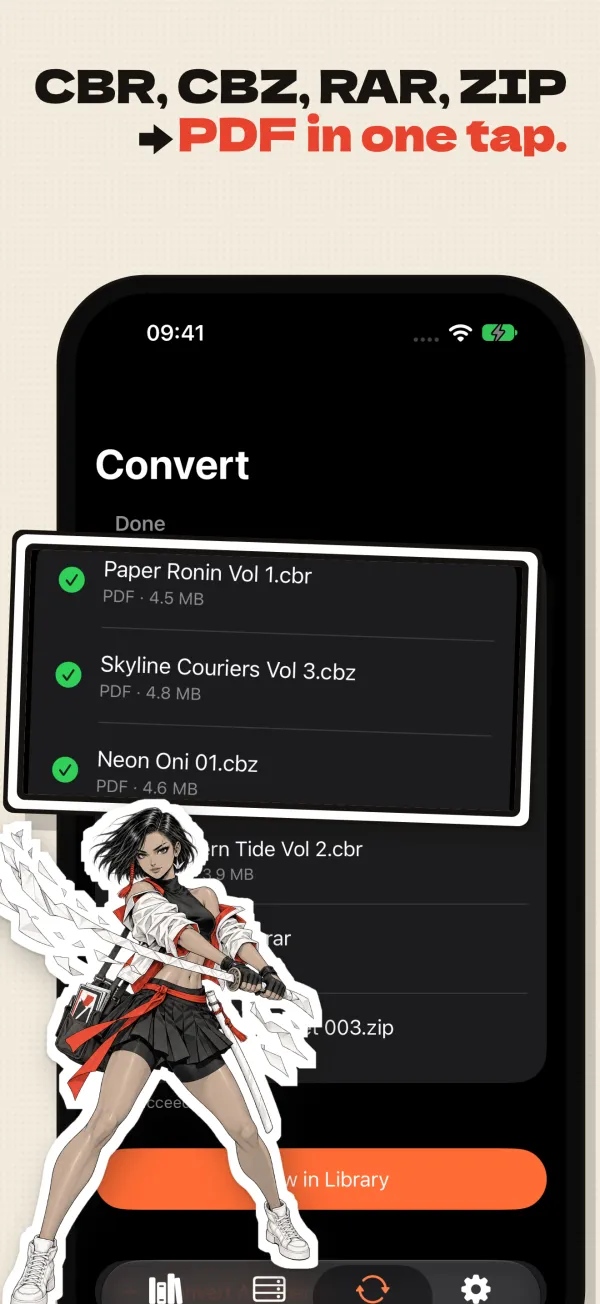
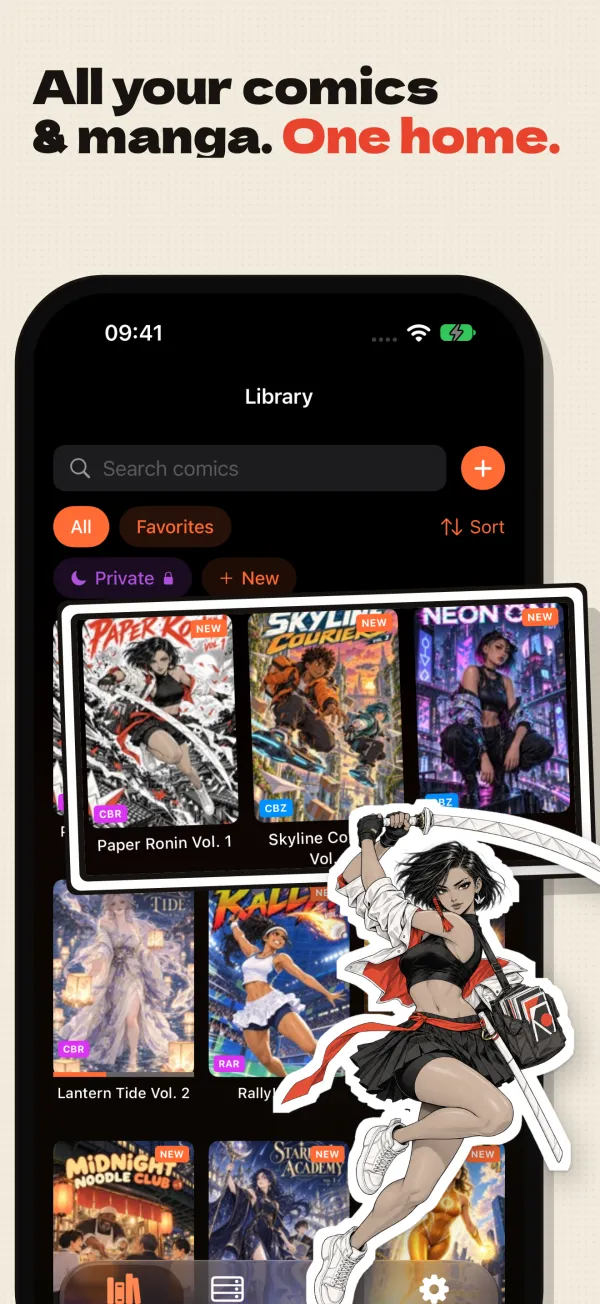
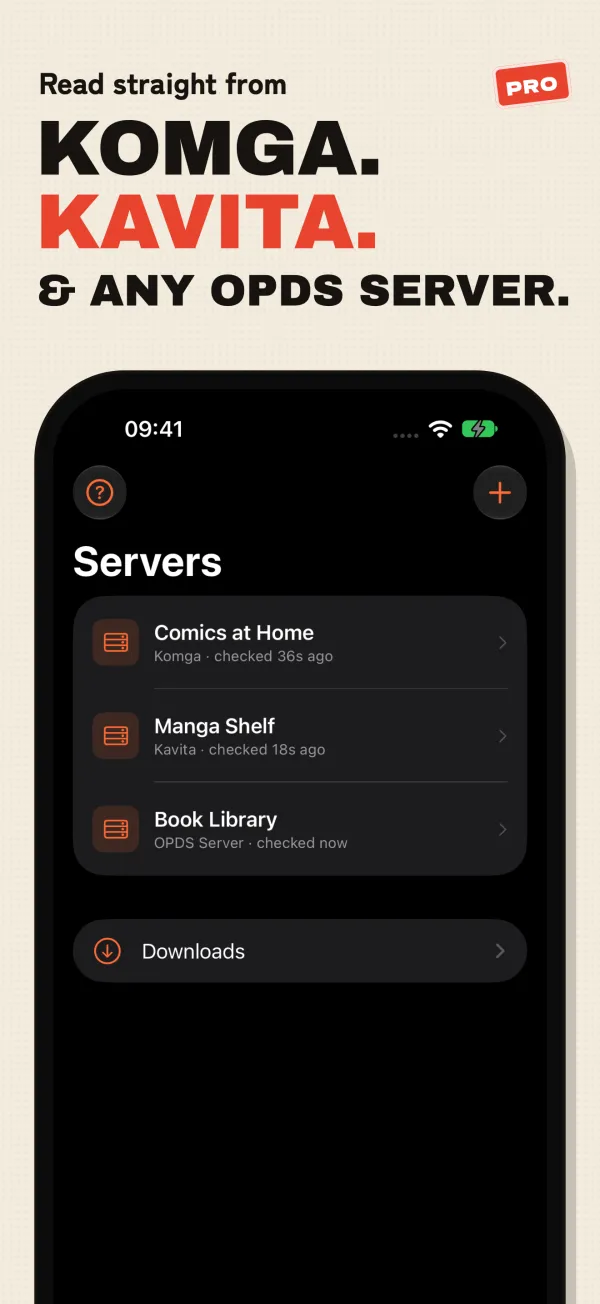
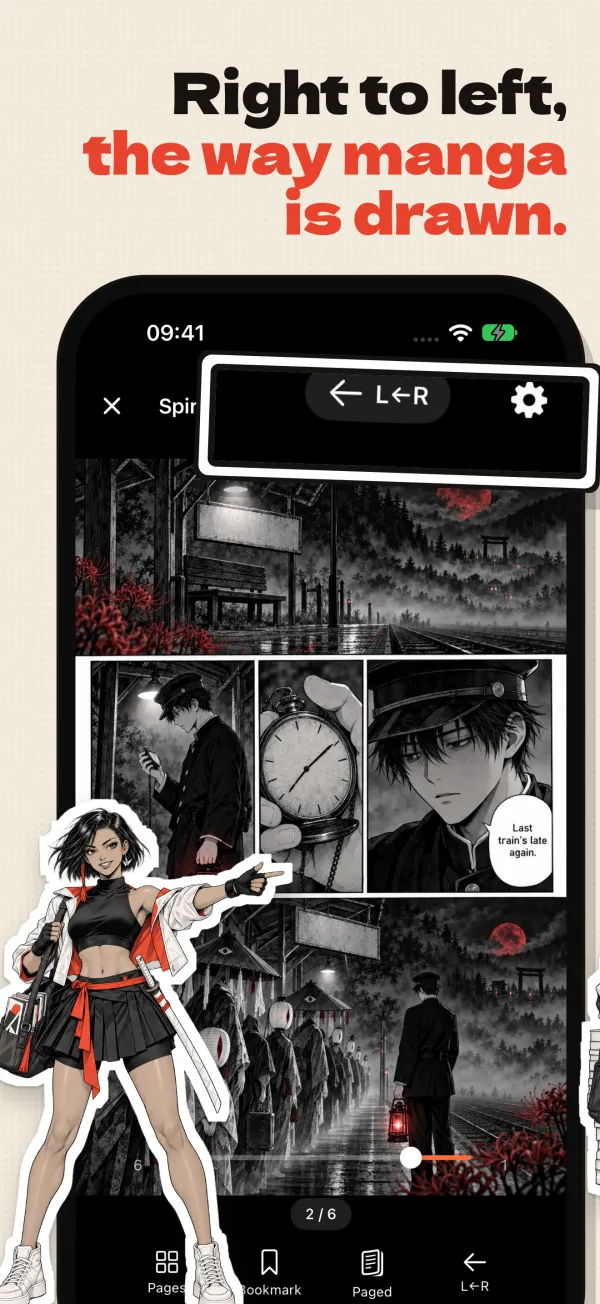
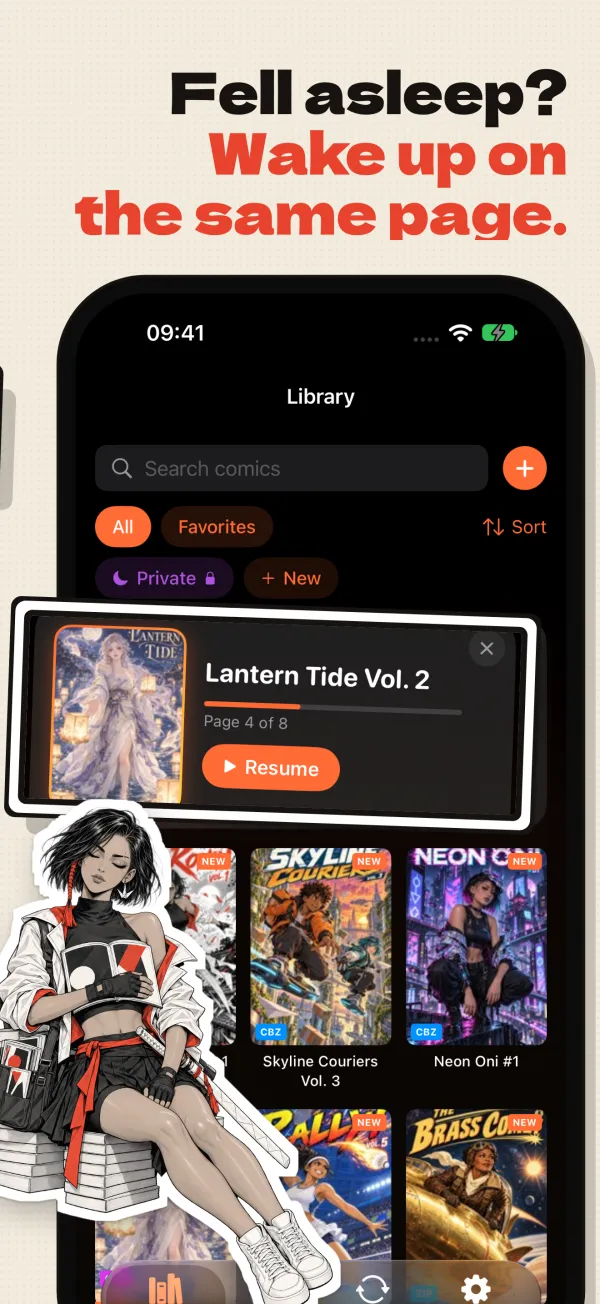
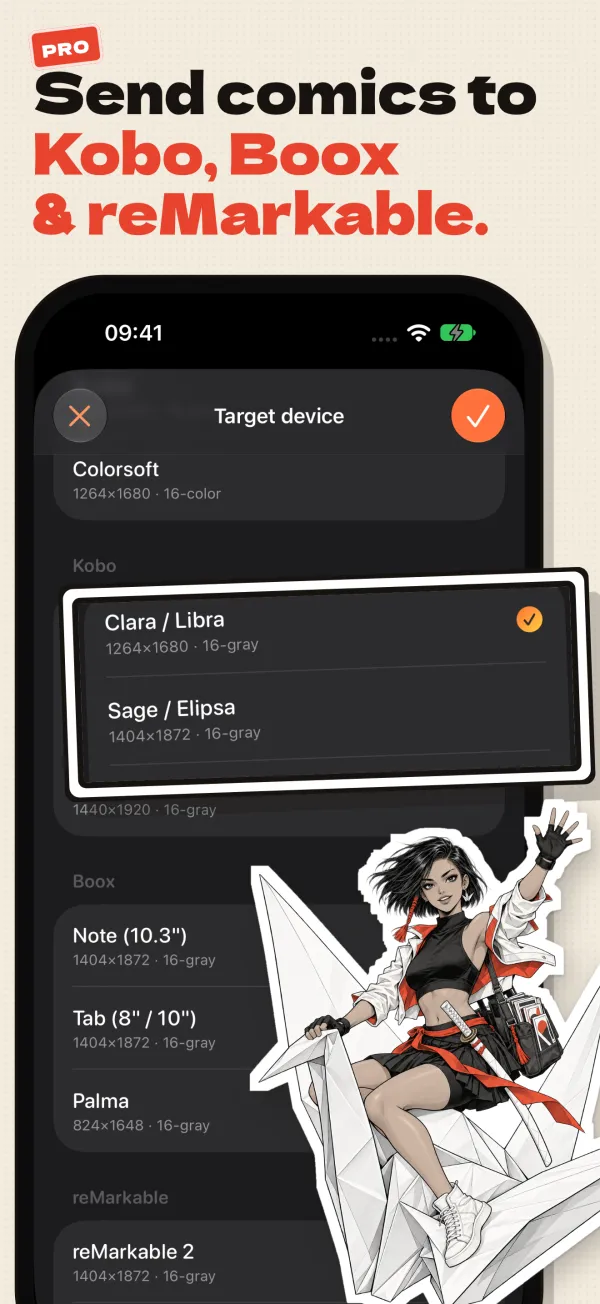
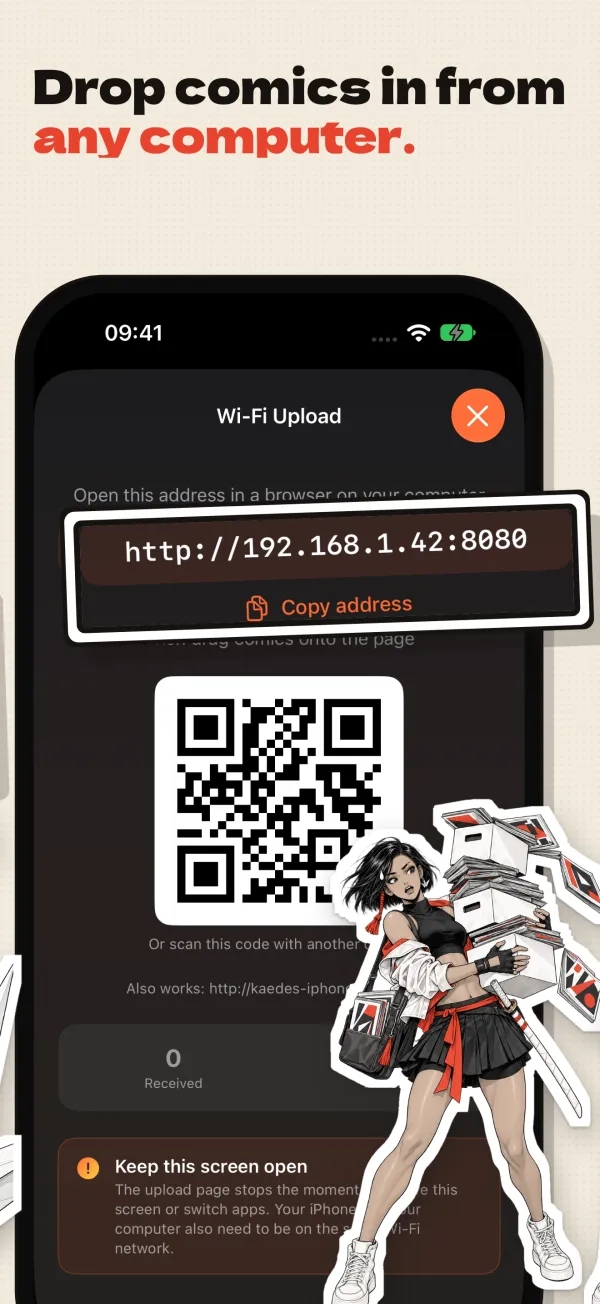
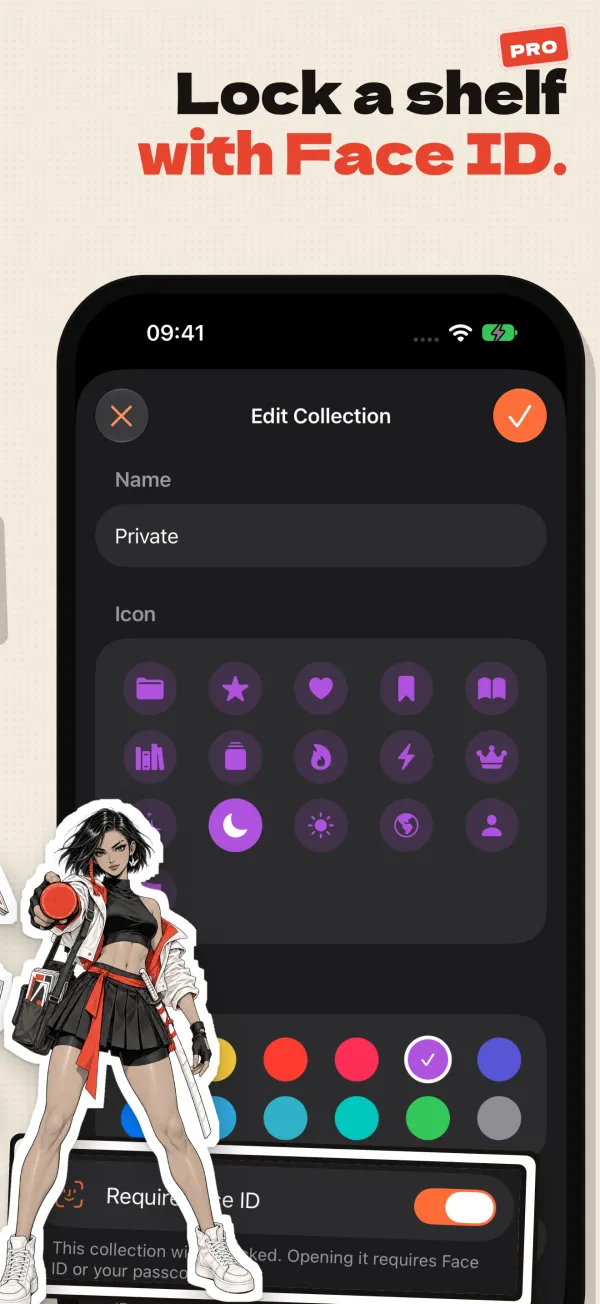
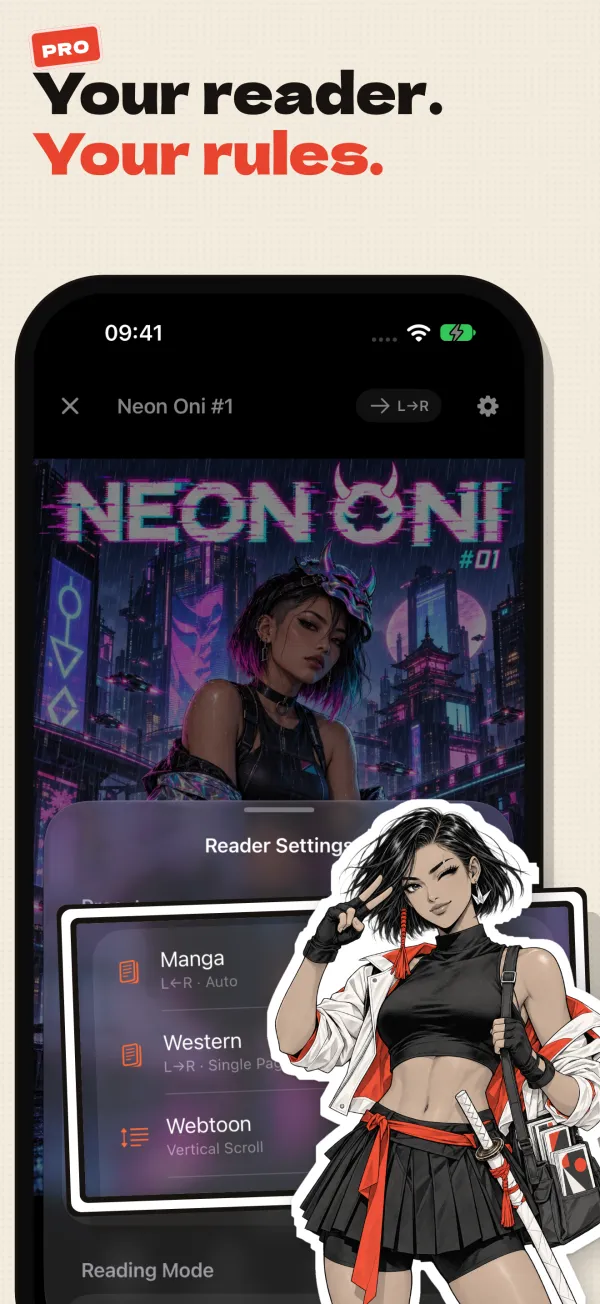
Scroll sideways to follow it. Frames 4, 7, 9 and 10 show Pro features.
New in 3.7
Reading from Komga, Kavita and OPDS servers
If your comics already live on a server at home, ComicFlow can read from it. This part is Pro, and you can test the connection to your server before you buy it.
Your own comic serverPro
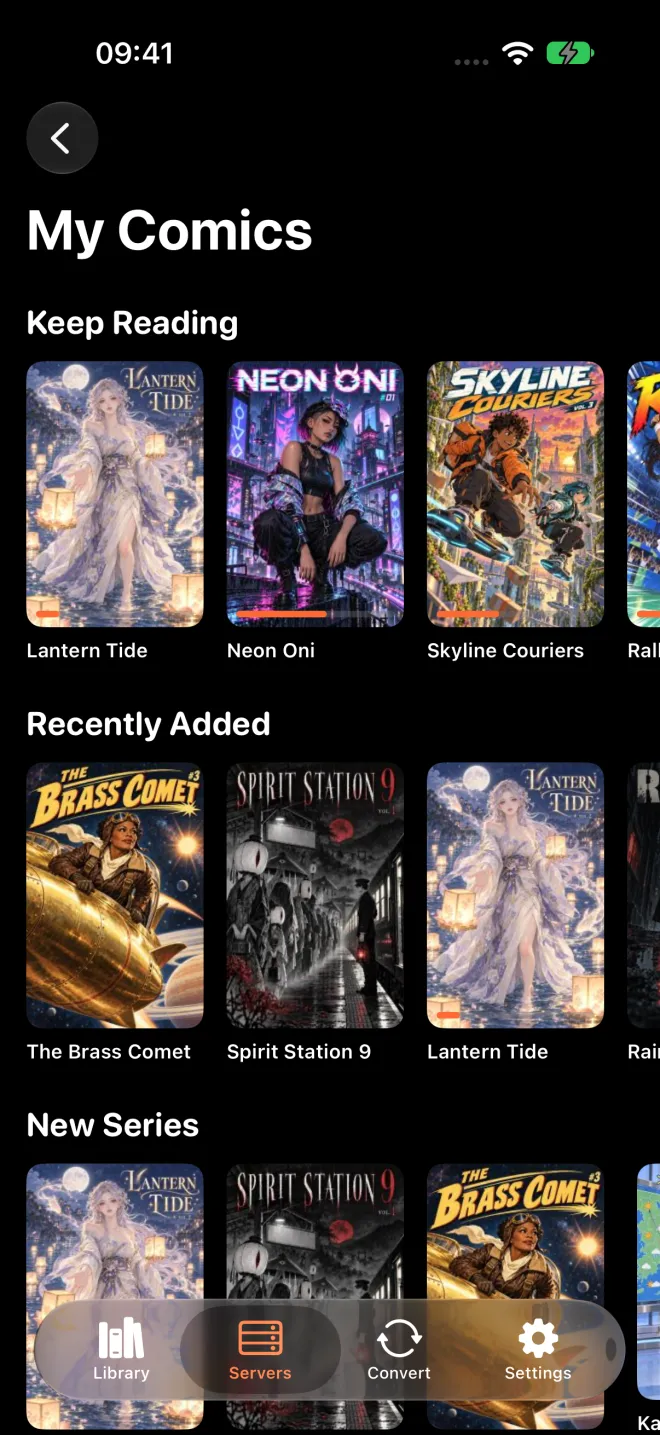
Add Komga, Kavita or any OPDS server, such as Calibre, Codex or Stump, on the Servers tab. It works at home, over Tailscale or over the internet. Browse the whole collection, open a book straight from the server without downloading it, or download it to read offline.
Your place syncs both ways with the server, and downloaded books can also sync with KOReader. Manga opens right to left when the server marks the series that way, and Keep Downloaded keeps the next unread books of a series on the phone and can delete the ones you've read. A server can sit behind Face ID.
ComicFlow doesn't host comics or run a server for you. It connects to one you set up.
- Komga, Kavita, and OPDS servers such as Calibre, Codex and Stump
- Stream a book, or download it for offline
- Two-way progress sync, and KOReader for downloaded books
- Test the connection without Pro
Getting comics onto the phone
The part of a comic reader nobody shows in screenshots. Neither of these needs a cable, and both are in the $2.99 app, not in Pro.
Watch foldersIncluded
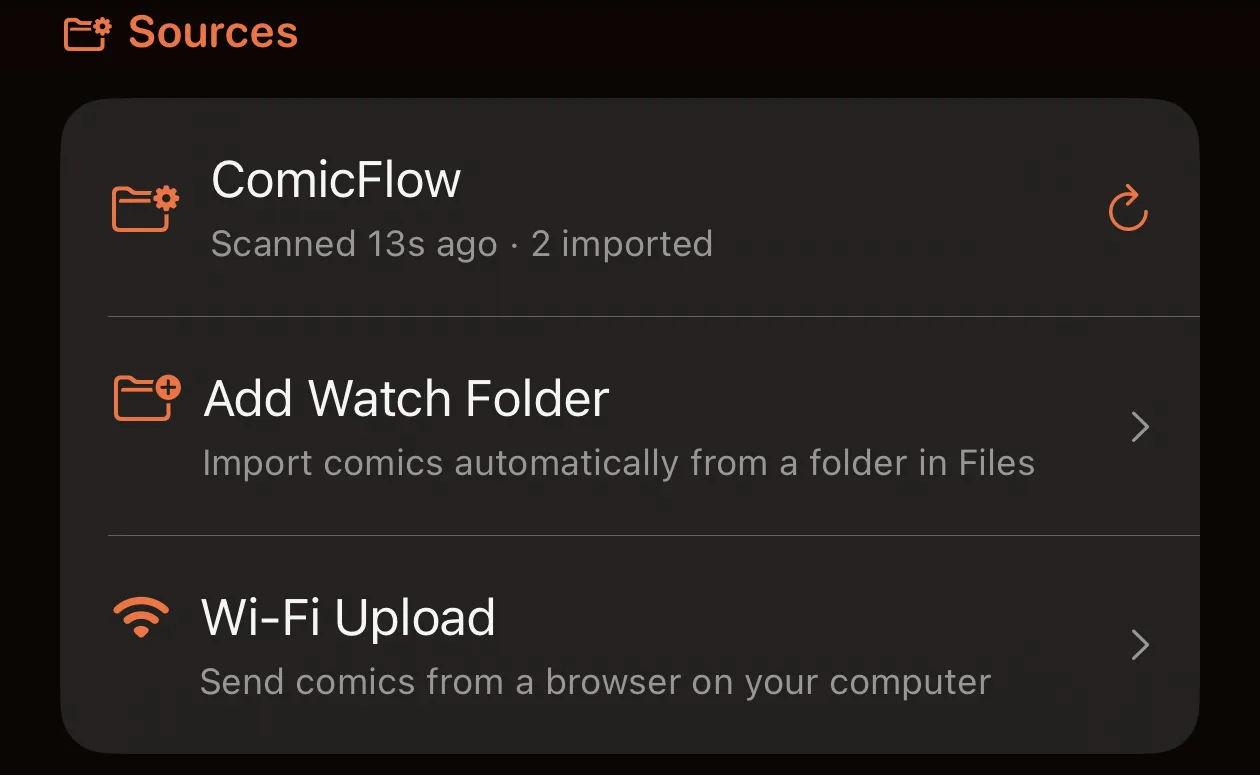
Point ComicFlow at a folder in Files: iCloud Drive, a network share you've mounted, or a USB drive. New comics in it import themselves, with covers and page counts rather than a bare filename.
It rescans when the app opens and when you pull to refresh the library, so a comic dropped into a synced folder on your desktop is waiting on your phone.
- CBR, CBZ, RAR, ZIP and PDF
- Settings → Sources
Wi-Fi UploadIncluded
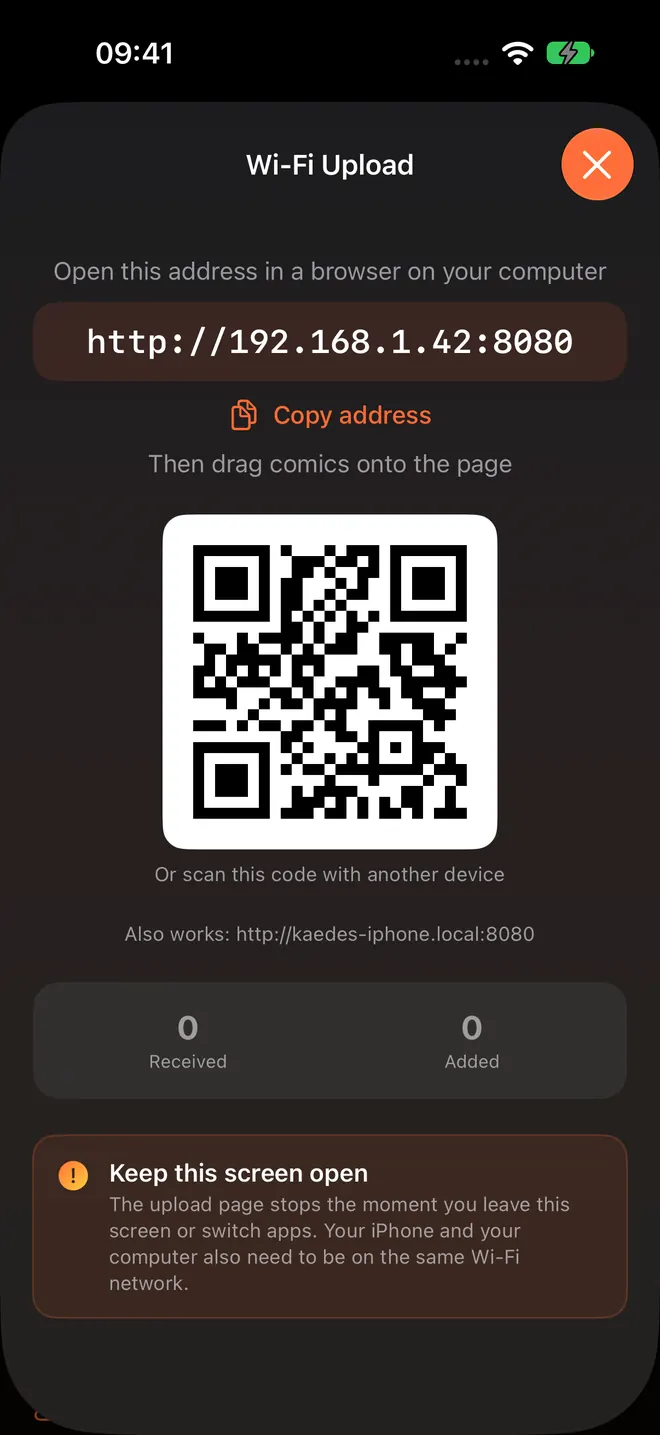
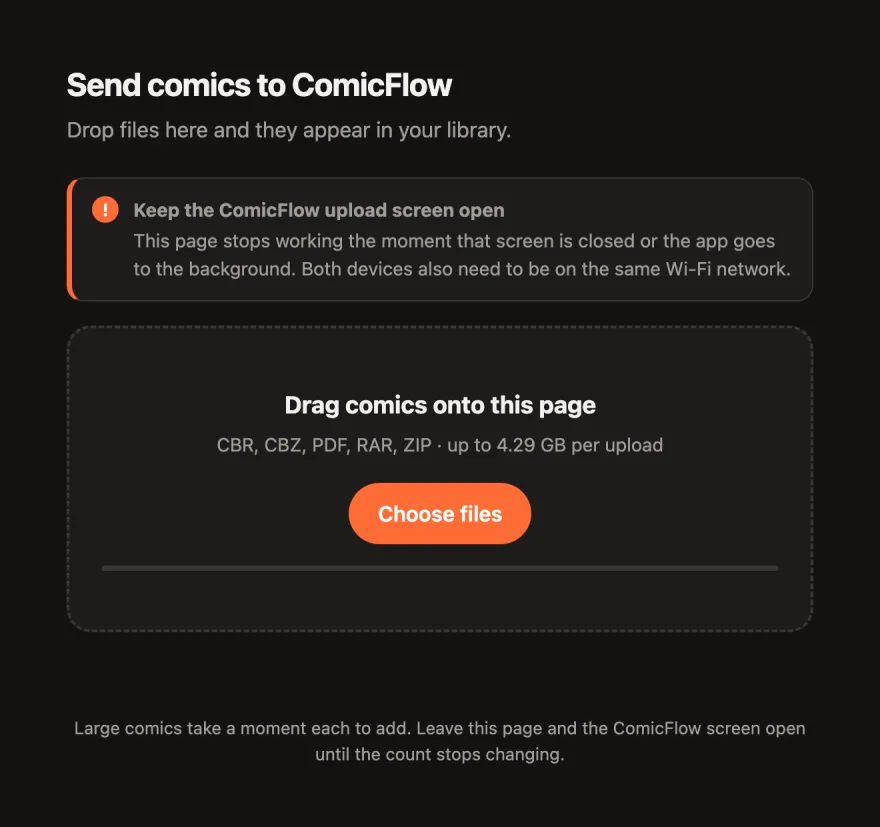
Your phone becomes the server and your computer is just a browser. Open Settings → Wi-Fi Upload, type the address it shows into any browser on the same network, and drag comics onto the page.
There's nothing to install on the computer. The page only answers while that screen is open, so nothing keeps running in the background.
- Any browser on Mac, Windows or Linux
- Up to 4.29 GB per upload
On iPhone Duo
A spread on each side of the fold
Since 3.5, ComicFlow on iPhone Duo puts one page on each half of the inner screen with the gutter on the fold, so no page bends across the crease. I built it in Apple's iPhone Duo simulator, and the screens below come from there.
The fold is the gutter
The left page sits on the left half and the right page on the right. Manga reads right to left the same way.
Same page through a fold
Fold it, unfold it or turn it, and you stay on the page you were reading.
A sidebar when it is open
Collections and Settings move into a sidebar on the open inner screen, as they do on iPad.
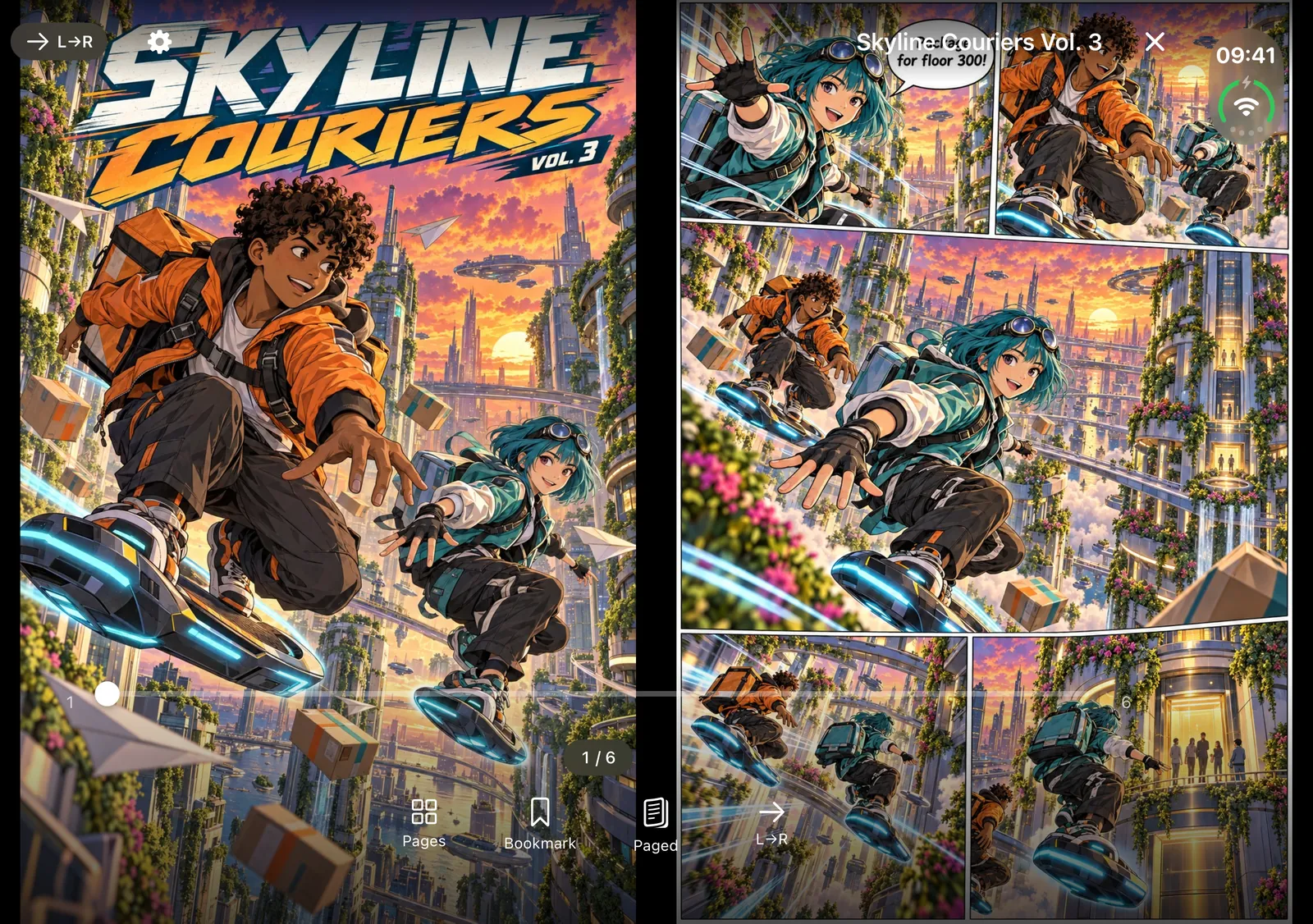
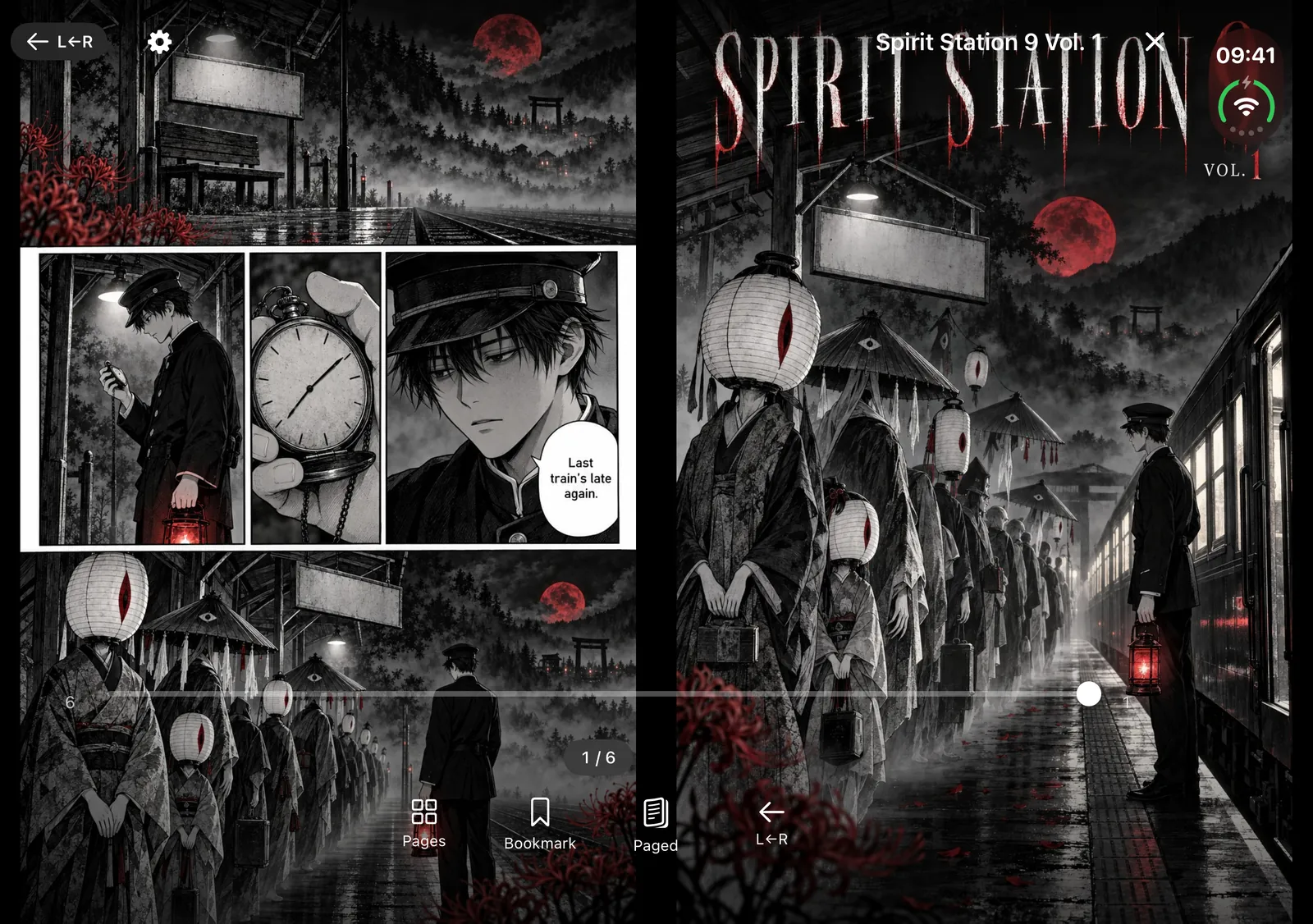
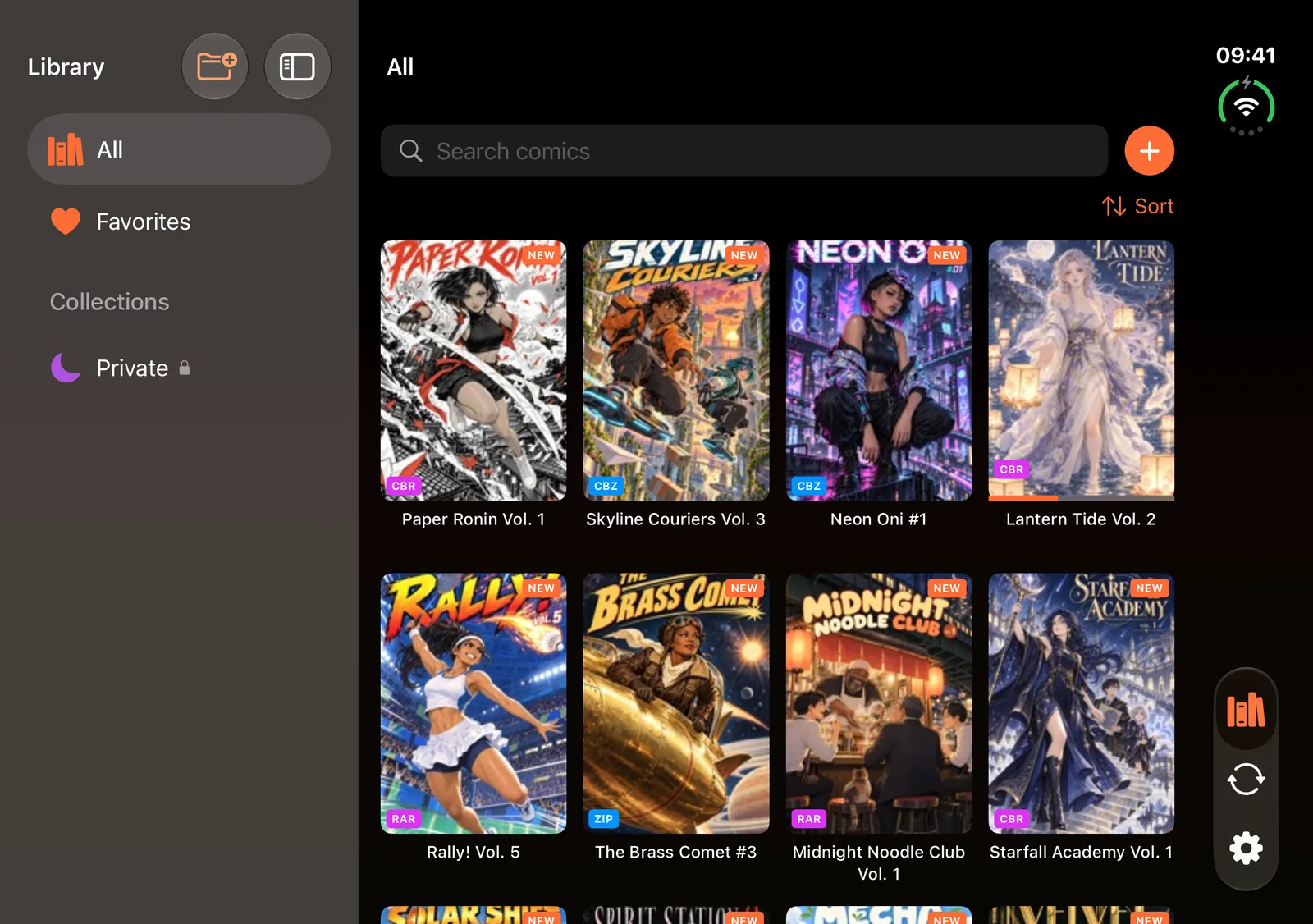
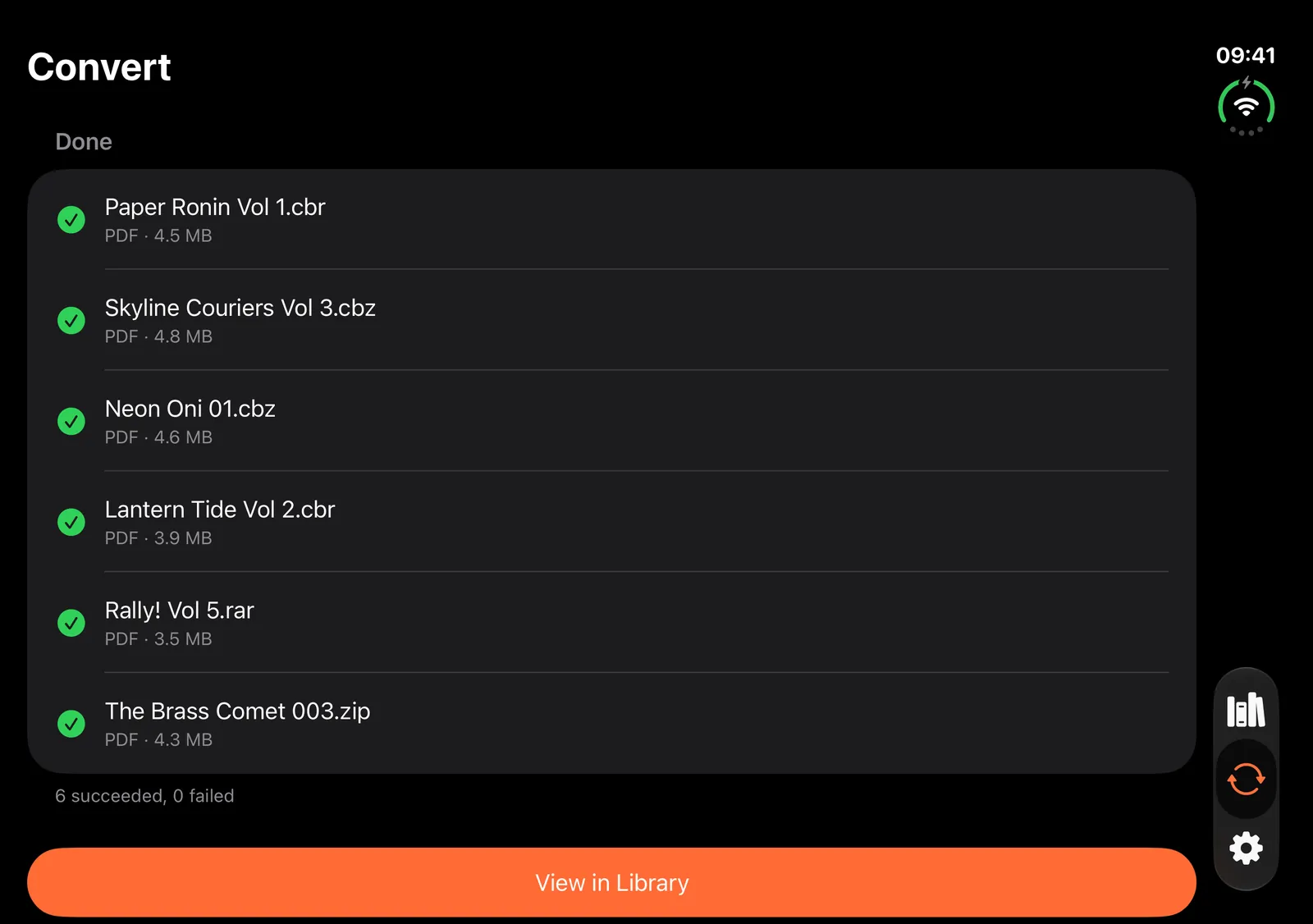
Screens from Apple's iPhone Duo simulator, inner display. Photos from the hardware follow once I have one.
The app itself, without the story
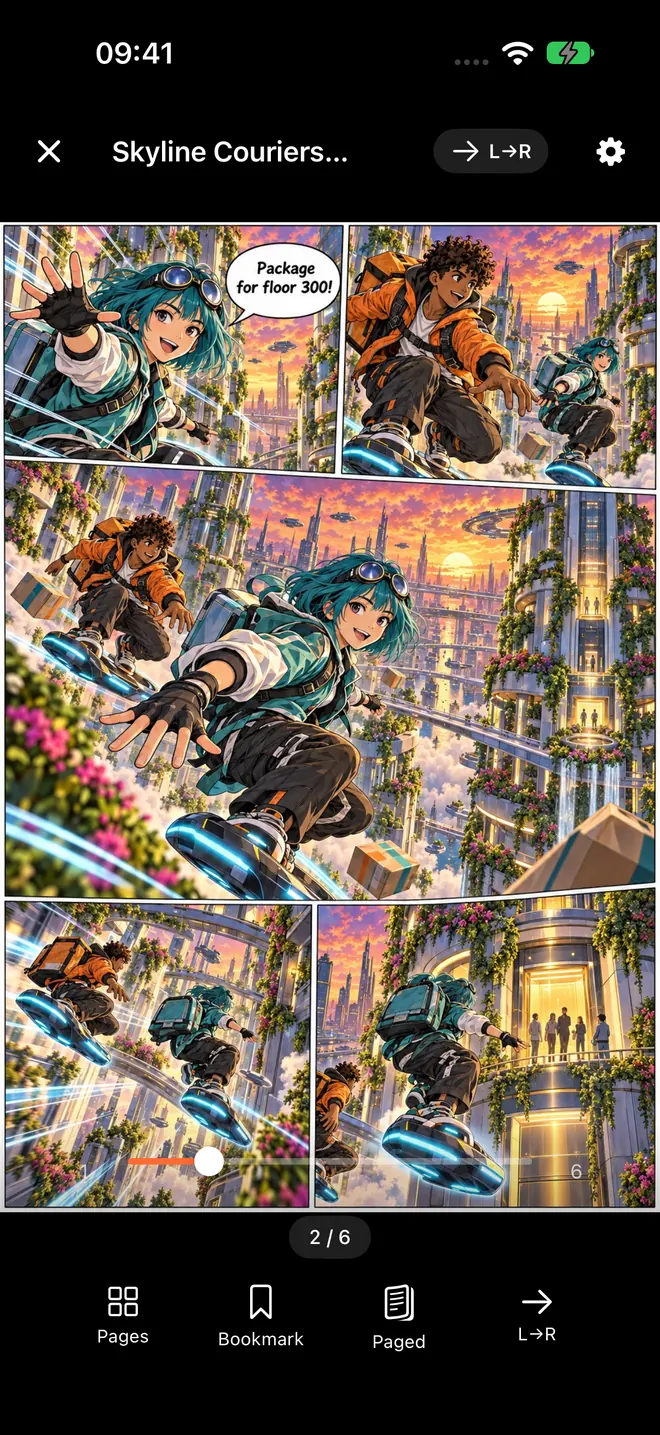
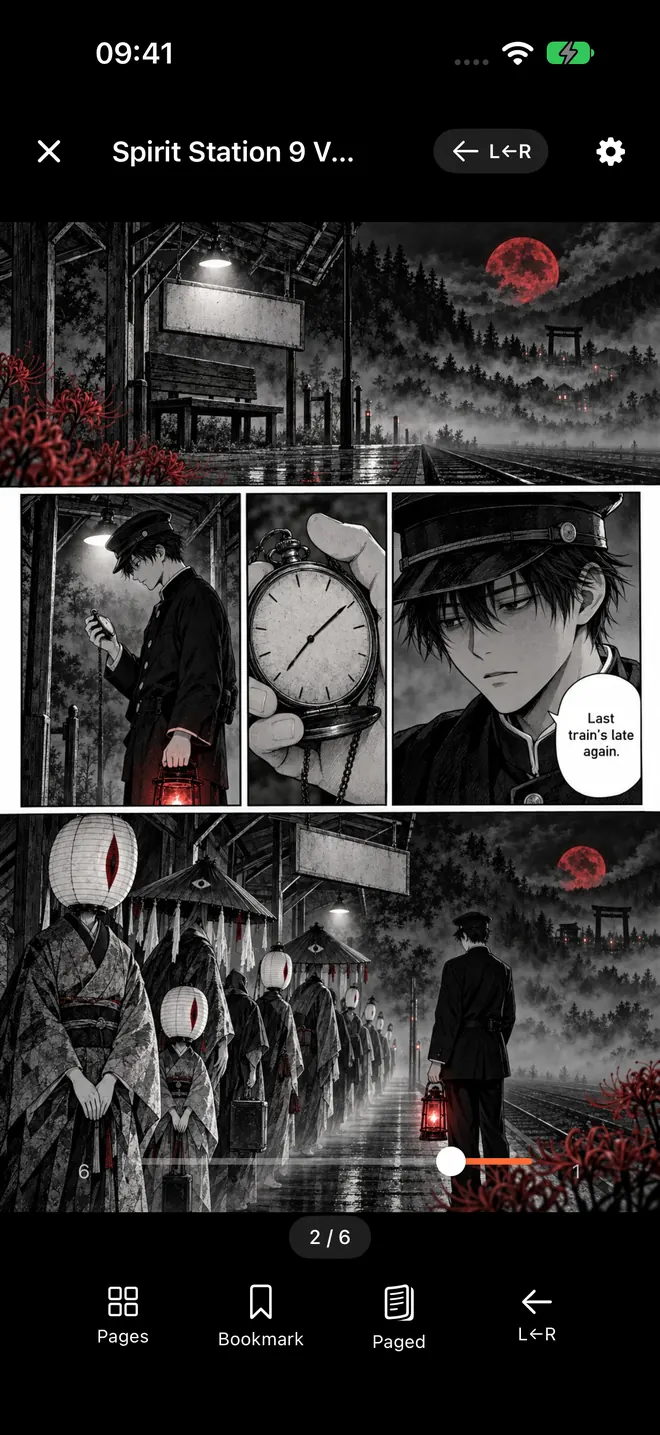
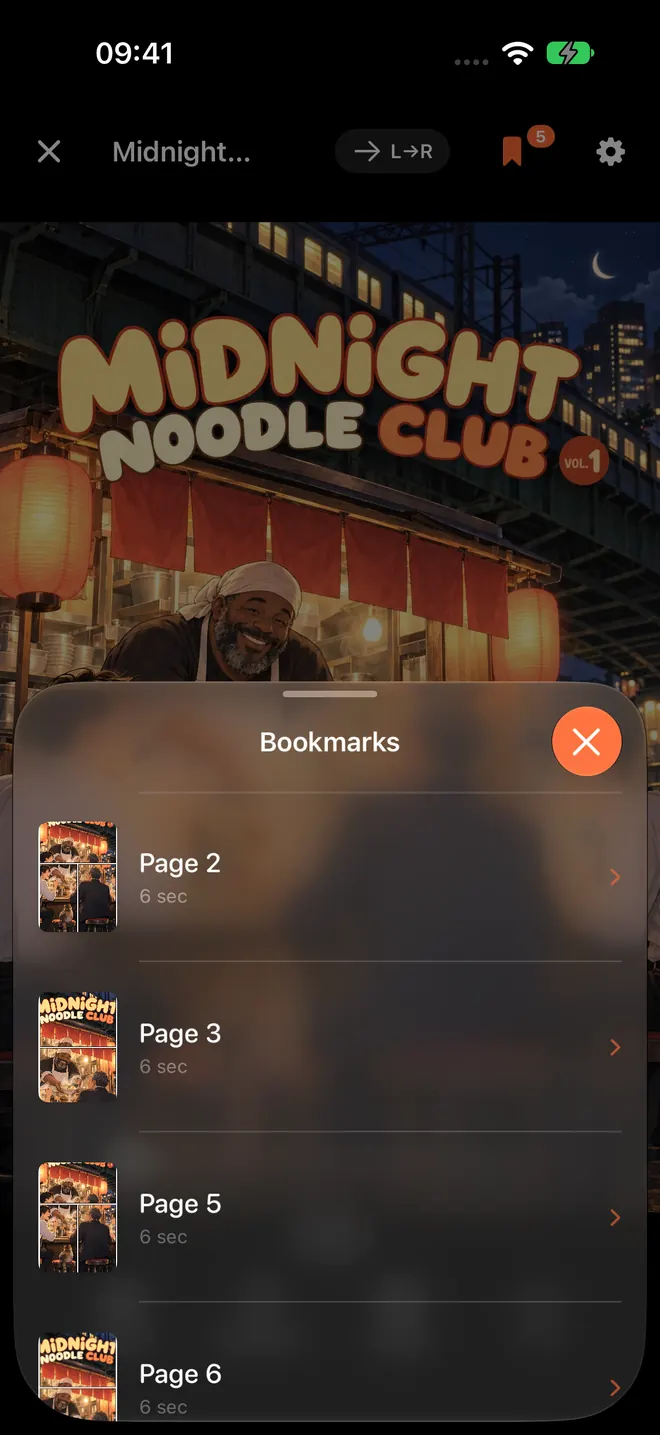
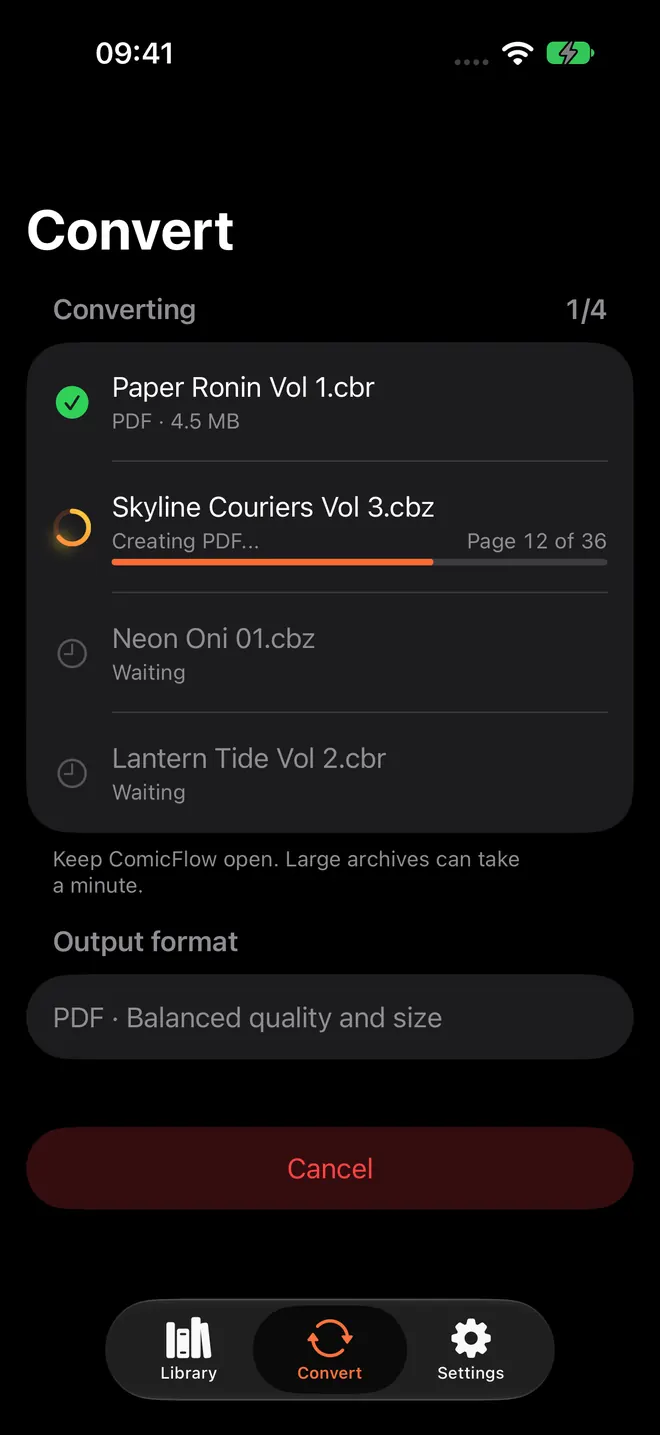
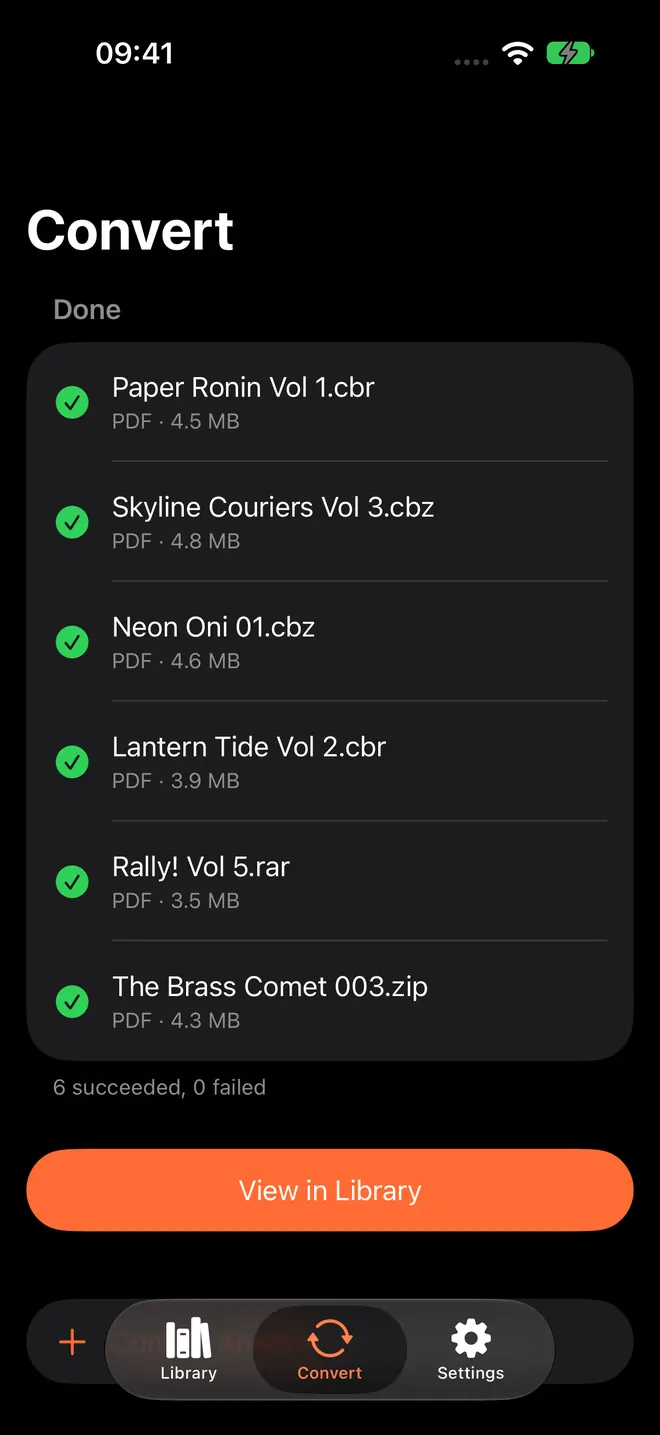
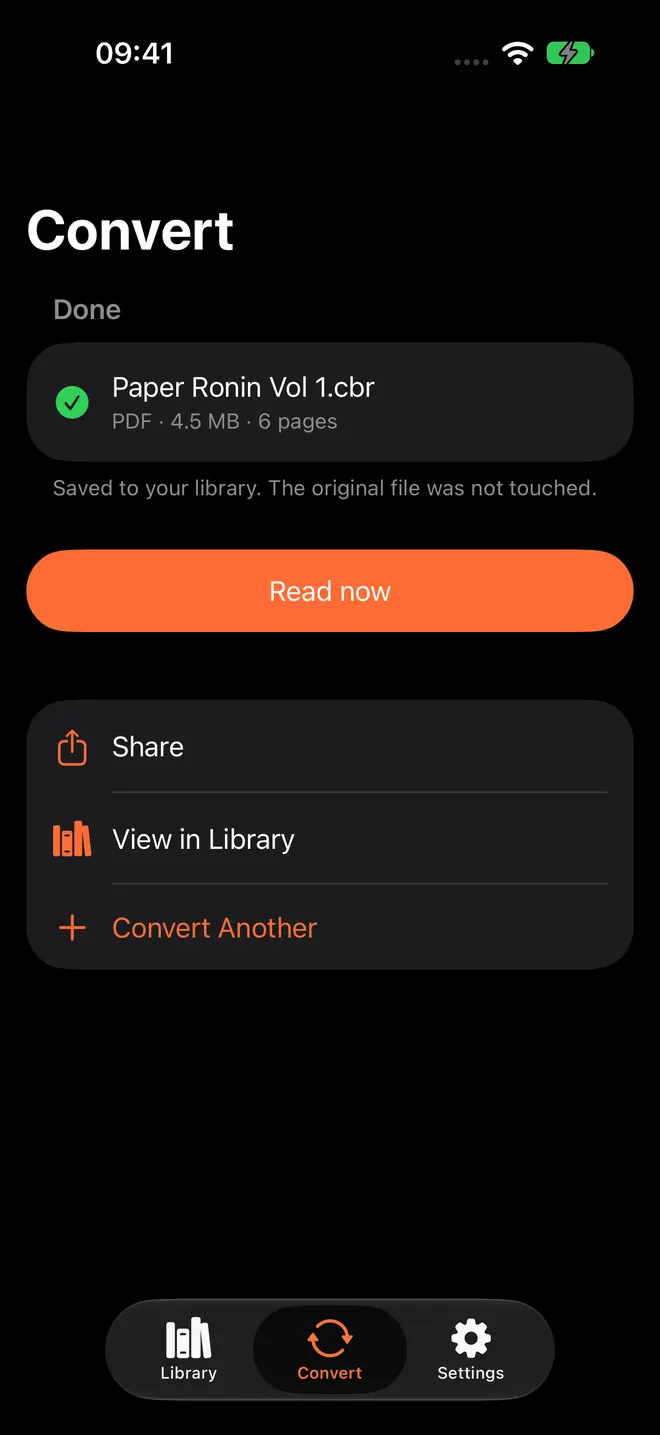
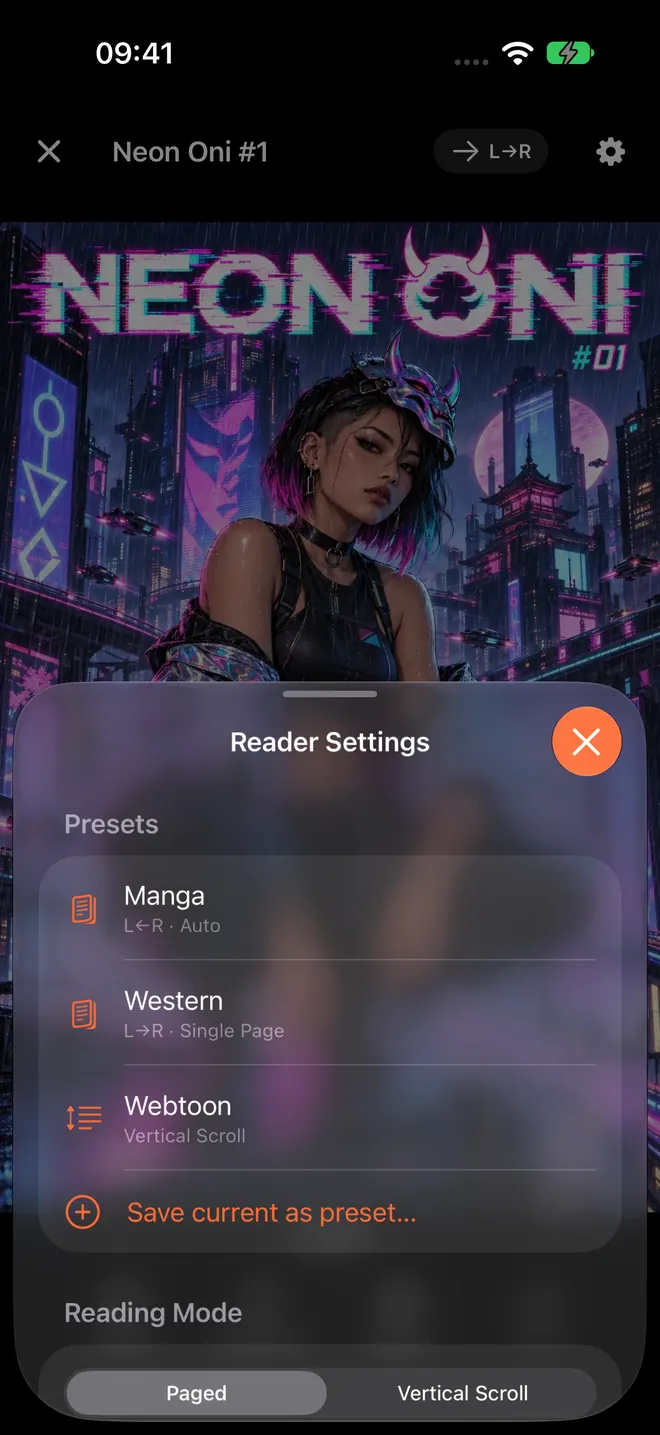
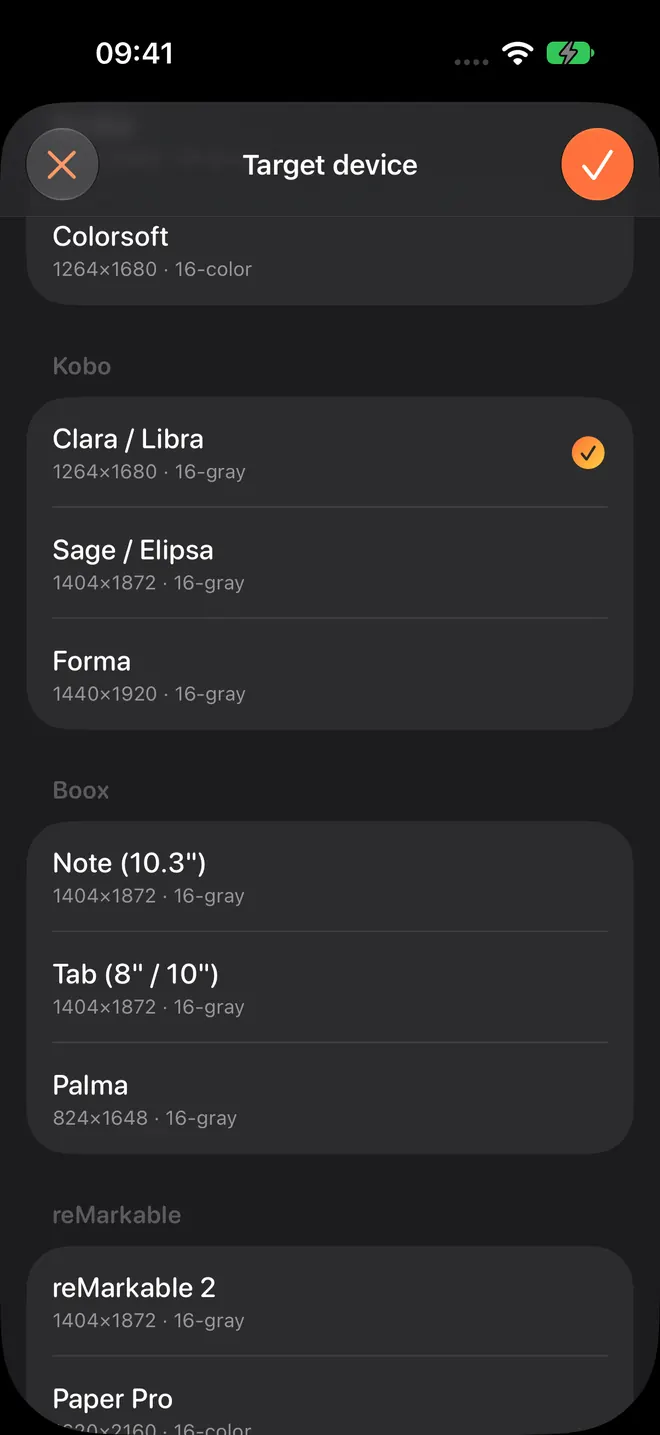
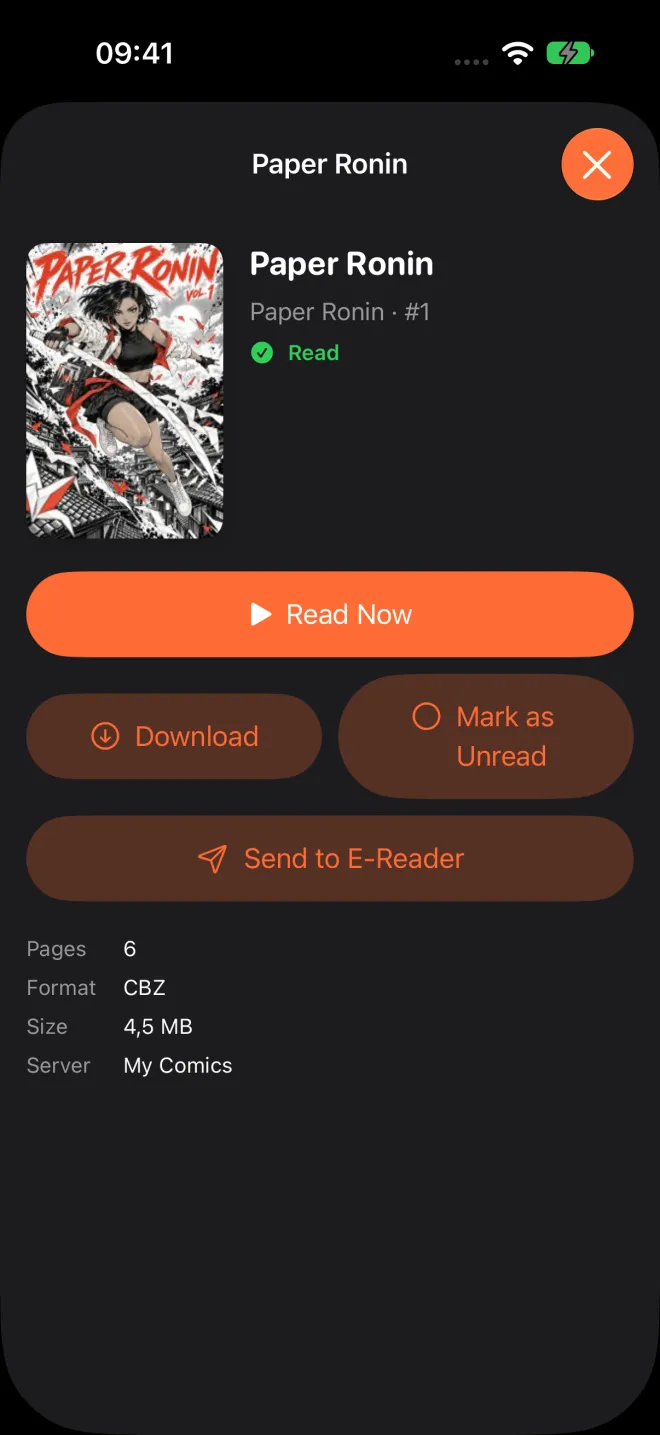
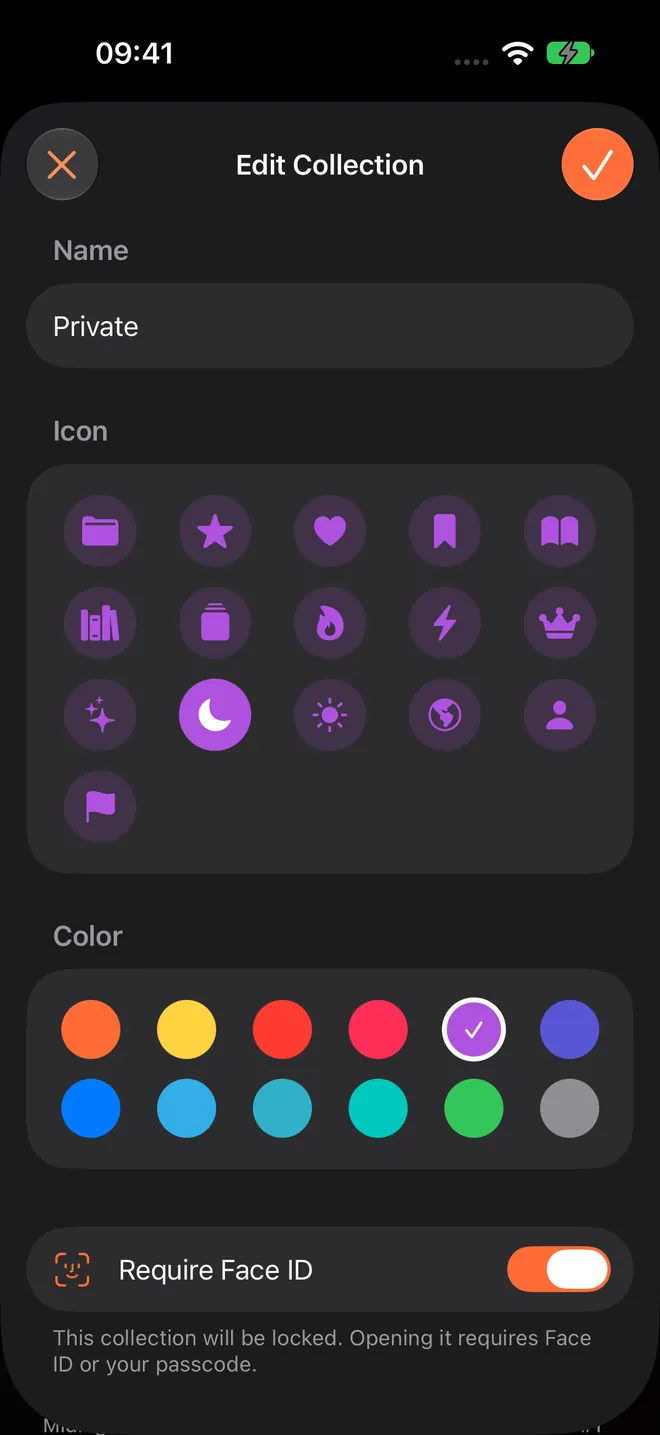
Unedited captures from the iPhone simulator, version 3.5 and later. The comics in them are the made-up library from the store screenshots, and the server books come from a test server holding the same library.
What it does
The app, $2.99
- Reads CBR, CBZ, RAR, ZIP and PDF directly, and recognises a file by its contents, so a comic with the wrong extension still opens
- Converts archives to PDF at three quality levels, or repacks them as CBZ, one at a time or in a batch with progress for each file
- Paged or vertical scroll, single pages or two-page spreads, and right to left for manga with a mirrored page scrubber
- Collections, star ratings, tags, notes and page bookmarks
- Remembers your page, with optional iCloud sync of progress, bookmarks and ratings
- Watch folders and Wi-Fi Upload for getting comics in
- Two-page spreads on iPad in portrait and Split View, and on each side of the fold on iPhone Duo
- Runs on Apple Silicon Macs and Apple Vision Pro as an iPad app, in 18 languages
- Siri and Shortcuts: "Continue reading in ComicFlow" opens the comic you were reading
Pro, $6.99 once
- Read from your own Komga, Kavita or OPDS server, streamed or downloaded, with your place synced both ways. You can test the connection without Pro
- Send comics to a Kobo, Boox, reMarkable or PocketBook as EPUB, with images tuned for e-ink. You can set it up without Pro; the unlock applies at the export
- Lock a collection behind Face ID, Touch ID or your passcode
- Saved reader presets for manga, western comics and webtoons, switched in one tap
Good to know
Kindle is the exception
Kindle doesn't read sideloaded EPUB, so for a Kindle ComicFlow points you to the Calibre route instead of pretending the export works there.
What stays on the phone
Reading and converting happen on the device, and your comics are never uploaded. A comic server you add is one you run, and ComicFlow talks only to it. iCloud sync carries only progress, bookmarks and ratings, and you can turn it off. Anonymous product analytics can be switched off in Settings, and they start off in the EU and EEA, the UK and Switzerland. While they are on, the app also reads Apple's standard Apple Ads install attribution, with no tracking prompt and no advertising identifier.
What 3.7 changed
Comic servers. A Servers tab reads Komga, Kavita and OPDS servers, streamed or downloaded, with your place synced both ways (Pro). Siri and Shortcuts can open the comic you were reading, and a short guide explains what a comic server is for anyone who has never run one. It went live on 19 October 2026.
Notes on building it
- Test your comic server before you pay: where I put ComicFlow's paywall ComicFlow 3.7 reads from Komga, Kavita and OPDS servers, and all of it is part of Pro. A paid feature that depends on someone else's setup has an obvious risk: you pay, and it doesn't connect. So the paywall waits until your server has answered. Getting the one sentence that explains this right took me three tries.
- One manga page folded, a whole spread open: ComicFlow on iPhone Duo This week a lot of people noticed that a folded iPhone Duo is about the shape of one manga page, and that it opens into two. I'd been building ComicFlow around that shape since September. Here's the story of that work, including the small gap in the middle I fussed over most.
- Komga, Kavita and OPDS on a real iPhone: the device pass before ComicFlow 3.7 ComicFlow 3.7 reads comics straight from your own Komga, Kavita or OPDS server. Before it shipped I ran it on an iPhone against real servers on my Mac. Most of it passed. Three things didn't, and none of them was where I expected.
- Ten App Store screenshots that read as one comic For ComicFlow 3.6 I replaced ten separate App Store screenshots with one comic that runs across all of them, starring Kaede, a heroine with a paper katana. How she and her made-up library came together, and what it took to ship the set in 18 languages.
- The lines that made ComicFlow assume every iPhone was the same shape Running ComicFlow in the iPhone Duo simulator showed stretched layouts, phone-sized covers and a reader that decided on spreads by orientation. The Duo exposed them, but several of the bugs were already shipping on iPad.
- The Bug I Was Certain I Had, and the Six I Actually Had ComicFlow 3.4 was finished when a paying reader said a comic would not open. I was sure the cause was RAR5. It was six mundane things wearing the same blank page, because one catch block had been swallowing every error since the reader's first commit.
- A One-Star Review, and the Eight Bytes That Fixed It A reader said ComicFlow didn't recognise 90% of his comic files. He was right, and every one of those files was fine. I was routing archives by their filename instead of reading what was actually inside them.
- ComicFlow 3.0: Send Comics to Your E-Reader, Lock Private Shelves, and Export to CBZ ComicFlow 3.0 adds EPUB export for Kobo, Boox and reMarkable, Face ID-locked collections, reader presets, and CBZ export in the $2.99 app. Still one-time, still offline, still no subscription.
- Why I Built ComicFlow (And What I Learned Shipping a Niche iOS App) I'm an indie iOS dev. I shipped a comic reader to a market dominated by Panels and Shonen Jump. Here are the unsexy decisions that made it work, and the mistakes I made along the way.
Get ComicFlow
$2.99 on the App Store, once. Pro is an optional $6.99 upgrade, also once. No subscription. No ads, no ad tracking.
Download on the App Store