Nava plays rain all night without a gap. Here's how the loop is cut
Nava is my sleep and focus sounds app. Its noise is generated on the device, but rain, wind, forest and crickets are recordings that have to loop for hours. A recent update re-cut them so the end runs straight into the beginning, and the crossfade is equal-power so the join stays even.
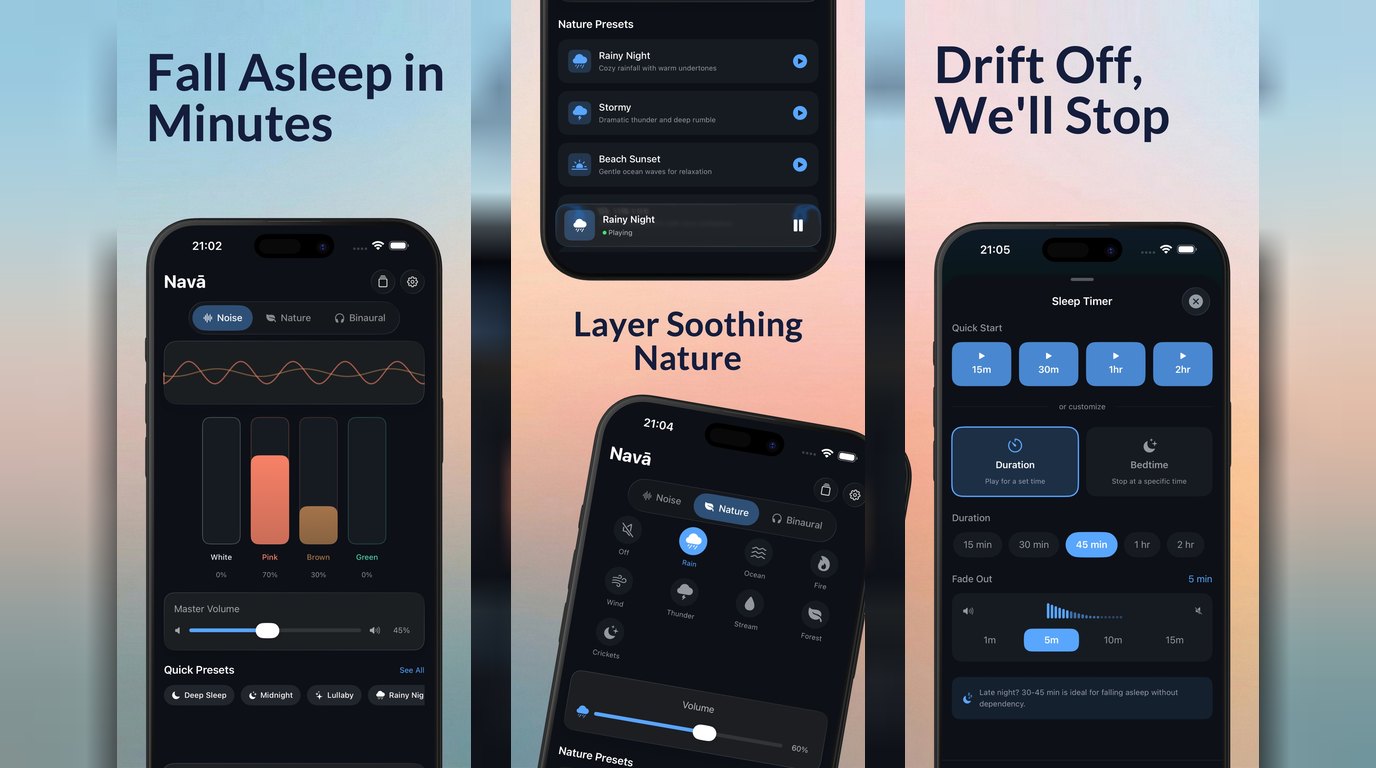
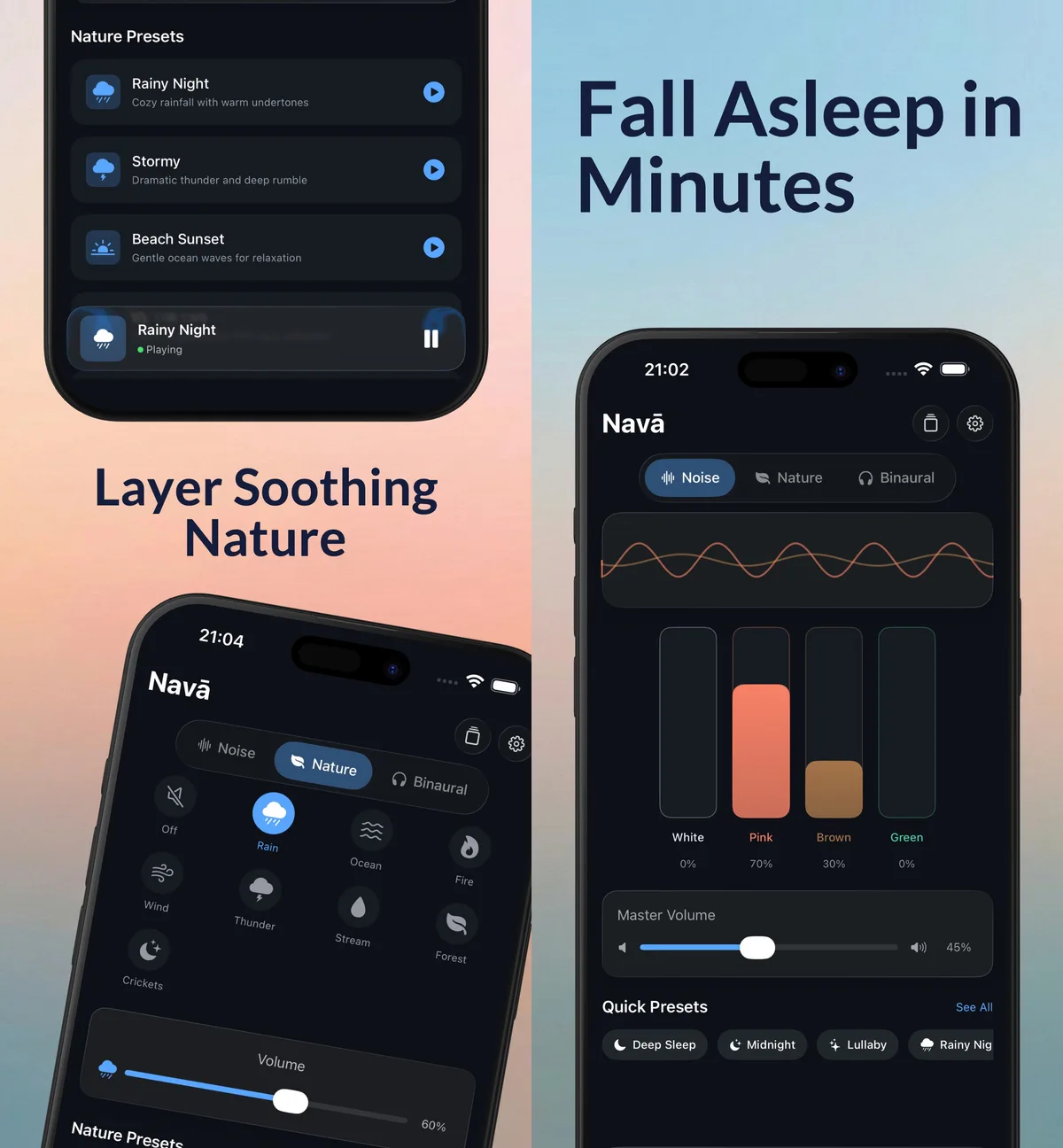
Nava is my sleep and focus sounds app. You mix white, pink, brown and green noise, layer a nature sound on top, add a binaural beat if you like, and set a sleep timer that fades everything out. It costs $2.99 once, with no subscription and no ads, and it works offline.
Most of what you hear in Nava never repeats. The four noise colours and the binaural beats are generated on the device while they play, so there’s no file and no loop point. The noise you hear at three in the morning is new noise, not a recording starting over.
The eight nature sounds are different. Rain, ocean, fire, wind, thunder, forest, stream and crickets are real recordings, bundled in the app. A recording has a beginning and an end, and a sleep app has to play it for hours. That means every one of those files wraps around to its start again and again through the night, and the wrap is where a sleep sound can give itself away.
This post is about that join, and how a recent update made four of the sounds run straight through it.
A short file, many times a night
The files are not long. Wind is about 13 seconds. Crickets is about 20, forest about 30, and rain, the longest of the four, is a little under two minutes. Over an eight-hour night, the wind file starts over more than two thousand times, and rain a couple of hundred.
So anything that happens at the join happens a lot. A tiny drop in level, a click, a short stretch of quiet: once is nothing, but every 13 seconds it becomes a rhythm. And when you’re lying in the dark trying not to listen to anything, a rhythm is exactly what you start listening to.
The playback side is simple on purpose. iOS has an audio player that will loop a file forever, and it does that faithfully. Which is the catch: it plays whatever is in the file, including whatever the file does at its very ends.
What a recording does at its ends
A nature recording is usually cut to be listened to once. It fades in from quiet, plays, and fades out to quiet, so it doesn’t start or stop with a jolt. That’s the right edit for a clip you hear one time. For a loop it’s the wrong one, because the fade-out and the fade-in now sit right next to each other, and the player dutifully plays the dip between them on every pass.
Rain, wind, forest and crickets all had that shape: a fade and a little silence baked into both ends. Fire, ocean, stream and thunder didn’t.
Hearing a dip is one thing. To fix it properly I wanted a number for it, so the change could be measured rather than judged by ear. The test was simple. Put each file end to end with itself, so the end of one copy meets the start of the next, the same way the player does it. Then measure the loudness right at the join and compare it with the loudness on either side. A ratio of 1.00 means the join is as loud as the sound around it, so there is nothing to hear.
Before the re-cut, the four files measured like this:
- Forest: 0.07. At the join, the sound fell to about a fourteenth of its normal level, which is close to silence.
- Wind: 0.13.
- Rain: 0.45. A softer dip, but on a sound people use precisely because it’s steady.
- Crickets: 1.77. This one went the other way, with a bump at the join that was louder than the sound around it.
Fire, ocean, stream and thunder measured clean, so they stayed exactly as they were.
Re-cutting each loop
For each of the four files, the fix had three steps.
Trim past the fades. The quiet ends go entirely. What’s left is the part of the recording where the rain is simply raining.
Pick new loop points at matched levels. Even with the fades gone, a recording isn’t equally loud everywhere. Wind gusts, rain thickens and thins. If the new end happens to land on a quiet moment and the new start on a loud one, you’ve traded a dip for a step. So the new start and end were chosen where the level at the head and the level at the tail are within a few percent of each other, between 0 and 4% apart.
Crossfade the tail into the head. The last stretch of the file is blended over the first stretch, so the end of the recording is already turning into its beginning by the time the player wraps. There is no edge left for the player to find.
Why the crossfade is equal-power
This is the part I’d point another developer to.
The obvious crossfade is linear. Over the length of the blend, one sound goes from full volume to zero while the other goes from zero to full, in straight lines. In the middle, each is at half volume. That sounds like it should add back up to one full sound.
It does for two copies of the same signal. It doesn’t for rain, wind or crickets. The tail and the head of a nature recording are different stretches of sound with no fixed relationship to each other, and what adds up for unrelated sounds like that is power, not amplitude. Two of them at half amplitude carry a quarter of the power each, so together they come to half the power.
An equal-power crossfade uses curved fades instead, shaped so that the two sides’ power always adds up to the same total. At the midpoint each side sits at about 71% amplitude rather than 50%, and the level across the join stays flat.
After the re-cut, the same end-to-end test gave:
- Forest: 0.07 → 0.73
- Wind: 0.13 → 1.12
- Rain: 0.45 → 0.85
- Crickets: 1.77 → 1.03
None of them is a perfect 1.00, and that’s fine. A real recording moves around on its own; the rain in the middle of the file isn’t at a perfect 1.00 against the rain beside it either. What changed is that the join is no longer a different kind of moment from the rest of the sound.
Gapless at the file level too
There’s one more place a gap can sneak in. Compressed audio formats add a little padding at the start and end of a file as part of how they encode, and a player that doesn’t know about it plays it as a few milliseconds of silence at the wrap. AAC in an .m4a file carries gapless information in its metadata, and iOS’s player honours it.
So the re-cut files were exported as AAC in .m4a. Nava already preferred an .m4a over an .mp3 when both existed, so the app picked up the new files with no code change. The old MP3s were removed, and the folder of nature sounds went from 15 MB to 8.9 MB, which is a nice side effect for a download.
What it means when you use Nava
Nava’s nature sounds now loop without a gap. In practice, it means you can put on Rainy Night, or brown noise with wind on top, set the sleep timer, and the sound is the same steady sound at the end of the night as at the start. Nothing in it marks time. When the timer runs out, the fade-out you chose is the only fade you hear.
That’s the whole idea behind Nava. A sound for sleep or focus should be something you stop noticing, so the job of the app is to never give you a reason to notice it. The noise does that by being generated live. The recordings do it now by having no edges left.
If you’d like a steady sound for sleep, reading or work that you pay for once, Nava is here, and it’s $2.99 with no subscription. Try the rain with the wind under it, and see whether you can hear where the loop starts.